
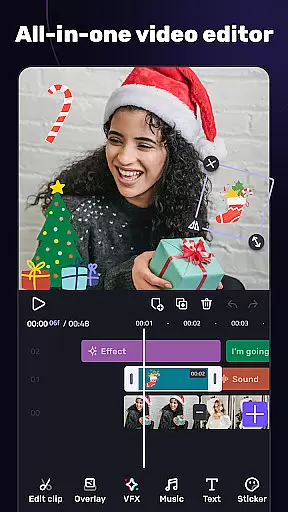
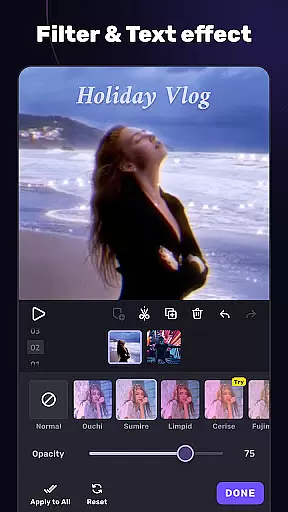
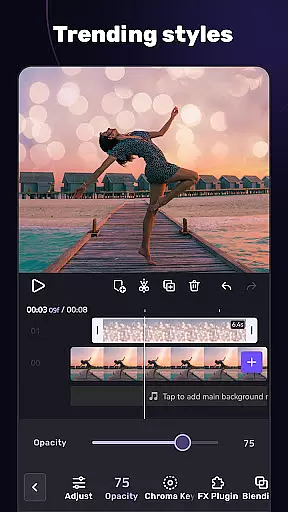
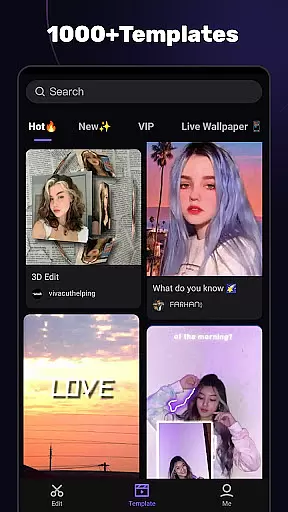
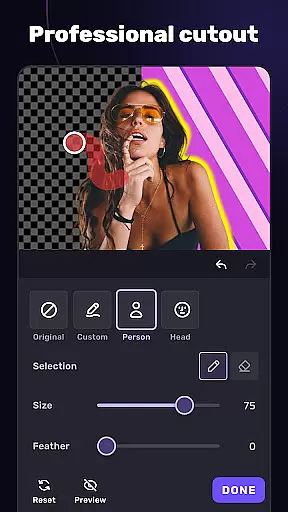
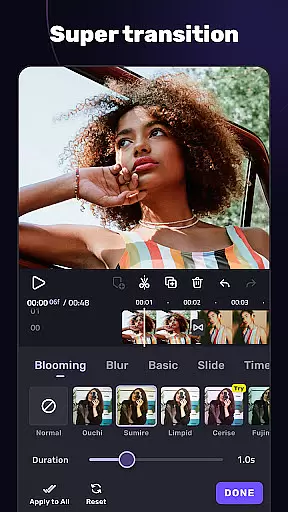
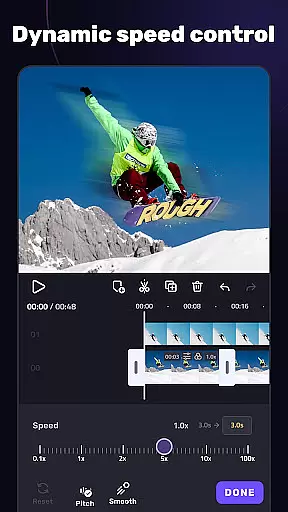
VivaCut is a versatile video editing application that combines professional-grade features with user-friendly functionality. This app allows users to create high-quality videos using advanced tools like multi-layer timelines, chroma key effects, and keyframe animations. Whether you're producing content for YouTube, Instagram, or TikTok, VivaCut provides the necessary features to craft cinematic videos with precision.
The app stands out with its ability to handle both basic and advanced video editing tasks. Users can trim, split, and merge video clips while applying various transitions and effects. Additionally, VivaCut offers creative options such as picture-in-picture, video collages, and customizable overlays, making it suitable for both amateur creators and seasoned video editors looking to enhance their projects.
VivaCut distinguishes itself through a comprehensive suite of video editing tools. The multi-layer timeline enables detailed frame-by-frame editing, while the chroma key feature allows users to replace video backgrounds seamlessly. Advanced functions like keyframe animation and masking provide Hollywood-level effects, empowering users to produce professional-quality content.
Beyond its core editing capabilities, VivaCut includes a variety of filters, transitions, and glitch effects to enhance video creativity. The app also supports audio extraction and music markers, syncing video edits with music beats. With export options in 720p, 1080p, and even 4K resolution, users can save and share their polished videos directly to social media platforms, ensuring their creations look stunning on any device.
Video format compatibility is a crucial feature for any video editing application, ensuring that users can work with a wide range of video files without conversion hassles. AI Video Editor supports an extensive array of formats, allowing creators to import and export videos in resolutions up to 4K. This versatility guarantees that whether you're editing footage from a professional camera or a smartphone, the app maintains the original quality while providing the flexibility to choose the best format for different platforms.
The app's dedication to comprehensive format support extends to its rendering options. Users can customize video resolution settings, choosing between standard HD, Full HD, or Ultra HD outputs. This ensures that content is optimized for various social media platforms like YouTube, Instagram, and TikTok, each having unique requirements. The ability to adjust these settings empowers creators to tailor their projects precisely as needed.
Moreover, AI Video Editor doesn't compromise on performance when handling diverse formats. Its processing engine is designed to efficiently manage high-resolution files, maintaining smooth playback and quick rendering times. This efficiency is vital for professionals who work under tight deadlines and need reliable performance without sacrificing quality.
By offering broad video format compatibility, customizable resolution settings, and robust processing capabilities, AI Video Editor positions itself as an indispensable tool for both amateur enthusiasts and seasoned videographers looking to produce high-quality content across multiple platforms.
AI-powered editing features represent the cutting edge of video editing technology, enabling users to achieve professional results with minimal effort. AI Video Editor incorporates advanced algorithms that automate complex tasks such as color correction, audio syncing, and even scene detection. These intelligent tools analyze video content and apply optimal adjustments, significantly reducing the time required for post-production while enhancing overall video quality.
One standout feature is the automatic effect and transition application based on video content. By recognizing elements within the footage, the app suggests suitable filters and transitions that complement the visuals. This not only streamlines the editing process but also encourages creativity by offering dynamic templates that adapt to individual clips. Additionally, the AI-driven music marker allows precise synchronization of visual effects with audio beats, creating engaging rhythmic edits effortlessly.
Furthermore, the app includes smart tools like chroma key and green screen effects powered by AI. These features enable seamless background removal and replacement, elevating video production value without needing specialized skills. With intuitive controls and real-time previews, users can experiment with different backgrounds and overlays confidently.
By integrating sophisticated AI-powered editing features, AI Video Editor democratizes high-quality video production, making it accessible to everyone regardless of skill level. This technological advancement transforms the creative process, empowering users to focus on storytelling while the app handles technical complexities.
User-friendly interface
Advanced editing tools
High-quality export options
Creative filters and effects
Music synchronization features
Subscription required for full access
Some features may overwhelm beginners
Occasional performance lags
Limited free templates
In-app purchases can add up

Online Videos Player
 3.90
3.90
Watch a large amount of high-definition short drama content
4.60
AirMirror Receiver - Screen mirroring/cast web videos to Android TV by AirPlay.
4.40
Browser for Sony TV to stream web videos, online movies and live tv
3.20
Connect EasyCap or UVC devices for recording and broadcast video/audio stream
3.60
Fast private browser with secure, seamless access & supported video downloads!
4.00
Viddo: Generate Action Figure, AI Anime, AI kiss, AI hug Video from image & text
4.40
Manage your YouTube channel on the go
4.40
Make videos you’re proud to share with Edits, a video editor for creators.
4.70
Tik & Story Saver-Download ALL social media videos, photos & reels no watermark.
4.80
Download videos and play them offline
4.70
A Simple app to download Video & Music from the Internet.
4.70
Search & download videos from net with all video downloader, auto-detect & safe.
4.60
Cast movies, tv shows and live streams to Chromecast, Roku, DLNA, Fire TV & more
4.60
KineMaster, Your Ultimate Video Editor!
4.40
Download website videos fast&privacy
4.40
Web Browser for LG TV to stream webvideos, online movies and livestreams in HD
4.20
All format media Player, no need video converter any more!
4.00
You can play SWF format file!
2.50


User Reviews