

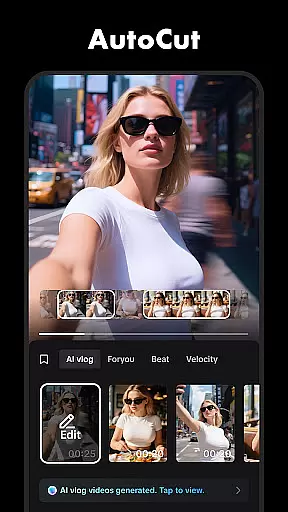
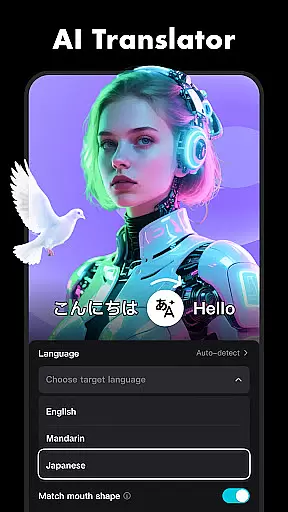




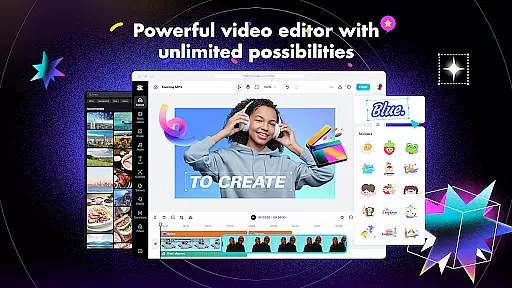
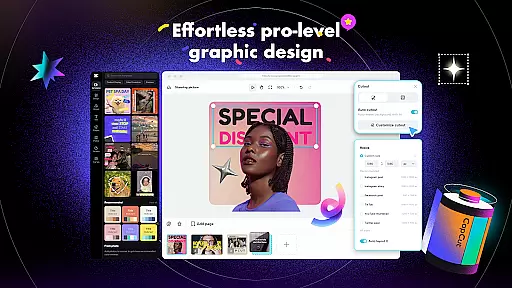
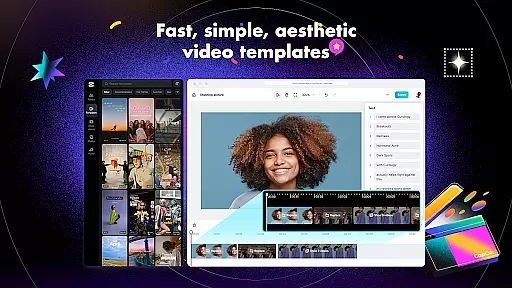
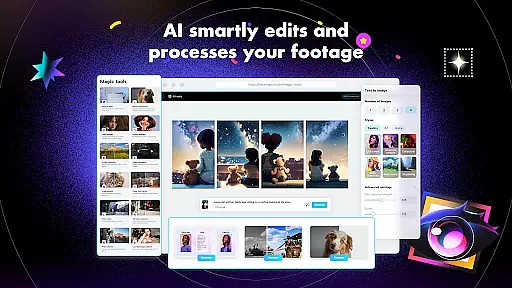
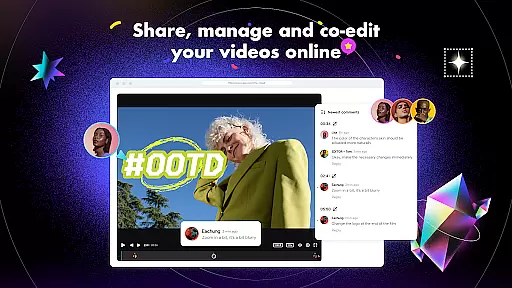
CapCut is a comprehensive video editing application that offers both basic and advanced editing tools, making it suitable for both beginners and experienced content creators. The app provides essential features such as trimming, splitting, and merging clips, along with more sophisticated options like keyframe animation, chroma key, and stabilization. These functionalities enable users to produce professional-quality videos with smooth slow-motion effects and captivating transitions. CapCut also includes intelligent features like auto captions and text-to-speech in multiple languages, which streamline the editing process and enhance accessibility.
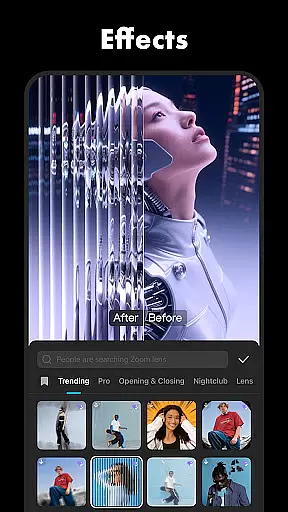
In addition to its robust editing capabilities, CapCut supports creative expression through unique effects, filters, and music integration. Users can apply trending visual effects, add stylish fonts, and incorporate soundtracks from a vast library of music clips. The app's user-friendly interface allows for easy customization and arrangement of video elements on a multi-track timeline. With support for high-definition exports in 4K resolution at 60fps, CapCut ensures that final creations maintain exceptional quality. Whether sharing on social media platforms or producing content for YouTube and TikTok, CapCut empowers creators to showcase their personality and reach wider audiences effectively.
CapCut distinguishes itself through an extensive array of features designed to cater to diverse video editing needs. At its core, the app provides fundamental tools for trimming, cutting, and merging video clips, allowing users to craft their narratives seamlessly. Advanced functionalities such as keyframe animation enable precise control over video elements, while the optical flow feature facilitates buttery-smooth slow-motion sequences. Additionally, the chroma key tool permits background removal, opening up possibilities for creative compositions. These features collectively ensure that even complex edits can be executed with ease and precision.
Beyond traditional editing, CapCut incorporates intelligent features that automate tedious tasks. Auto captions utilize speech recognition technology to generate accurate subtitles, enhancing video accessibility without manual input. The text-to-speech function supports multiple languages and voices, providing flexibility for global audiences. Furthermore, CapCut offers a rich selection of customizable text templates, stickers, and trending effects that are updated weekly. Users can experiment with various filters, adjust color settings, and apply cinematic effects to achieve desired aesthetics. With integrated music libraries and sound effect options, creators have everything they need to produce engaging audiovisual content within a single platform.
CapCut stands out with its exceptional video format compatibility, ensuring that users can work with a wide array of video types without the hassle of conversion. This feature is crucial for a seamless editing experience, allowing creators to import and export videos in various resolutions and formats.
The application supports high-definition video editing, including 4K at 60fps, which caters to professionals seeking top-tier quality. Additionally, CapCut's smart HDR feature enhances video clarity and color, making every project not just a video, but a visual masterpiece.
Users benefit from the flexibility to adjust video formats within the app, tailoring their creations for any platform, whether it be social media or professional presentations. This versatility ensures that no creative vision is limited by technical constraints.
By offering extensive format support and customizable export settings, CapCut empowers creators to focus on storytelling and creativity rather than worrying about compatibility issues. This makes the app an indispensable tool for both novice and experienced video editors aiming to produce content that captivates and engages audiences across different mediums.
CapCut revolutionizes video editing with its AI-powered features, setting a new standard for efficiency and creativity in the editing process. These intelligent tools automate complex tasks, enabling creators to produce professional-quality videos with minimal effort.
One standout feature is the auto captions functionality, which uses advanced speech recognition technology to generate accurate subtitles. This not only saves time but also enhances accessibility for viewers. The text-to-speech capability further expands creative possibilities by offering multiple language and voice options, adding a dynamic layer to video storytelling.
Additionally, CapCut's background removal tool utilizes AI to automatically isolate subjects from their backgrounds, perfect for creating engaging visual effects or green screen replacements without manual masking. This feature streamlines the editing workflow, allowing creators to focus on refining their artistic vision.
By integrating these sophisticated AI-driven tools, CapCut significantly lowers the barrier to entry for aspiring video editors while providing seasoned professionals with innovative solutions to elevate their craft. The result is an intuitive, powerful editing experience that adapts to the needs of all users, regardless of skill level.
User-friendly interface
Advanced editing tools
Regular effect updates
Multi-language support
High-quality export options
Limited offline functionality
Occasional ads in free version
Advanced features may overwhelm beginners
Export times can be lengthy
Some features locked behind paywall

Kodi media center, a free and open source cross-platform entertainment hub
 3.60
3.60
Video Player - Unlimited features, 30 days money back guarantee.
4.60
High-Quality USB Camera Viewer & HDMI Display
4.70
AirMirror Receiver - Screen mirroring/cast web videos to Android TV by AirPlay.
4.40
AI Video Editor:AI Music, Text to Video,Text to Speech,Auto Caption,Video Effect
4.00
Watch IPTV on your Android device
4.60
Powerful video player with advanced hardware acceleration and subtitle supports
4.20
Photo editor & video maker with music and slideshows.
4.10
Make videos you’re proud to share with Edits, a video editor for creators.
4.70
All in one HD video downloader & player for multiple formats with full privacy
4.70
Find, download, and play torrents with the official BitTorrent® Pro app
4.70
Seamlessly connect and control your smart devices, anytime, anywhere with ease.
4.60
Fast, private downloading, video saving, social media
4.50
KMPlayer Plus (Divx Codec) officially support Divx codec.
4.30
Your media, on your terms.
4.10
LumaFusion: The Ultimate Storytelling Experience for Video Editing
4.10
Connect EasyCap or UVC devices for recording and broadcast video/audio stream
3.60
Video player with powerful streaming playback and various convenient features.
2.10
The smartest M3U IPTV Player your playlists have ever seen.
4.5


User Reviews