
Video to MP3 is a versatile media converter tool that allows users to convert video files to high-quality audio formats. With support for various input and output formats, this app enables you to extract music from videos and save them as MP3 files. The application also features advanced editing options such as trimming, cutting, merging, and applying fade effects to your audio.
Beyond basic conversion, Video to MP3 offers powerful tools like batch processing, sound boosting, and tag editing. Whether you need to convert MOV to MP4, MKV to MP4, or M4A to MP3, the app ensures maximum compatibility across devices. Its intuitive interface makes it easy to create custom ringtones, edit metadata, and even add music covers to your MP3 files.
This app is particularly useful for content creators and mobile users who want to repurpose video content into audio files. By converting videos to MP3, users can enjoy their favorite soundtracks on the go without needing to store large video files. The app's speed and reliability make it an essential tool for anyone working with multimedia content.
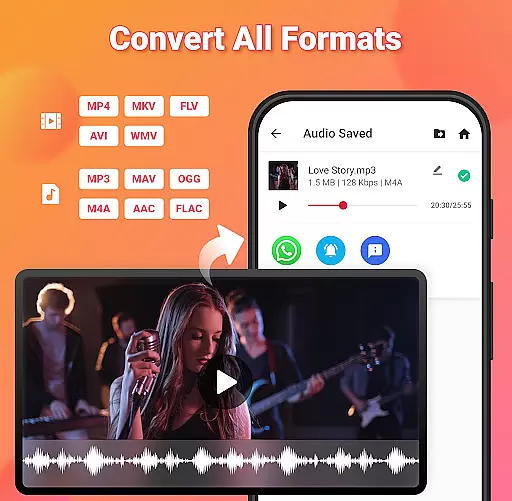
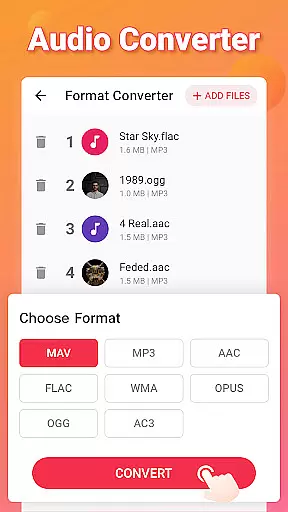
Video to MP3 stands out with its comprehensive feature set tailored for both casual users and professionals. One of its key strengths is the ability to handle multiple file conversions simultaneously. You can convert up to 15 videos to audio at once, significantly speeding up your workflow. The app supports a wide range of formats including MP4, MKV, AVI, and more for videos, while offering MP3, WAV, OGG, and other options for audio output.
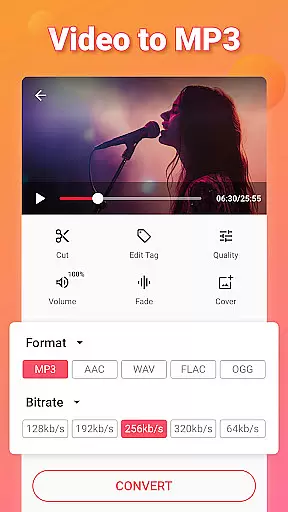
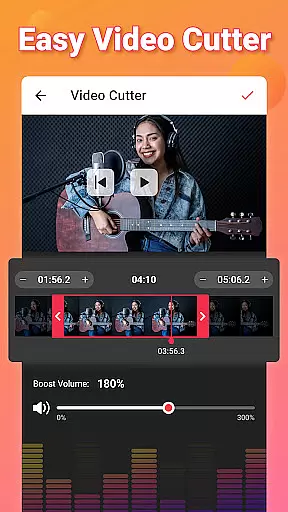
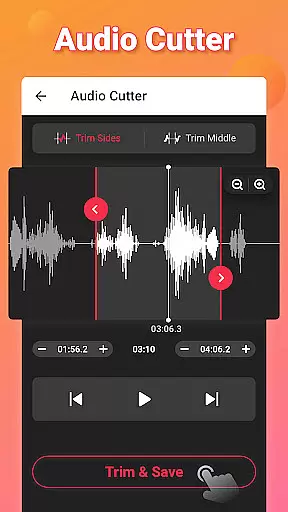
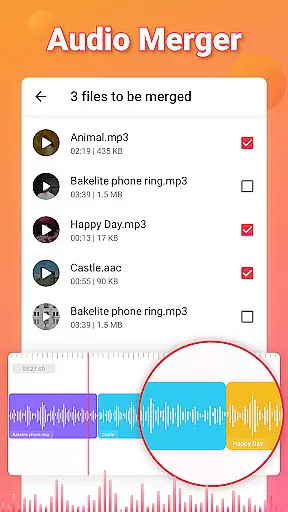
The app's editing capabilities are equally impressive. It includes precise cutting tools for both video and audio, allowing you to trim files to exact specifications. The built-in audio merger lets you combine multiple tracks into one seamless file. Advanced features like fade-in/fade-out effects and bitrate selection (from 32kb/s to 320kb/s) give you professional-grade control over your audio output.
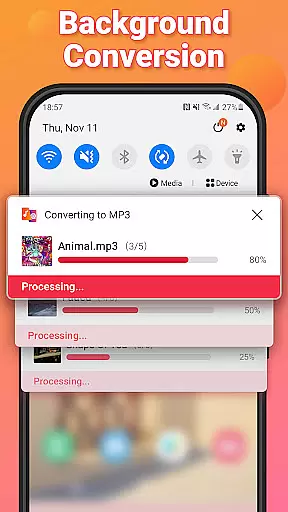
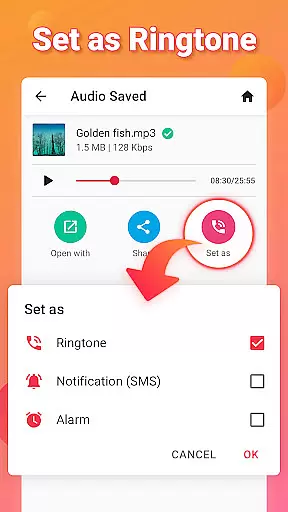
Additional functionality includes background conversion for uninterrupted multitasking, sound boost for volume enhancement, and complete ID3 tag editing for proper file organization. The app also serves as a ringtone maker, letting you set your converted audio files as personalized notification sounds or alarms. These features collectively make Video to MP3 a complete solution for all your media conversion needs.
Video to MP3 stands out with its extensive video format compatibility, ensuring users can convert nearly any video file to audio. The app supports a wide array of video formats including MP4, MKV, FLV, AVI, and WMV, making it versatile for various user needs.
This broad compatibility is crucial for users who work with different video sources, from online downloads to personal recordings. By supporting such an extensive range of formats, Video to MP3 ensures that no matter the source or type of video file, users can effortlessly extract audio.
The application not only converts videos to MP3 but also maintains high-quality output across all supported formats. This means users do not have to worry about quality loss when converting their files, providing a seamless experience from video to audio.
Beyond basic conversion, Video to MP3 incorporates AI-powered editing features that enhance the user's ability to manipulate and refine audio files. These include advanced options like fade in and fade out effects, bitrate adjustments ranging from 32kb/s to 320kb/s, and the ability to edit metadata tags such as Title, Album, and Artist.
These intelligent editing capabilities allow users to customize their audio files to meet specific preferences or professional requirements. Whether adjusting sound levels for a smoother listening experience or tagging files for better organization, the app provides the necessary tools powered by AI.
Additionally, the inclusion of a Sound Boost feature and support for adding music covers to MP3 files showcases the app's commitment to offering a comprehensive editing suite. Such features ensure that users can produce polished, radio-ready audio tracks directly from their video files.
User-friendly interface
Batch conversion support
High-quality audio output
Wide format compatibility
Advanced editing tools
Limited advanced features
Occasional ads
Basic UI design
No cloud integration
Large app size

You can play SWF format file!
 2.50
2.50
IPTV-Smarters Player Pro M3U - Watch Live Stream TV Channels with Chromecast
4.00
A Quick and Pro Video Editor
4.70
Pro video editor app for Instagram, edit video with song, AI, effect & slowmo.
4.80
Download website videos fast&privacy
4.40
Make your own Animations, Video and Photo Edits, Visual Effects, and more!
4.00
Download videos and play them offline
4.70
#1 Torrent App on Android ** No Ads Ever + Battery Saver **
4.80
VLC for Android is the best open source video and music player, fast and easy!
4.10
A Simple app to download Video & Music from the Internet.
4.70
?100% FREE! Download & save videos? safely in this app. All formats supported.
4.60
Watch a large amount of high-definition short drama content
4.60
Seamlessly connect and control your smart devices, anytime, anywhere with ease.
4.60
Fast, private downloading, video saving, social media
4.50
Powerful video player with advanced hardware acceleration and subtitle supports
4.20
Browser for Samsung TV to stream webvideos, online movies and livestreams in HD
4.10
Stream Web Videos to Chromecast, Samsung, LG, Sony, Roku, Fire TV, DLNA + more
4.00
Online Videos Player
3.90
Kodi media center, a free and open source cross-platform entertainment hub
3.60


User Reviews