
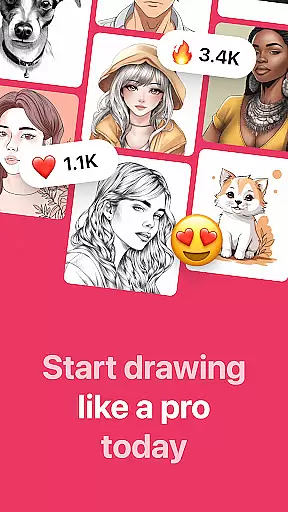
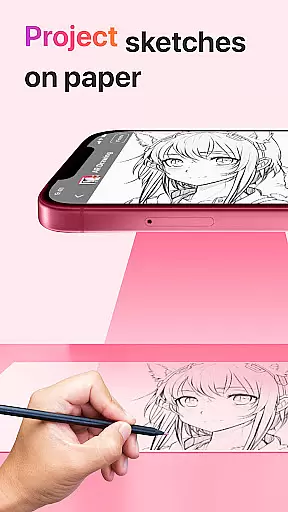
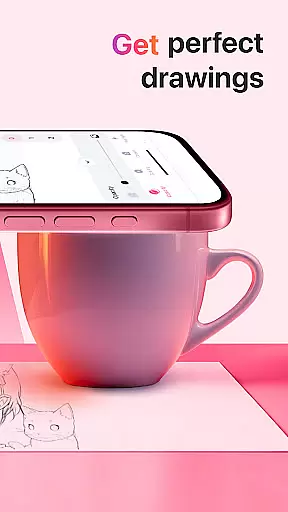
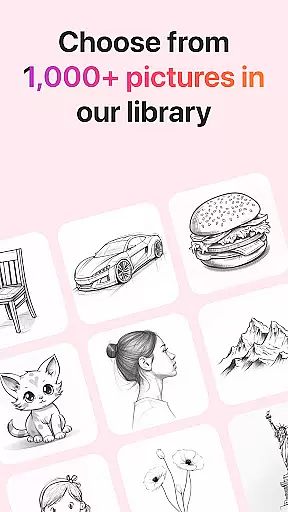
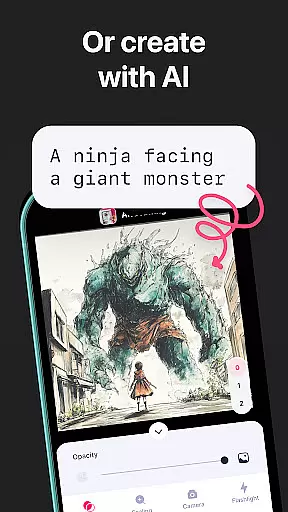
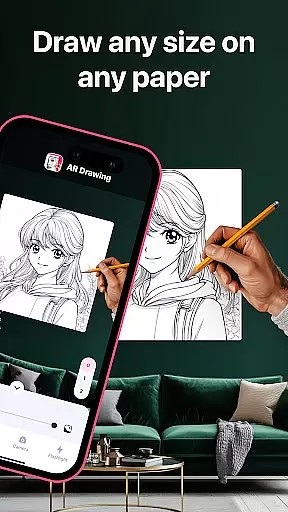
AR Drawing: Sketch & Paint is an innovative mobile application that utilizes augmented reality technology to assist users in creating detailed sketches and vibrant paintings. The app projects images onto any surface, allowing users to trace and color them with ease. With a wide selection of tracing templates including Animals, Cars, Nature, Food, and Anime, the app caters to various interests and skill levels.
The core functionality includes using your phone's camera for drawing, built-in flashlight for better visibility, saving drawings in a gallery, recording the creative process, and sharing finished works with friends. Whether you're an experienced artist or a beginner, this app provides the tools necessary to unleash creativity and explore new artistic possibilities.
This app is particularly useful for those who want to learn how to draw in a short period, promising proficiency within three days. By leveraging AR technology, it transforms any environment into a canvas, making it an ideal choice for art enthusiasts looking to enhance their skills or simply enjoy a new form of creative expression.
AR Drawing stands out with its diverse features tailored to enhance the drawing experience. One of the key highlights is the extensive library of tracing templates covering multiple categories such as Animals, Cars, Nature, Food, and Anime. This variety ensures that users can find subjects that interest them and match their skill level.
In addition to the rich template selection, the app offers practical tools like a built-in flashlight for improved visibility while drawing. Users can also record videos of their drawing and painting sessions, providing a way to document and share their creative journey. The ability to save drawings in a personal gallery and share them with friends adds a social dimension to the app, encouraging community engagement and feedback.
Each feature is designed to provide tangible value by simplifying the drawing process and enhancing user interaction. The combination of AR technology with intuitive design makes AR Drawing: Sketch & Paint a versatile tool for both learning and professional use, setting it apart from traditional drawing applications.
AR Drawing: Sketch & Paint offers a comprehensive suite of creative tools that cater to both novice and experienced artists. The app provides various tracing templates, including Animals, Cars, Nature, Food, and Anime, allowing users to choose from a wide range of subjects for their drawings.
In addition to the extensive template library, the app includes a built-in flashlight feature, which enhances visibility and precision when tracing images onto paper. This attention to detail ensures that users can create stunning artwork regardless of lighting conditions.
The ability to save drawings in a gallery within the app not only helps users to keep track of their progress but also serves as a portfolio showcasing their artistic journey. With features like video recording of the drawing process, AR Drawing supports artists in refining their techniques by reviewing their work.
One of the standout features of AR Drawing: Sketch & Paint is its canvas and format flexibility, empowering users to draw anything they want on any surface. This innovative use of augmented reality technology breaks free from traditional digital art constraints, offering unparalleled freedom in art creation.
Artists can utilize their phone cameras to project images onto unconventional surfaces, expanding the scope of their creative expression beyond the confines of the app's digital space. Whether it's a textured wall or an uneven piece of fabric, the app adapts to the artist's chosen medium.
Furthermore, the capability to make sketches and paint them digitally adds another layer of versatility to the user's toolkit. By sharing their creations with friends, users can gather feedback and encouragement, fostering a supportive community around the flexible art-making possibilities provided by AR Drawing.
User-friendly interface
Wide range of templates
Built-in flashlight
Video recording feature
Social sharing options
Limited free content
Requires good lighting
Occasional bugs
Premium subscription needed
Learning curve for beginners

Download now for a stylish and functional timepiece
 4.4
4.4
Easy 3D drawing design maker & creator. Model designing, Sculpting. Create&paint
4.00
Apply cartoon, caricature, and portrait effects to make your photos stand out!
3.60
Digital Drawing: Draw & Paint
4.10
AI Assistant, powered by ChatGPT GPT-4 & GPT-4o. Your intelligent companion.
3.50
AI Art Generator transforms your words into AI generated art & paintings.
3.70
Bring One UI 8.5 Icons to life -elegant dark icons with a modern, premium touch.
4.30
Beauty Camera - Selfie Camera is the ultimate beauty camera and selfie app
4.30
All-in-One art, logo & collage maker. Design photos and edit video backgrounds
4.80
Make your phone cooler and have a fantastic experience
4.80
Novices can also easily complete diamond painting masters
4.70
Photo stitcher for automatically screenshot stitching into a long screenshot
4.70
Unleash your drawing and painting potential
4.50
Create and Design Custom Logos in Seconds with AI-Powered Tools!
4.40
Art of Combination Wear OS Watch faces (for Wear OS 5+ devices)
3.90
Design unique, funny and adorable cat stickers that reflect your own style!
3.80
Art of Combination Wear OS Watch Faces
3.30
Premium version of Shimeji-ee app with no ads & no limit active shimeji
4.1
Transform photos into amazing monochrome dither art with professional algorithms
4.2


User Reviews