
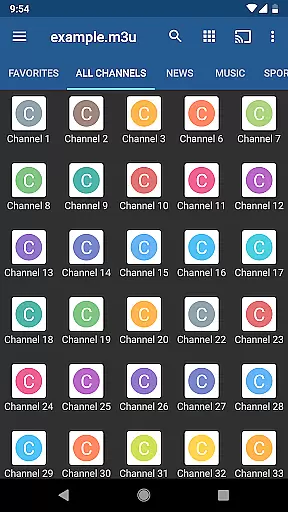
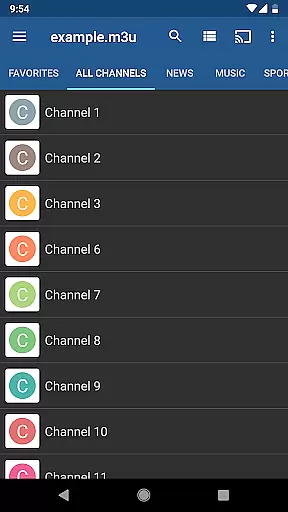
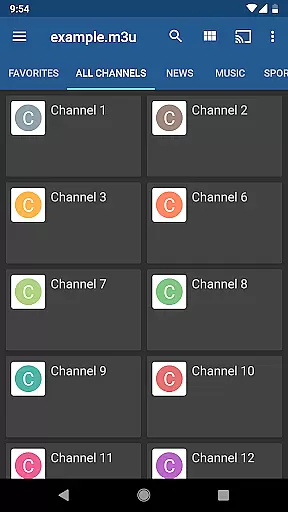
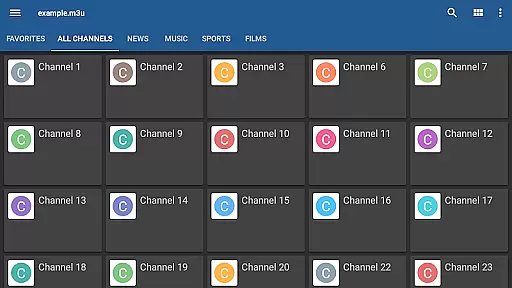
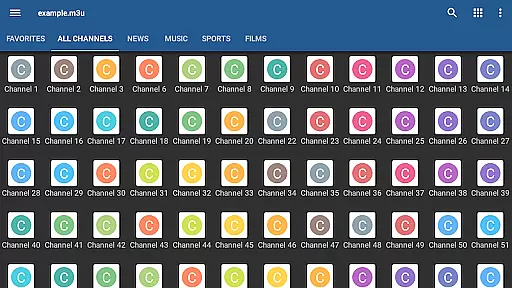
IPTV Pro is the premium version of IPTV app, offering an ad-free experience with advanced features for seamless TV streaming. It supports M3U and XSPF playlists, multicast streams via UDP proxy, and various EPG formats, making it a versatile tool for accessing live TV channels from your Internet service provider or other web sources.
Designed for both casual viewers and tech-savvy users, this app allows auto-play of the last channel, extended playlist history, and multiple viewing options like grid, list, or tile views. With parental controls and compatibility with internal/external video players, IPTV Pro ensures a secure and customizable entertainment environment on your device.
While IPTV Pro does not include built-in channels, its powerful functionality shines when paired with your personal playlist. Whether you're using it on a set-top box or mobile device, IPTV Pro delivers a smooth and enriched streaming experience tailored to your preferences.
IPTV Pro stands out with its comprehensive feature set designed to enhance user convenience and flexibility. The app supports multiple playlist formats such as M3U and XSPF, ensuring compatibility with diverse sources. Additionally, it offers EPG support in XMLTV and JTV formats, providing detailed program guides that improve navigation through available content.
One of the key highlights is its ability to play multicast streams using a UDP proxy installed within your local network. This makes IPTV Pro ideal for users seeking high-quality broadcasts even in environments with restricted connectivity. Furthermore, options like auto-playing the last channel, starting on device boot, and an extended playlist history make daily use more intuitive.
The app also includes practical UI choices, allowing users to switch between grid, list, or tile views based on their preference. Parental controls add another layer of security, while the choice between internal and external video players caters to individual performance needs. These robust features collectively create a superior IPTV experience.
Video format compatibility is a crucial aspect of any video player application, ensuring that users can access content in various formats without technical hindrances. IPTV Pro supports M3U and XSPF playlists, which are commonly used for internet television and radio broadcasting. This compatibility allows users to seamlessly integrate their existing media libraries into the app.
The application also supports both XMLTV and JTV formats for Electronic Program Guide (EPG), providing detailed information about the current and upcoming broadcasts. This feature enhances user experience by allowing them to navigate through channels and schedule their viewing based on available programming.
In addition to playlist support, IPTV Pro offers both internal and external video player options. This flexibility ensures that users can choose the playback method that best suits their device capabilities and personal preferences. The availability of an external player option is particularly beneficial for users who require specialized codecs or playback features not included in the default player.
By supporting a wide range of video formats and offering flexible playback options, IPTV Pro ensures that users can enjoy a diverse selection of content without worrying about format restrictions. This comprehensive compatibility makes the app a versatile tool for streaming live TV channels from various sources across the web.
While IPTV Pro focuses primarily on video playback rather than editing, it incorporates several advanced features that enhance the viewing experience through intelligent design. Although not traditionally categorized as AI-powered editing, these features contribute significantly to content management and accessibility.
The app includes extended playlist history, enabling users to easily revisit previously watched channels. This feature uses algorithmic tracking to maintain an accurate record of user preferences and viewing habits, creating a more personalized experience over time. Additionally, the auto-play last channel option demonstrates a basic form of machine learning, adapting to user behavior patterns.
Parental control features represent another form of intelligent content management. While not directly related to video editing, this functionality employs decision-making algorithms to restrict access to inappropriate content. The system allows parents to create a safer viewing environment by setting parameters for content accessibility.
Furthermore, IPTV Pro's grid, list, or tile view options for TV channels demonstrate adaptive interface design principles. These customizable viewing modes enable users to organize and access their preferred channels in the most convenient way possible. Though not traditional AI-powered editing features, these intelligent design elements collectively enhance the overall user experience and content interaction within the application.
Ad-free experience
Auto-play last channel
Multiple playlist formats
Parental control options
Device boot startup
No built-in channels
Requires technical setup
UDP proxy needed
Limited beginner support
Paid version only

Create photo video with music & template. AI video maker for stunning slideshow.
 4.60
4.60
AirMirror is Receiver for Screen Mirroring and Casting from Apple Devices.
3.60
Pro video editor app for Instagram, edit video with song, AI, effect & slowmo.
4.80
Explore the largest library of free GIFs, Stickers & Memes - or create your own!
3.90
IPTV Loader, loads your own Playlist. DOES NOT CONTAIN ANY LIST OR CHANNELS
4.60
Cast movies, tv shows and live streams to Chromecast, Roku, DLNA, Fire TV & more
4.60
Fast & Private HD Video Downloader with Built-in Proxy Browser and Video Player.
4.50
Screen recorder with audio to take live videos & Screenshot in high quality!
4.70
Fast private browser with secure, seamless access & supported video downloads!
4.00
Download Hub, easy and private way to download and enjoy your videos offline
4.80
Tik & Story Saver-Download ALL social media videos, photos & reels no watermark.
4.80
All in one HD video downloader & player for multiple formats with full privacy
4.70
?100% FREE! Download & save videos? safely in this app. All formats supported.
4.60
HD video maker with no watermark, no ads & vlog maker with music, PIP, text
4.50
Powerful Video Editor & Photo Editing App —— Quick Edits & Stunning Effects!
4.30
Turn your phone into a wireless camera!
4.20
VLC for Android is the best open source video and music player, fast and easy!
4.10
Powerful, professional, versatile teleprompter. Developed by an active film crew
4.00
1)AirPlay/DLNA Mirroring/Streaming, up to 4 connections; 2)Samba/NAS/DMS Player.
4.00


User Reviews