
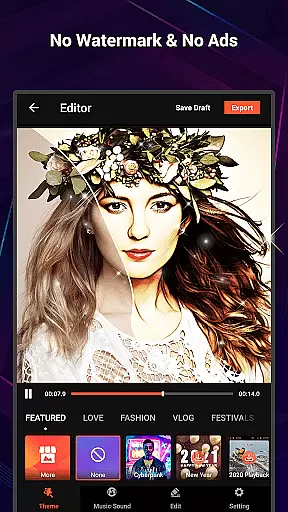
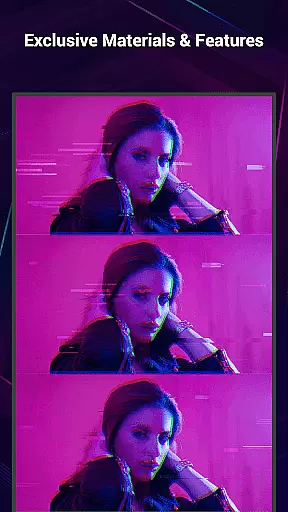
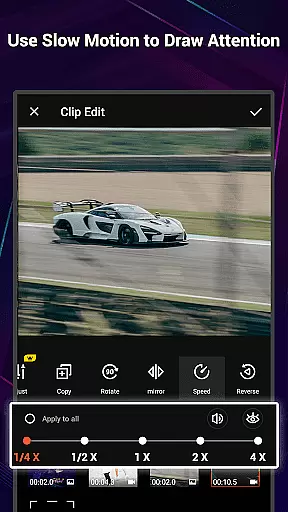
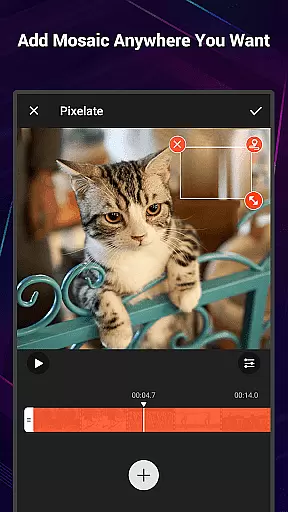
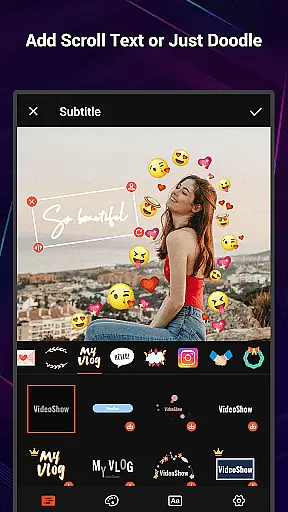
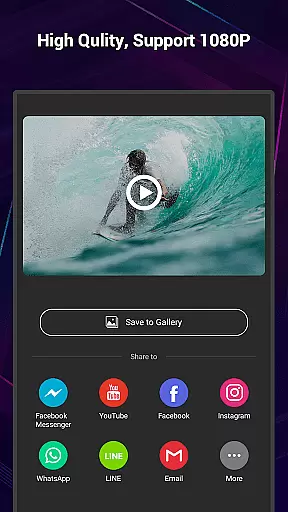
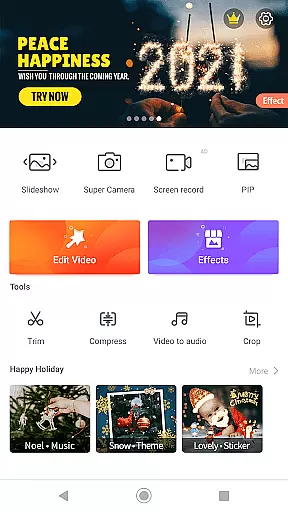
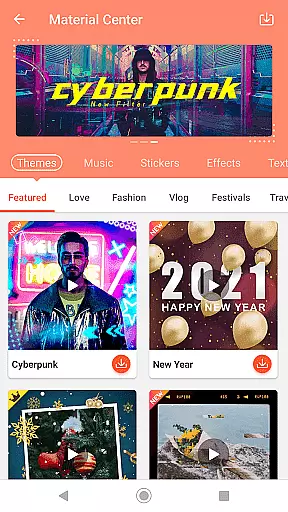
VideoShow Pro is a premium video editing application designed for both amateur and professional content creators. This app offers advanced features such as 1080p and 4K video export options, ensuring high-quality output for all your projects. With an extensive library of exclusive materials and effects, users can enhance their videos with unique styles and creative elements.
The app provides an intuitive interface that simplifies the video creation process. You can easily integrate photos, videos, texts, stickers, music, filters, and sound effects to produce stunning multimedia content. VideoShow Pro also supports live dubbing and various transitions, allowing you to express different moods and themes in your videos. Whether you're editing a vlog, a short film, or a social media clip, this app ensures your content stands out.
One of the key advantages of VideoShow Pro is its versatility. It caters to different video formats and aspect ratios, including square videos ideal for platforms like Instagram. Additionally, the app's toolbox features, such as Ultra Cut, Fast Trim, and Video to MP3, provide practical utilities for refining and repurposing your content. Overall, VideoShow Pro empowers users to create professional-grade videos effortlessly.
VideoShow Pro boasts a comprehensive suite of features tailored to elevate your video editing experience. One standout capability is the ability to zoom and rotate videos freely, giving you precise control over your footage's framing and perspective. The app also functions as a simple video creator, eliminating the need for pre-transcoding and streamlining the editing process.
For those who enjoy combining different media types, VideoShow Pro allows you to make videos using both photos and video clips, blending them seamlessly into a cohesive narrative. The app's Fantastic Materials Store is a treasure trove of creative assets, offering themes, music, text styles, stickers, sound effects, and fonts. These resources enable you to craft videos that reflect your personal style and vision.
In addition to its creative tools, VideoShow Pro includes practical functionalities like video compression, trimming, and merging. These features ensure that your final product is not only visually appealing but also optimized for sharing across various platforms. Whether you're looking to beautify your videos with filters or add subtitles with diverse text styles, VideoShow Pro equips you with everything needed to produce polished and engaging content.
VideoShow Pro stands out with its extensive video format compatibility, ensuring users can work with a wide range of video types without the need for prior conversion. This feature eliminates the common hassle of format incompatibility that often plagues video editing software.
The application supports high-resolution formats up to 4K, allowing creators to produce videos with exceptional clarity and detail. Whether you're editing footage from professional cameras or smartphones, VideoShow Pro accommodates various resolutions, including the widely-used 1080p standard.
With this level of compatibility, content creators can seamlessly import, edit, and export videos without worrying about quality loss or format restrictions. The app's ability to handle diverse formats empowers users to focus on their creative process rather than technical limitations.
VideoShow Pro incorporates advanced AI-powered editing features that revolutionize the video creation process. These intelligent tools automate complex editing tasks, enabling users to achieve professional-quality results with minimal effort and technical knowledge.
The AI-driven functionality includes automatic scene detection, smart cropping, and intelligent color correction. These features work together to optimize video quality while maintaining the creator's original vision. Additionally, the app offers AI-assisted effects and transitions that adapt to video content, creating smooth and natural-looking edits.
By leveraging artificial intelligence, VideoShow Pro significantly reduces editing time while enhancing overall production value. This technological advantage makes sophisticated video editing accessible to both beginners and experienced creators, establishing a new standard in mobile video editing applications.
High-quality export options
Exclusive creative materials
User-friendly interface
Extensive music library
Versatile editing tools
Premium version cost
Occasional performance lags
Limited free features
Large file size
Advanced tools may overwhelm beginners

Video player, file manager for all formats, 4K/HD media player supports subtitle
 4.30
4.30
This app was created to edit the metadata of music files.
4.20
Video player with powerful streaming playback and various convenient features.
2.10
Fast & Private Video Downloader App. Save all videos easily from the Internet.
4.40
The essential companion to your Blue Iris PC software
2.50
Browser for Samsung TV to stream webvideos, online movies and livestreams in HD
4.10
#1 Torrent App on Android ** No Ads Ever + Battery Saver **
4.80
Browser + Remote for Roku to stream webvideos, online movies and livestreams
4.60
Viddo: Generate Action Figure, AI Anime, AI kiss, AI hug Video from image & text
4.40
Play ALL formats in 4K & HD. Video downloader, MP3 player, Chromecast & more.
4.80
?100% FREE! Download & save videos? safely in this app. All formats supported.
4.60
Seamlessly connect and control your smart devices, anytime, anywhere with ease.
4.60
Cast movies, tv shows and live streams to Chromecast, Roku, DLNA, Fire TV & more
4.60
Video Downloader is an utility that can save videos and music from web sites
4.20
Your media, on your terms.
4.10
Fast private browser with secure, seamless access & supported video downloads!
4.00
Livestream, news, & gaming content. Watch, chat, and upload. Join Rumble today!
3.80
Save photos and videos from social apps in one tap.
3.60
IPTV Player - Watch live TV from m3m & m3u8 playlist, stream IPTV on mobile
3.30


User Reviews