
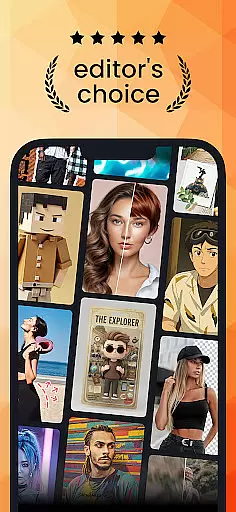
PhotoDirector is an intuitive AI-powered photo editor that empowers users to create and enhance stunning images effortlessly. With hundreds of styles, effects, templates, and tools, it caters to both amateur photographers and professionals seeking advanced editing capabilities.
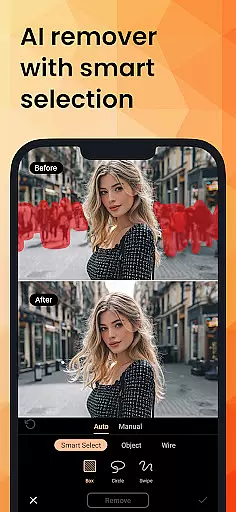
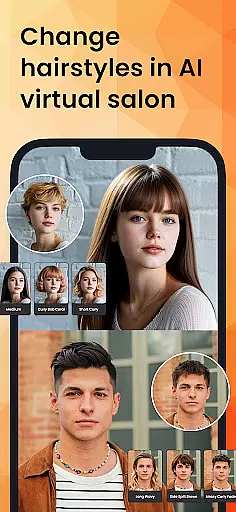
The app features groundbreaking AI tools such as AI Removal, AI Expand, and AI Hairstyle, enabling users to transform their photos with minimal effort. Whether you're looking to cartoonize artwork, adjust facial features, or explore new hairstyles virtually, PhotoDirector brings creativity to life through innovative technology.
Perfect for social media enthusiasts and content creators, this app allows users to edit images into aesthetic styles, replace backgrounds, and even generate AI-powered outfits. Its versatility makes it ideal for enhancing personal memories or professional projects while offering a seamless user experience.
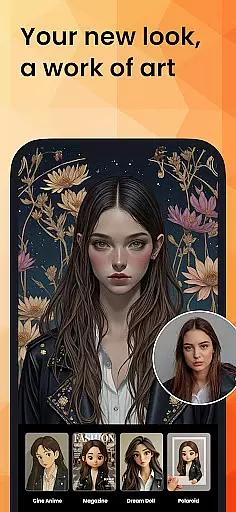
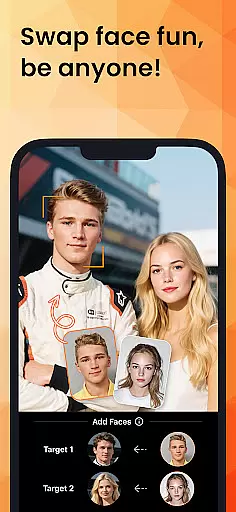
PhotoDirector stands out with its powerful AI-driven features designed to simplify complex editing tasks. The AI Art tool lets users turn ordinary photos into artistic masterpieces by applying famous painting styles, sketches, or anime effects. Similarly, the AI Face Swap and AI Hairstyle features provide endless customization options, allowing users to experiment with different looks virtually.
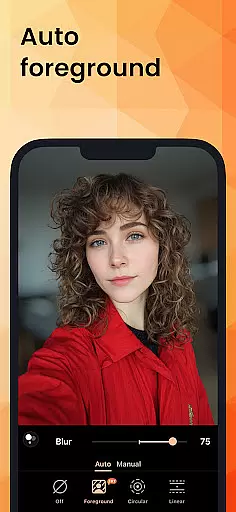
For professional-grade edits, the app includes tools like AI Removal, which detects and removes unwanted objects automatically, and AI Expand, which adjusts image dimensions without losing quality. Additionally, the AI Background feature enables users to replace plain backdrops with visually appealing alternatives, making product or portrait photography stand out.
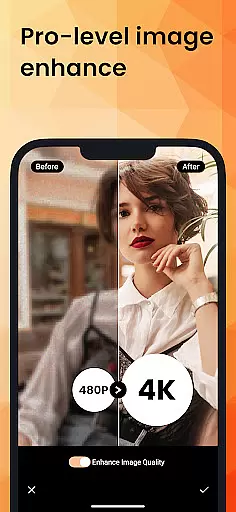
With quick-action tools, collage makers, body reshaping, and AR camera effects, PhotoDirector ensures efficiency without compromising on creativity. Premium subscribers gain access to unlimited content packs, Ultra HD 4K resolution exports, and an ad-free interface, delivering a polished editing experience tailored to diverse needs.
Real-time capture and preview functionality is essential for ensuring that every photo taken meets the desired quality standards. PhotoDirector excels in this area by providing users with instant feedback on their images as they are captured.
The app leverages advanced AI algorithms to analyze scenes, adjust settings, and optimize image quality before the shot is even taken. This allows users to make real-time adjustments, ensuring that lighting, focus, and composition are perfect.
Users benefit from this feature by being able to take professional-quality photos without needing extensive photography knowledge. The ability to preview edits instantly also streamlines the creative process, making it easier to experiment with different styles and effects.
This functionality not only enhances the user experience but also saves time, as photographers can immediately see the results of their work and make necessary changes on the fly.
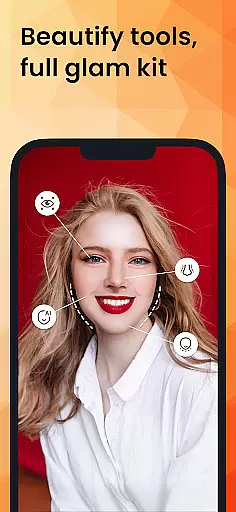
AI Beauty and Enhancement features in PhotoDirector offer a natural approach to photo editing, allowing users to enhance their images while maintaining authenticity. This is crucial for those who want to improve their photos without making them look overly processed.
The app uses sophisticated AI models to intelligently apply enhancements such as skin smoothing, blemish removal, and facial reshaping. These tools are designed to preserve the original character of the subject, ensuring that edits look realistic and not artificial.
By offering a wide range of customizable options, users can fine-tune the level of enhancement to suit their preferences. Whether it's subtle touch-ups or more dramatic changes, PhotoDirector provides the flexibility needed to achieve the desired outcome.
Ultimately, this feature empowers users to create stunning, natural-looking images that stand out, enhancing both personal and professional projects with ease and confidence.
User-friendly interface
Advanced AI tools
Versatile editing options
High-quality export
Regular updates
Premium subscription required
Some features are complex
Occasional bugs
Limited free content
Heavy storage usage

Effortlessly organize, view and share your photos & videos with Gallery app!
 4.40
4.40
Photo editor: face & body editor, beauty cam, filters and quality enhancer.
4.00
Search, tag and rate your way to an organized image gallery
4.40
Easily stitch panoramas from multiple photos or video.
4.40
Professional video recording application with manual controls for filmmakers!
2.80
Photo prints, cards, & gifts at Walgreens. Easy ordering & fast local pickup !
4.80
Automatically backup your photos and videos to computer, NAS and Cloud services
4.60
Professional photography on your mobile phone
4.20
Transform Photos: Edit, Beautify and Craft Memories & Make Collages!
4.10
Cartoon and artistic effects for your photos and videos
4.70
A collection of tools and reference tables for DPs, ACs, DITs and Operators.
4.70
Unblur, enhance & restore photos with powerful AI photo enhancer tools.
4.60
Add Watermark - Sign your pictures with a text or logo. Effective, quick, easy!
4.50
Photo Exif Editor allows to view, add and modify EXIF data of multiple photos
4.50
Trendy TikTok time warp scan funny filter app brings you unique photos & videos.
4.40
[3DSteroid Pro] is a stereoscopic application for Android.
4.30
Professional camera app that brings DSLR manual photography controls to Android.
4.20
Long exposure camera with computational photography
2.60
HD Photo gallery and photo manager to edit, hide private photos, videos & albums
4.3


User Reviews