
QR & Barcode Scanner Launcher is a powerful tool designed to simplify your scanning needs. This app allows users to effortlessly scan any QR code or barcode with just a swipe from the home screen, making it an essential utility for both personal and professional use. The app ensures quick, secure, and seamless experiences whether you're scanning URLs, checking product details, or accessing information.
In addition to its core scanning capabilities, the app offers several launcher features that enhance overall usability. Users can enjoy one-swipe access to scanning functions, a customizable home screen widget displaying time and weather, themed wallpapers, and multiple search touchpoints powered by Yahoo. These features collectively create a comprehensive tool that optimizes device functionality while maintaining ease of use.
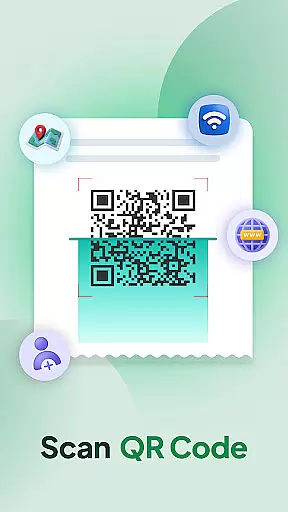
The QR & Barcode Scanner Launcher stands out due to its rich feature set tailored for efficiency and convenience. One of its key features is the ability to instantly decode QR codes using the smartphone's built-in camera. This functionality supports various types of data such as Wi-Fi credentials, event invitations, contact details, and coupons, providing users with versatile scanning options.
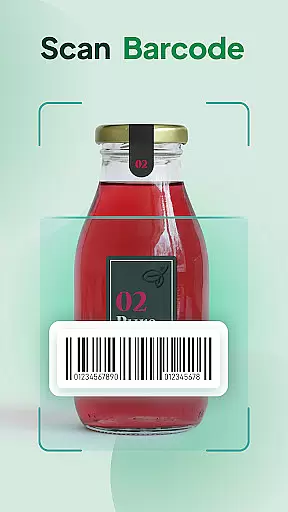
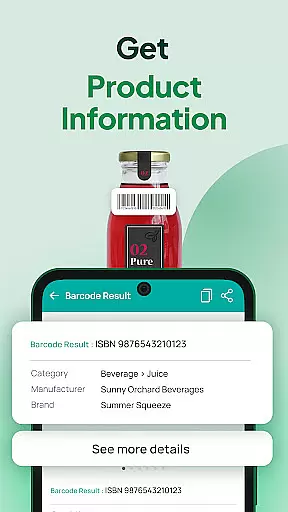
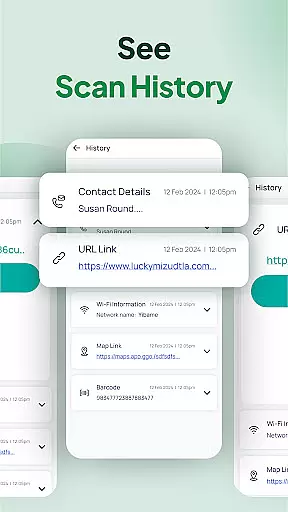
Another notable feature is the Barcode Scanner, which delivers real-time product information with detailed descriptions. This helps users make informed purchasing decisions. Additionally, the Scan History function automatically stores all previously scanned codes, allowing easy revisits to important links and details. The app also includes auto-copy to clipboard and vibration or beep notifications for successful scans, ensuring a smooth and intuitive user experience.
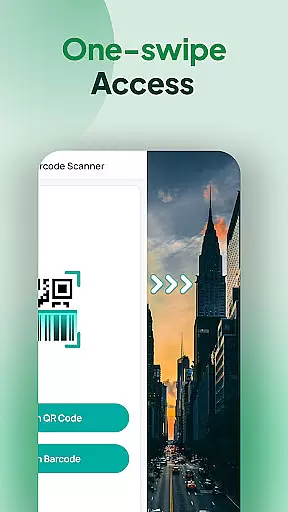
When it comes to QR and barcode scanning, the core function accuracy and effectiveness of an application are paramount. The QR & Barcode Scanner & Launcher app excels in this domain by providing users with a lightning-fast scanning experience that is both effortless and reliable. With just a swipe from the home screen, users can access the scanner and decode any QR code or barcode instantly.
The app ensures accurate scanning for all types of codes, whether you're accessing URLs, checking product details, or obtaining information such as Wi-Fi credentials, event invitations, or coupons. Its powerful scanning capability guarantees that users receive the correct information every time they scan, which is crucial for making informed decisions or performing tasks efficiently.
Moreover, the app includes features like Scan History and Auto-copy to clipboard, which enhance the user experience by organizing scanned data and facilitating its use outside the app. Users benefit from having their scan history stored in one convenient location and from the ability to automatically copy content to the clipboard, streamlining workflows and ensuring that important information is always at their fingertips.
A tool's interface simplicity and intuitiveness can greatly influence the user experience, and the QR & Barcode Scanner & Launcher app stands out by offering a user-friendly design. Upon installation, users may notice changes to their home screen layout; however, these changes are designed to provide quick access to the app's features, including one-swipe access to scanning capabilities and useful widgets.
The app integrates seamlessly into the user's daily routine by offering intuitive functionalities such as home screen shortcuts and multi-touchpoint search options. These features allow users to swiftly access the QR code reader and barcode scanner or search for installed apps and web content powered by Yahoo from various access points, enhancing productivity without complicating the interface.
Additionally, the app provides customizable elements like wallpapers and widgets that display the time and weather, allowing for personalization while maintaining a clean and straightforward interface. This balance between functionality and simplicity ensures that users of all technical backgrounds can operate the app with ease, focusing on their tasks without being hindered by a steep learning curve or complex navigation.
User-friendly interface
Fast and accurate scanning
Comprehensive scan history
Customizable home screen
Auto-copy functionality
Home screen layout changes
Limited design customization
Requires Yahoo for search
No offline support
Notification sounds not customizable

 4.50
4.50
HD Video player and downloader for all formats, fast & smooth 4K video playback.
4.60
An easy-to-use calculator designed to save time calculating and bending conduit
4.30
Excellent scientific calculator with symbolic algebra, integrals, derivatives
4.80
Signal Strength, Mobile, Wifi, Speed Test, Bad Signals, Cellular, 5G, LTE, 4G
4.20
Mirror your screen to Chromecast and Android TV - Super fast and simple
4.60
The one-and-only remote control for PC, Mac, and Linux
4.70
Mirror your screen to Fire TV - Super fast and simple
4.40
Play your X-Box games remotely in 1080p with any controller and zero latency
4.60
WiFi Signal Strength Meter help you detect WiFi Signal Strength in real time.
4.80
Bedrock Together: Join any bedrock server on Xbox/PS
4.80
Learn the vast amount of system information about device and monitor it's state
4.70
Keep track of your Palia friendships, tasks, and inventory with Palia Notebook
4.60
With videos, electrical calculators, and built-in ebook, Ugly’s has your answer.
4.50
The Ultimate Bluetooth Keyboard & Mouse. Securely control your PC, Mac, and more
4.50
Fluid navigation gestures for all of us!
4.30
Remote for Roku, Fire TV, Samsung TV, LG TV, Android TV, Chromecast and VIZIO TV
4.20
Create your own custom widget with endless possibilities
3.90
Save any video in HD - paste the link, download fast and watch offline.
4.4


User Reviews