
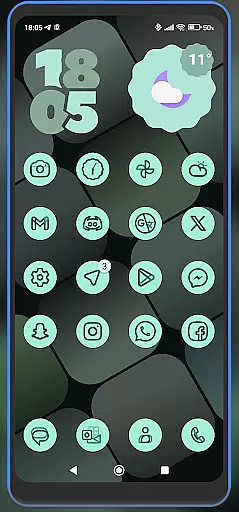
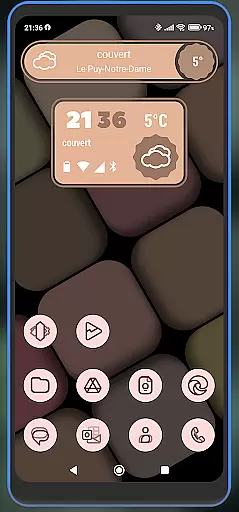
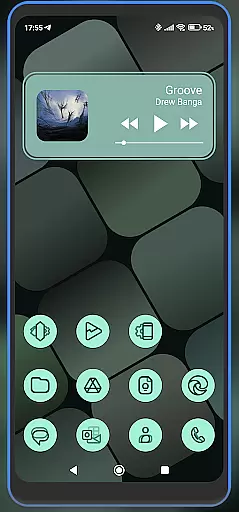
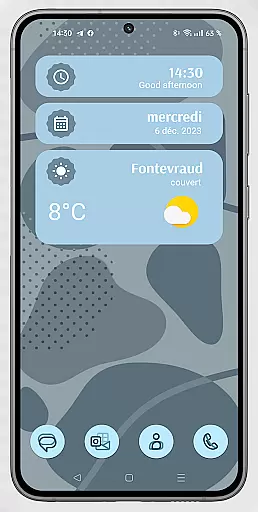
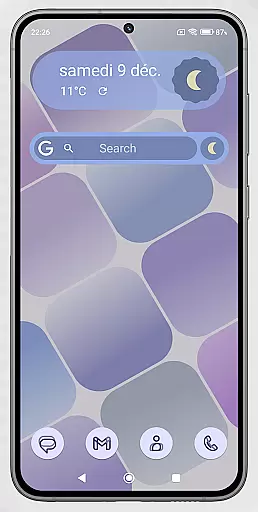
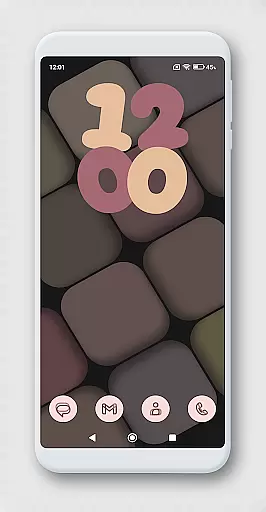
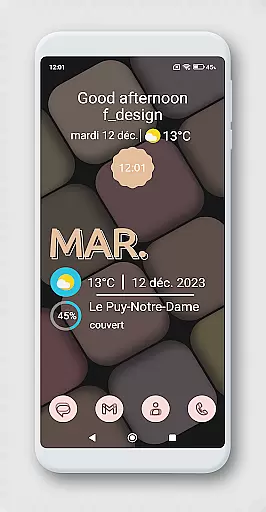
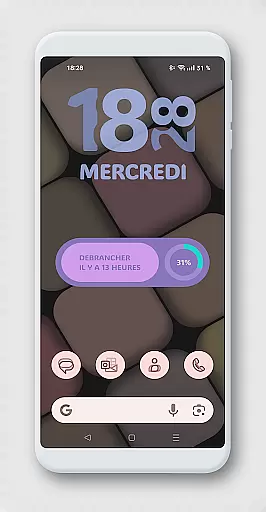
WidgetWall KWGT is a specialized design tool for creating visually appealing home screen widgets on Android devices. This application requires both KWGT and KWGT Pro apps to function, ensuring high-quality widget customization. It is particularly suited for users of popular launchers like Nova, Lawnchair, and Smart Launcher 5.
The app provides a comprehensive widget creation process that involves downloading the necessary applications, selecting widget options, and customizing them to fit your home screen perfectly. WidgetWall KWGT stands out by offering precise scaling adjustments through the main KWGT editor, allowing users to fine-tune their widget sizes for optimal display.
Whether you are looking to enhance your home screen's aesthetics or improve its functionality, WidgetWall KWGT offers the tools needed to create personalized and adaptive widgets. Its compatibility with various launchers and detailed configuration options make it an invaluable asset for Android users seeking a customized mobile experience.
WidgetWall KWGT boasts several key features that cater to design enthusiasts and tech-savvy users alike. Firstly, it integrates seamlessly with KWGT and KWGT Pro, providing a robust platform for widget creation and customization. The app supports a wide range of launchers including Nova, Lawnchair, and Smart Launcher 5, ensuring broad compatibility across different devices and user preferences.
One of the standout features is the ability to adjust widget scaling precisely. Through the main KWGT editor, users can modify the 'SCALE' under the layer option, allowing for meticulous size adjustments. This feature ensures that each widget fits perfectly on the home screen, maintaining visual harmony and usability.
Additionally, WidgetWall KWGT simplifies the widget creation process with clear, step-by-step instructions. Users can download the required apps, select widgets from a drop-down list, and choose from pre-installed designs. This streamlined approach not only enhances user experience but also encourages creativity and personalization in home screen design.
WidgetWall KWGT offers a comprehensive suite of creative tools tailored for designing home screen widgets.
The app requires KWGT Pro, which provides advanced features to customize and personalize widgets with precision.
Users can choose from a variety of popular launchers like Nova, Lawnchair, and Smart Launcher 5 to integrate with the KWGT ecosystem.
This flexibility ensures that users have all the necessary tools at their disposal to create visually appealing and functional widgets for their home screens.
With WidgetWall KWGT, users enjoy extensive canvas and format flexibility, allowing them to adjust widget sizes and designs seamlessly.
If a widget does not scale correctly, the 'SCALE' feature under the layer option in the main KWGT editor enables precise adjustments.
This ensures that every widget fits perfectly on the home screen, maintaining visual harmony and usability.
The ability to tweak and tailor each element makes it an indispensable tool for those looking to enhance their device's aesthetics and functionality.
User-friendly interface
Extensive customization options
Compatible with multiple launchers
Precise scaling adjustments
Comprehensive widget library
Requires additional paid apps
Complex setup process
Limited standalone functionality
Advanced features need technical knowledge
Dependent on third-party applications

Draw on screen: FP sDraw is a simple and lightweight drawing app
 4.70
4.70
Create stunning art with AI.
4.80
AR Anime Drawing: How to draw anime with AR drawing & sketching apps!
4.00
Resize photos and print photos in exact size with our powerful photo printer!
3.80
Photo stitcher for automatically screenshot stitching into a long screenshot
4.70
Beauty Camera - Selfie Camera is the ultimate beauty camera and selfie app
4.30
Kling AI is an image and video generation and editing studio powered by AI.
4.50
Sketch and paint on your device with the feel and freedom of drawing on paper
4.00
Unleash your inner artist! Sketchar: AR Drawing for Limitless Creativity
4.40
Mobile pixel art editor. Simple. Fast. Portable.
4.80
Painting, drawing, & sketching
4.50
Photo blender app to create overlay photos & double exposure.
4.40
Just trace a projected picture on paper and color! Draw & Paint with AR drawing
4.40
Easy 3D drawing design maker & creator. Model designing, Sculpting. Create&paint
4.00
Art of Combination Wear OS Watch faces (for Wear OS 5+ devices)
3.90
Powerful home decoration & house design that allows you to design dream home.
3.80
Create trending AI photos & videos with powerful effects and 3D styles.
3.20
Meet the magic aı 3d photo generator and smart AI video generator app.
3.20
Art of Combination Wear OS Watch faces
4.0


User Reviews