
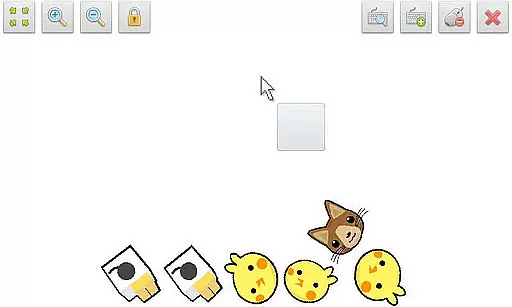
SWF Player Pro is a specialized video player designed for SWF format files, offering users the ability to play Flash content on Android devices. The app supports playback through both Android AIR and Ruffle engines, ensuring compatibility with various SWF files.
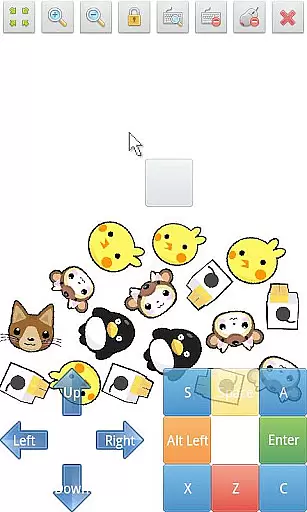
In addition to basic playback, the app provides advanced features such as zoom in/out functionality, play/stop controls, fullscreen mode, and multi-touch virtual keypad support. Users can also utilize the virtual mouse and file browser for easier navigation and management of SWF files. With customizable settings like wmode, background color, and rotation, SWF Player Pro delivers a tailored viewing experience.
This application is particularly useful for individuals who need to view legacy Flash content on modern devices. By supporting essential playback features and providing advanced customization options, it ensures that users can enjoy their SWF files without compatibility issues.
SWF Player Pro stands out with its comprehensive feature set tailored specifically for SWF file playback. The app supports two distinct SWF engines - Android AIR and Ruffle - giving users flexibility in choosing the best playback method for their files.
The player includes essential controls such as play/stop buttons, zoom functionality, and fullscreen mode. Advanced features like multi-touch virtual keypad support and virtual mouse capabilities enhance user interaction with SWF content. The integrated file browser simplifies content management, while advanced settings allow users to customize wmode, background color, wake-lock, rotation, quality, and scale parameters.
These features collectively create a robust solution for playing SWF files on Android devices. The combination of multiple playback engines, comprehensive control options, and advanced customization settings makes SWF Player Pro a valuable tool for accessing legacy Flash content.
SWF Player Pro offers robust support for SWF format files, ensuring users can enjoy a wide range of multimedia content. The application leverages advanced engines such as Android AIR and Ruffle to provide comprehensive compatibility.
This dual-engine approach guarantees that most SWF files will play seamlessly, preserving the original quality and interactive elements. Whether you're accessing animations or interactive applications, this player ensures accurate rendering and smooth playback.
Users benefit from reliable video playback without worrying about format restrictions. This makes SWF Player Pro an essential tool for anyone needing to view legacy Flash content on modern devices.
While SWF Player Pro focuses primarily on video playback, it includes several features that enhance user interaction with SWF content. Advanced settings allow customization of wmode, background color, wake-lock, rotation, quality, and scale parameters.
The implementation of multi-touch virtual keypad and virtual mouse capabilities demonstrates a forward-thinking approach to SWF content interaction. These features enable precise control over legacy applications and games.
Although not traditional editing tools, these functionalities provide users with unprecedented control over their SWF viewing experience. The ability to adjust various parameters ensures optimal presentation across different devices and orientations.
User-friendly interface
Multiple SWF engines
Advanced customization
Virtual mouse support
Multi-touch keypad
Limited file formats
No iOS support
Premium price
Complex settings
Occasional bugs

Online Videos Player
 3.90
3.90
Fast, private downloading, video saving, social media
4.50
Connect 2 UVC devices for recording and broadcast video/audio stream
3.90
Video Player - Unlimited features, 30 days money back guarantee.
4.60
Video Trimmer, Video to MP3 Converter. Extract music from video, Easy & Fast.
4.80
Fast & Private Video Downloader App. Save all videos easily from the Internet.
4.40
Powerful video player with advanced hardware acceleration and subtitle supports
4.20
AI Video Editor with Music, Filter, Slideshow, Effect, Merge & Trim Video.
4.80
Viddo: Generate Action Figure, AI Anime, AI kiss, AI hug Video from image & text
4.40
GENRAL PRO - General Pro is the best video player that fully supports all formats.
4.70
Cast Videos from Web Browser, IPTV to Roku, Chromecast, DLNA, Smart TV +more
4.60
Snaptubè Video Downloader app allows to download videos and music in Snaptube. .
4.60
Create photo video with music & template. AI video maker for stunning slideshow.
4.60
HD video maker with no watermark, no ads & vlog maker with music, PIP, text
4.50
Video player, file manager for all formats, 4K/HD media player supports subtitle
4.30
Powerful Video Editor & Photo Editing App —— Quick Edits & Stunning Effects!
4.30
IPTV-Smarters Player Pro M3U - Watch Live Stream TV Channels with Chromecast
4.00
Explore the largest library of free GIFs, Stickers & Memes - or create your own!
3.90
Powerful HD video player with support for all formats & subtitles.
4.2


User Reviews