
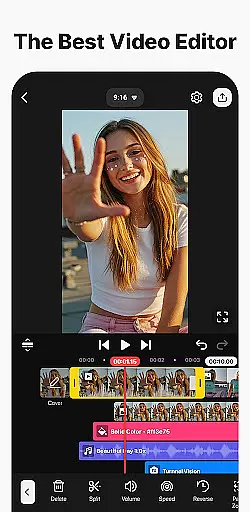

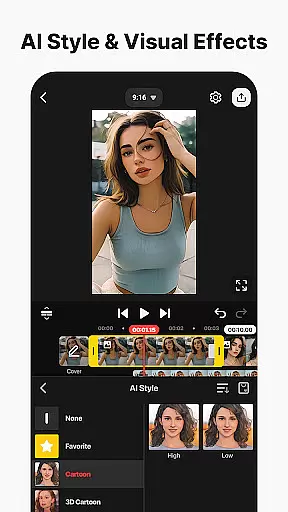
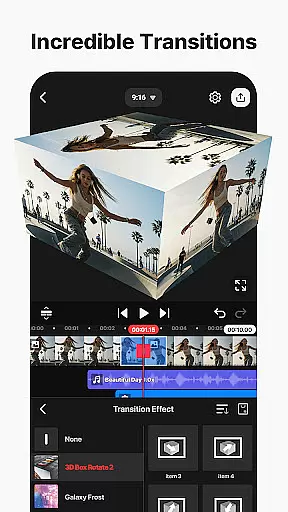
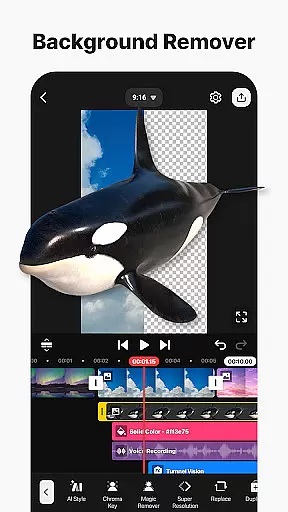
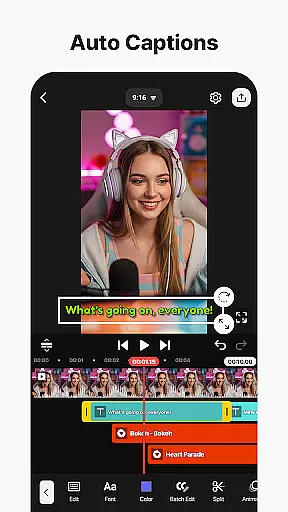
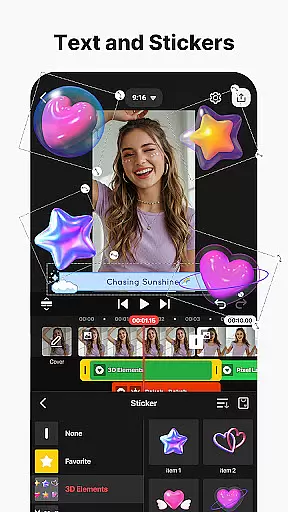
KineMaster is a comprehensive video editing application designed for both amateur and professional content creators. This app allows users to edit various types of videos, including movies, vlogs, Reels, and Shorts, with ease. It offers a wide array of AI-powered tools that simplify the video creation process, such as AI Auto Captions, AI Text-to-Speech, and AI Magic Removal, among others. These features enable users to produce high-quality content without requiring extensive technical knowledge.
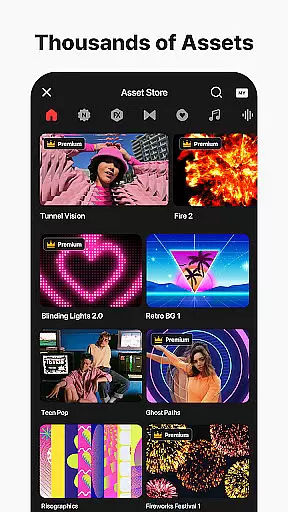
One of KineMaster's standout capabilities is its professional-grade editing tools that are accessible to everyone. Users can take advantage of keyframe animation, chroma key (green screen) effects, and speed control to create sophisticated video projects. Additionally, the app provides thousands of templates and assets, including effects, stickers, music, and fonts, which help jumpstart creativity and enhance video projects. Whether you're looking to make a quick edit or a complex production, KineMaster offers the flexibility and power needed to bring your vision to life.
KineMaster stands out with its rich set of features tailored for efficient and creative video editing. The app includes advanced AI tools that automate tedious tasks, allowing users to focus on the creative aspects of video production. For instance, AI Auto Captions automatically generate subtitles from audio, while AI Vocal Separator splits songs into vocals and music tracks. These intelligent features save time and effort, making video editing more accessible to all skill levels.
Beyond AI capabilities, KineMaster provides professional tools like keyframe animation, chroma key, and multi-layer support. Users can animate elements with precision using keyframes, remove backgrounds with chroma key, and stack multiple media layers for complex compositions. Furthermore, the app supports high-resolution output up to 4K at 60 FPS, ensuring that final products meet industry standards. With magnetic guides, full-screen previews, and an intuitive interface, KineMaster makes the editing process smooth and enjoyable, catering to creators who demand both power and simplicity in their editing software.
Video format compatibility is a crucial feature for any video editing application, ensuring that users can work with a wide range of file types. KineMaster excels in this area by supporting an extensive array of video formats, allowing creators to import and export projects without worrying about conversion issues.
The app's advanced codec support enables seamless integration of various media elements, including high-resolution 4K videos at 60 frames per second. This versatility ensures that content creators can maintain their preferred workflow while working with different source materials, from professional-grade cameras to smartphone recordings.
Moreover, KineMaster's format flexibility extends to its output options, providing optimized settings for popular social media platforms. Users can directly export videos tailored for YouTube, TikTok, Instagram, and other channels, saving valuable time in their content distribution process.
This comprehensive format support not only enhances user convenience but also preserves the original quality of media assets throughout the editing process, making KineMaster a reliable choice for both amateur and professional video editors.
AI-powered editing features have revolutionized the video production process, and KineMaster stands at the forefront of this innovation. The application incorporates multiple artificial intelligence tools that significantly streamline complex editing tasks, making professional-quality video creation accessible to all users.
Among these features, AI Auto Captions automatically generates accurate subtitles from audio tracks, while AI Noise Removal effectively eliminates distracting background sounds. The AI Vocal Separator tool allows users to isolate vocals from background music, opening new creative possibilities for remixing and audio manipulation.
KineMaster's AI Magic Removal tool demonstrates remarkable capability in removing backgrounds around subjects, particularly useful for creating green screen effects without specialized equipment. Additionally, the AI Tracking feature enables dynamic movement of text and graphic elements, following objects within the frame for more engaging visual storytelling.
These intelligent features not only save considerable editing time but also maintain high production values, empowering creators to focus on their artistic vision rather than technical complexities.
User-friendly interface
Extensive AI toolset
Professional editing features
Vast library of assets
High-quality export options
Subscription model required
Watermark on free version
Advanced tools may overwhelm beginners
Limited offline functionality
Resource-intensive on older devices

Live TV, anywhere in your home
 3.80
3.80
Support 1000+ Video Format, Subtitle Download, mp3 & Background Play, Cast On TV
4.60
Download website videos fast&privacy
4.40
Video Downloader, Multiple Resolution Options, Video Player
4.50
Download videos and play them offline
4.70
The essential companion to your Blue Iris PC software
2.50
Browser + Remote for Roku to stream webvideos, online movies and livestreams
4.60
Screen recorder with audio to take live videos & Screenshot in high quality!
4.70
Make videos you’re proud to share with Edits, a video editor for creators.
4.70
A Simple app to download Video & Music from the Internet.
4.70
All in one HD video downloader & player for multiple formats with full privacy
4.70
Video Player - Unlimited features, 30 days money back guarantee.
4.60
?100% FREE! Download & save videos? safely in this app. All formats supported.
4.60
Watch a large amount of high-definition short drama content
4.60
Search & download videos from net with all video downloader, auto-detect & safe.
4.60
Create & edit videos with AI
4.30
Make your own Animations, Video and Photo Edits, Visual Effects, and more!
4.00
Fast private browser with secure, seamless access & supported video downloads!
4.00
Download videos easily & play them all in one smart, powerful video manager.
3.40


User Reviews