
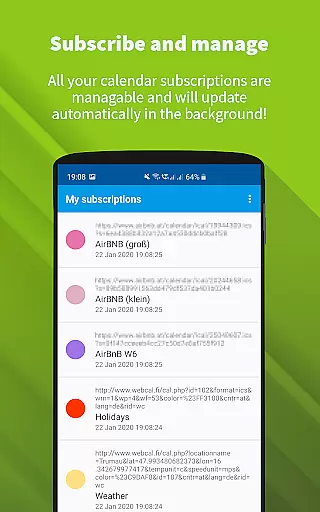
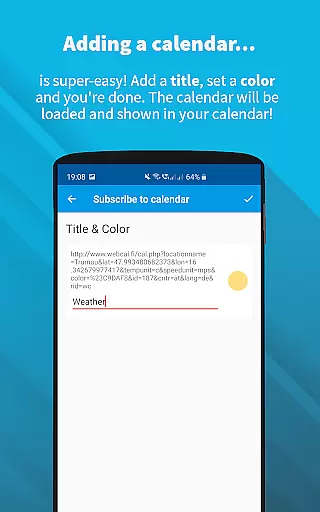
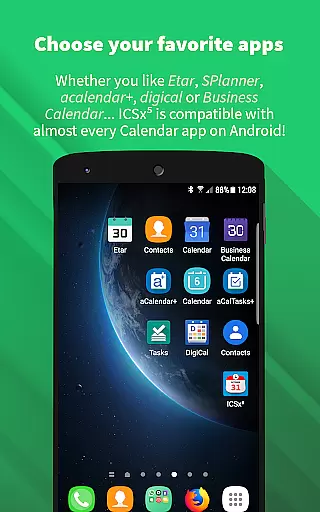
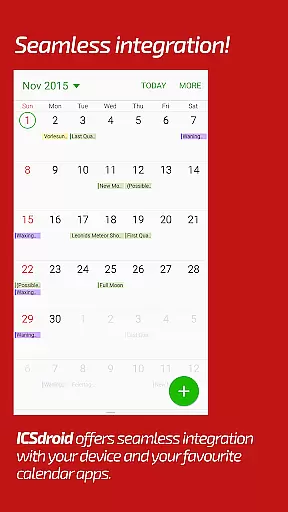
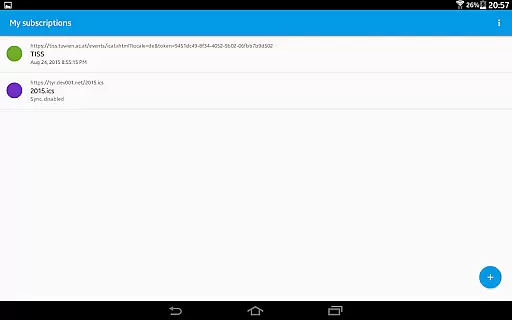
ICSx⁵ is a productivity app designed for Android users who need to manage external calendar files efficiently. This app allows you to subscribe and add Webcal iCalendar/.ics files directly to your device, ensuring seamless integration with your preferred calendar application. With one-way synchronization capabilities, ICSx⁵ keeps your calendars up-to-date without any hassle.
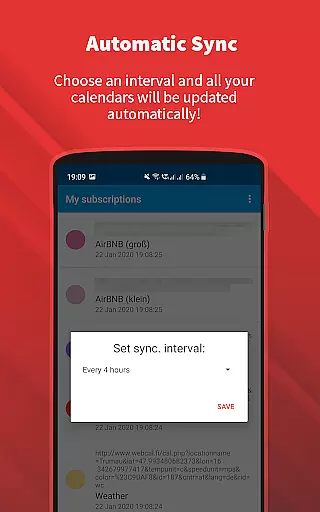
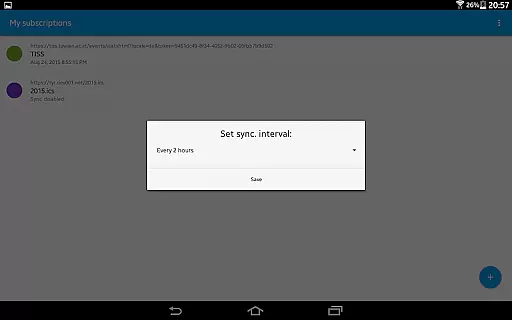
The app supports adding various types of events such as holidays, sports team schedules, school timetables, or any other ics/ical format event files. It uses advanced synchronization technology to ensure that you always have the latest version of your subscribed calendars. Additionally, it offers features like setting sync schedules, intelligent update checks to save bandwidth, and support for authentication and HTTPS.
One of the key strengths of ICSx⁵ is its commitment to privacy and security. Being open-source, it ensures no data is transferred except to the chosen server, and it doesn't require a Google Calendar or account. Developed by enthusiasts who also created DAVx⁵, this app provides reliable and secure calendar management for productivity-focused users.
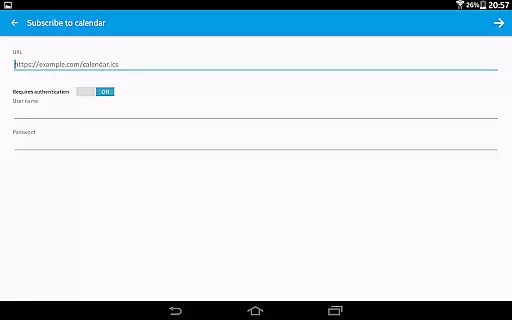
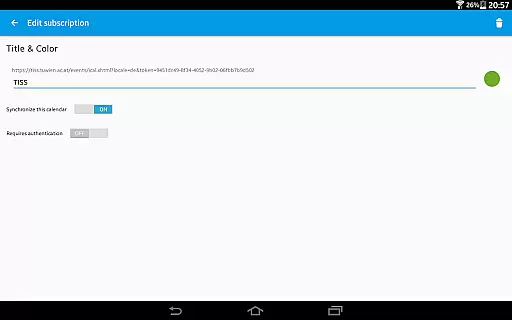
ICSx⁵ boasts a range of features tailored to enhance calendar management on Android devices. Firstly, it allows users to subscribe to Webcal feeds, synchronizing shared calendars from platforms like iCloud at regular intervals. This feature ensures that your calendar data is always current without manual updates.
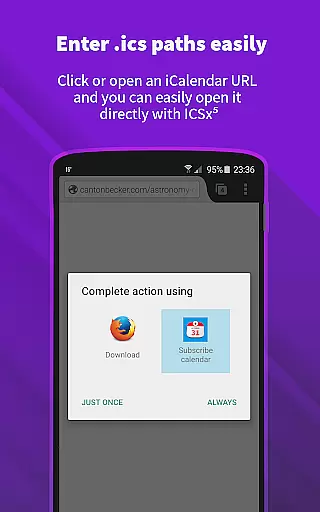
In addition to Webcal subscriptions, ICSx⁵ enables users to pick .ics files from their local device and add these events to their calendar. The app also supports opening webcal:// and webcals:// URLs directly from an Android web browser, providing flexibility in how users can import calendar data. Its seamless integration with other calendar apps makes it a versatile tool for managing multiple calendars.
Security and privacy are prioritized in ICSx⁵'s design. The app is completely open source, ensuring transparency and trust. No personal data, login information, or usage statistics are collected or transferred. Users can set sync schedules and benefit from intelligent update checks that conserve bandwidth while maintaining up-to-date calendar entries. These features collectively make ICSx⁵ a robust solution for efficient and secure calendar management.
Task management is a critical aspect of productivity applications, ensuring users can efficiently organize and track their responsibilities. ICSxu2075 excels in this area by allowing users to subscribe to external calendar feeds, seamlessly integrating them into their Android device's native calendar app.
The app supports Webcal feeds, enabling automatic synchronization at regular intervals. This feature ensures that users always have the most up-to-date version of their subscribed calendars, including high days, holidays, sports events, and academic schedules.
With ICSxu2075, users can also import .ics files from their local device, adding another layer of flexibility to event management. The ability to open webcal:// and webcals:// URLs directly from an Android web browser further enhances its utility.
Overall, ICSxu2075 provides robust tools for managing tasks and events, empowering users to stay organized and informed without the need for a Google Calendar or account.
Cross-device synchronization is essential for maintaining consistency across multiple devices, and ICSxu2075 offers reliable solutions in this domain. By utilizing state-of-the-art synchronization technology, the app ensures that all subscribed calendar events are perfectly delivered to the user's device calendar.
Users can set a sync schedule, allowing the app to intelligently check for updates and save bandwidth. This feature is particularly beneficial for those who manage numerous calendar subscriptions, as it optimizes data usage while keeping information current.
Authentication and HTTPS support add an extra layer of security during the synchronization process, safeguarding user data. Moreover, ICSxu2075's commitment to privacy ensures no data is transferred to unauthorized servers, maintaining high security standards.
By focusing on seamless integration with other calendar apps and providing dependable cross-device sync capabilities, ICSxu2075 stands out as a reliable tool for managing personal and professional schedules across various platforms.
User-friendly interface
Advanced sync technology
Open-source transparency
Strong privacy protection
Flexible calendar integration
Limited to Android
No iOS compatibility
One-way sync only
Requires manual setup
Advanced features may overwhelm beginners

QuickBooks Workforce lets teams view pay info and track time in one place.
 4.70
4.70
Seamlessly integrate data and reports to build your presentation to impress
4.80
Planet Free VPN - The best Fast Unlimited and Secure VPN Without Logs
4.50
App Lock with fingerprint, password: Lock apps & hide photos with lock screens
4.60
Font maker keyboard with your own handwriting
4.10
The AI assistant that thinks with you - write, code, and solve complex tasks
4.60
Calendar 2023 widget for Android. Appointment scheduler, planner, and reminder
4.60
AI Chatbot and AI writing assistant powered by ChatGPT.
4.60
Note taking, handwriting, record audio, PDF annotation, planner & journal
4.20
Native client for Forgejo and Gitea
5.00
Direct Chat without saving contacts & Dual WA Account on Single Device
4.70
Lightweight PDF, Word, Excel reader.
4.60
Send files, sync SMS, notifications & clipboard across devices via local network
4.40
Intelligent AI Assistant
4.10
Create and edit presentations with Google Slides, part of Google Workspace.
4.00
⏰ Finally a timer app which can run multiple timers simultaneously on your watch
3.90
Access your phone's notifications, calls, apps, photos & texts on your PC
3.90
Smart PDF reader & editor to view, organize and manage PDF documents easily.
3.70
Ads Free App! Editor, Hide File, Copy, Move, Delete and Rename.. all facility av
1.70


User Reviews