

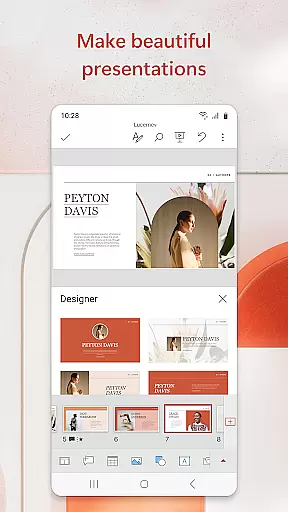
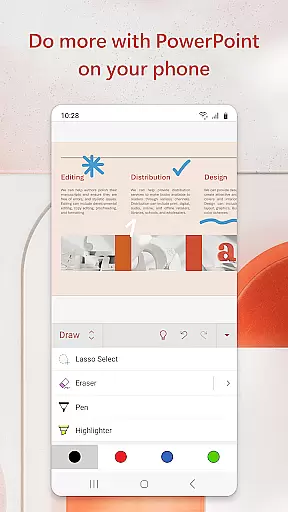
Microsoft PowerPoint is the quintessential presentation app that empowers users to create, edit, and present slideshows with ease from their mobile devices. The app offers a comprehensive suite of tools for crafting professional presentations enriched with music, graphics, charts, and more. With seamless synchronization across devices, your work is always up-to-date no matter where you are.
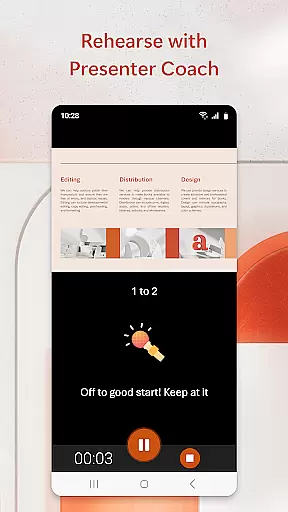
One standout feature is the Presenter Coach, an AI-driven assistant designed to refine public speaking skills by providing real-time feedback during practice sessions. This ensures polished delivery when it's time for the actual presentation. Whether drafting quarterly reports or delivering yearly summaries, PowerPoint provides templated designs that elevate the quality of your content while allowing customization on-the-go.
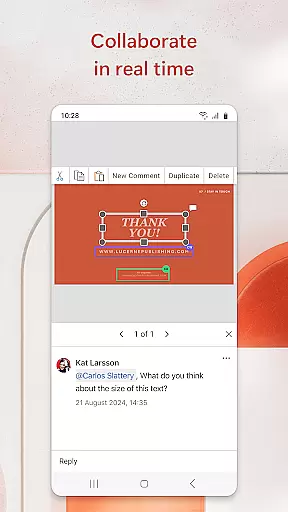
The application also fosters collaboration among teams through integrated commenting and shared access permissions. Users can confidently present knowing they have error-free slides prepared using familiar yet powerful tools tailored for impactful communication. Ideal for professionals who need flexibility without compromising functionality, Microsoft PowerPoint stands as a reliable companion in today’s fast-paced business environment.
Microsoft PowerPoint boasts an array of features tailored to enhance productivity and creativity within presentations. At its core lies the ability to seamlessly integrate multimedia elements such as music tracks, high-resolution images, dynamic charts, and embedded videos into slideshows. These capabilities ensure each presentation not only conveys information effectively but does so engagingly.
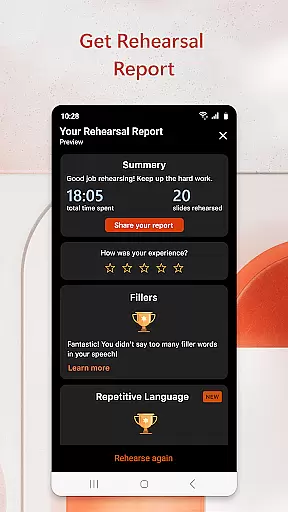
A significant advantage comes from Presenter Coach—a unique AI tool aimed at improving public speaking prowess. It analyzes speech patterns during rehearsals offering suggestions like pacing adjustments, filler word reduction ('umms'), and boosting overall confidence levels before facing live audiences. Additionally, customizable templates allow users to either start fresh projects or build upon existing ones efficiently.
Collaboration is streamlined via cloud-based file sharing which enables multiple team members to simultaneously contribute towards a single project regardless of geographical location. Real-time commenting further facilitates instant feedback loops ensuring everyone stays aligned throughout development stages. Such robust functionalities make Microsoft PowerPoint indispensable for anyone looking to deliver compelling narratives backed by visually appealing data representations anytime, anywhere.
Microsoft PowerPoint offers robust core task management features that streamline the process of creating, editing, and presenting slideshows. This productivity app allows users to efficiently organize their presentation tasks, ensuring that each slide is crafted and refined with precision.
The app provides seamless integration across devices, syncing files automatically so users can pick up where they left off, regardless of the device they are using. This ensures consistency and saves time by eliminating the need to manage multiple versions of the same presentation.
With real-time collaboration tools, PowerPoint enables teams to work together on presentations, share feedback, and make edits simultaneously. This feature enhances productivity by allowing team members to contribute from different locations, ensuring that presentations are polished and ready for delivery.
Additionally, PowerPoint's Presenter Coach acts as a personal assistant, offering real-time suggestions to improve public speaking skills. By practicing with the coach, users can refine their delivery, adjust pacing, and speak confidently, ultimately enhancing the overall quality of their presentations.
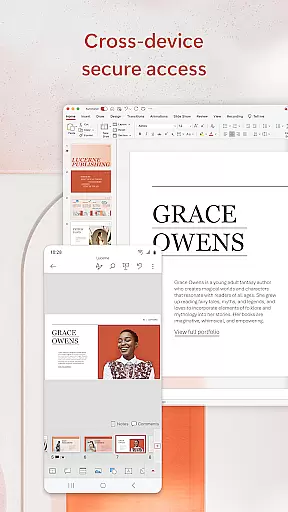
Cross-device synchronization is a cornerstone of Microsoft PowerPoint's reliability, ensuring that users have a consistent experience across all their devices. Whether you're working on a phone, tablet, or PC, PowerPoint keeps your presentations perfectly in sync, providing peace of mind and continuity in your workflow.
This synchronization extends beyond mere file storage; it includes real-time updates and edits. As users make changes to their presentations, those updates are immediately reflected across all linked devices. This means no more worrying about which version is the most current, as PowerPoint ensures that every device accesses the latest iteration of your slideshow.
PowerPoint also supports offline editing, allowing users to continue working on their presentations even without an internet connection. Once reconnected, all changes are synced automatically, maintaining the integrity and consistency of the presentation across devices.
Furthermore, the app's cloud-based infrastructure guarantees data security and accessibility. Users can trust that their presentations are backed up and protected, yet easily accessible whenever and wherever needed. This reliable synchronization empowers users to focus on crafting impactful presentations without technical disruptions.
User-friendly interface
Extensive template library
Real-time collaboration
AI-powered Presenter Coach
Cross-device compatibility
Paid subscription required
Limited offline functionality
Occasional sync issues
Resource-intensive
Learning curve for new users

Wake up & get tasks done! Add alarms & reminders on the Clock Launcher.
 4.00
4.00
Send files, sync SMS, notifications & clipboard across devices via local network
4.40
Remotely view listen control and record cameras.
3.70
Cloud storage, automatic phone backup, and more.
4.10
Multilingual translator for text, voice, and image translation!
4.90
ID.me Authenticator is a simple and free Two Factor Authentication solution
3.50
Create and edit presentations with Google Slides, part of Google Workspace.
4.00
Docker, Kubernetes management over Portainer Mobile
4.40
AT&T Internet customers can use this app to personalize their Wi-Fi network.
4.40
8 custom complications. Custom Time Fonts. Beautiful color schemes. A++ Design.
5.00
Understand anything with a personalized AI research assistant
4.80
The Pro Version of Android's tiniest Notepad app. Just 0.3MB but feature-packed!
4.60
Stay on top of your to-dos with Google Tasks, part of Google Workspace.
4.60
PDF scanner & converter for files, photos, lottery, QR codes. One swipe away!
4.50
Access, manage and transfer files on Android, PC, Mac, NAS and cloud storages.
4.30
A customizable calendar for your Wear OS watch
4.20
The ultimate file manager for rooted devices. The original and still the best.
4.00
Simple and reliable communication between inmates, friends and family
3.20
Code on-the-go with VScode for Android. Edit,debug and collaborate from mobile!!
3.10


User Reviews