
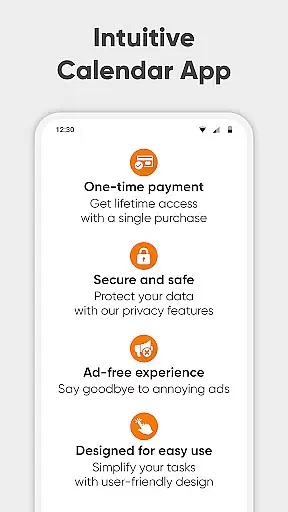
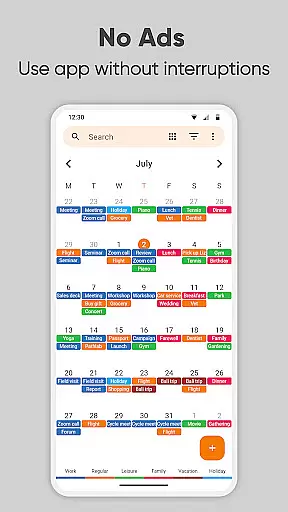
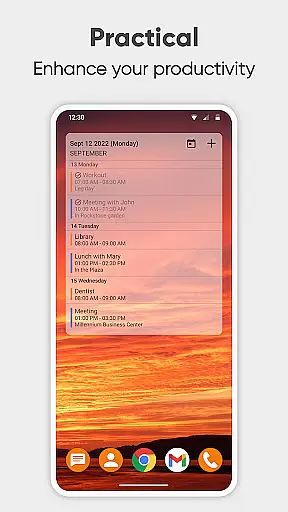
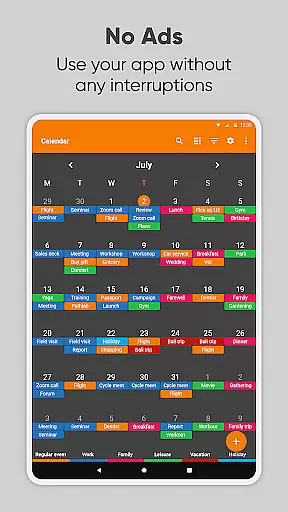
Simple Calendar Pro is a premium productivity application designed for Android users who need an efficient offline calendar solution. This app serves as a personal schedule planner that focuses on simplicity and functionality, making it an ideal choice for managing both personal and professional events without the distraction of ads or unnecessary permissions. With support for syncing through Google Calendar or CalDAV, it ensures your schedule is always up-to-date across devices.
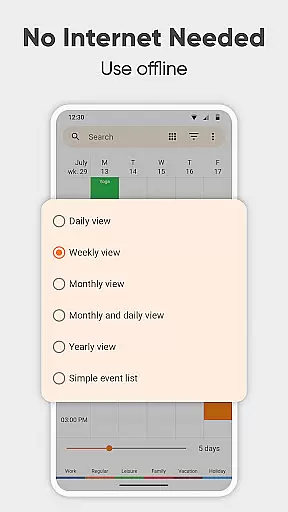
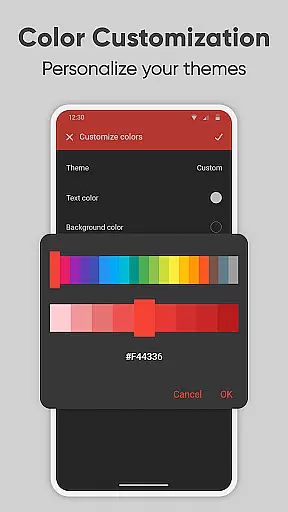
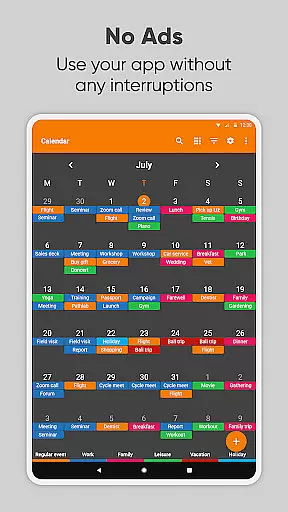
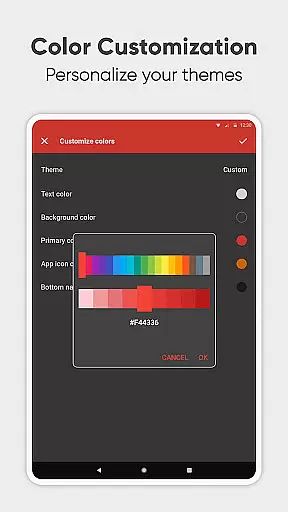
The app shines with its customization capabilities, allowing users to tailor event reminders, notification styles, and even the overall appearance of the calendar widget. Whether you're organizing single events like birthdays or setting up recurring meetings, Simple Calendar Pro provides the tools to keep you informed and punctual. Its user-friendly interface supports various viewing options including daily, weekly, and monthly schedules, ensuring you have a clear overview of your upcoming commitments.
For those who value privacy and security, Simple Calendar Pro operates fully offline, providing peace of mind while you manage your agenda. The app also includes advanced features such as importing and exporting events via .ics files, flexible event creation with powerful repetition rules, and integration with multiple calendar services. These features make it not just a calendar app, but a comprehensive time management tool that adapts to your lifestyle.
Simple Calendar Pro stands out in the realm of productivity apps due to its rich feature set tailored for efficiency and customization. One of its key aspects is the ability to function entirely offline, which enhances privacy and reliability. Users can sync their events using Google Calendar or other CalDAV-supported services, ensuring seamless access to their schedules without requiring constant internet connectivity.
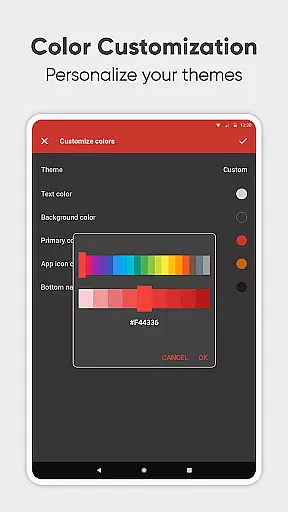
The app offers extensive customization options, empowering users to personalize their experience extensively. From adjusting the appearance of the calendar widget to setting specific reminder tones and vibration patterns, every detail can be modified to suit individual preferences. Additionally, the app supports exporting settings and events, making it easy to transfer data between devices or back up important information. This flexibility extends to event creation, where users can define precise start times, durations, and repetition rules for recurring events.
Another significant advantage of Simple Calendar Pro is its open-source nature, which has led to translations in over 45 languages and a vibrant community contributing to its development. The app also integrates social sharing features, enabling quick dissemination of event details via social media or email. Furthermore, its compatibility with various calendar views—daily, weekly, monthly, and yearly—ensures that users can plan and review their schedules in the most convenient format. These robust features collectively enhance productivity and streamline time management for users.
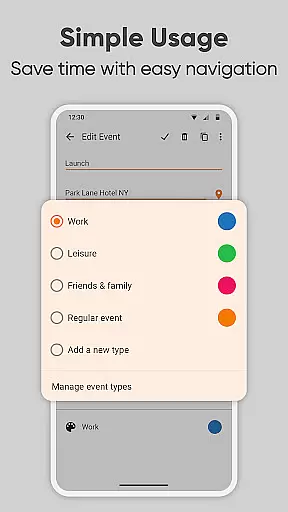
At the heart of Simple Calendar Pro lies its robust core task management system, designed to streamline your daily planning. This feature allows users to effortlessly create and organize events with remarkable flexibility. Whether you need to schedule single occurrences or set up complex recurring appointments, the app provides powerful repetition rules that cater to every need.
The level of customization extends to notification settings, where users can personalize reminder sounds, vibrations, and even choose different audio streams. This granular control ensures that important events never slip through the cracks while maintaining a non-intrusive presence for less critical appointments. The ability to export and import events via .ics files adds another layer of versatility, making it simple to transfer your schedule across devices or share it with colleagues.
What truly sets this productivity tool apart is its seamless integration with various calendar systems through CalDAV support. Users can synchronize their events with Google Calendar, Microsoft Outlook, Nextcloud, and other compatible platforms, creating a unified scheduling experience across all their devices. This synchronization capability, combined with the app's offline functionality, delivers unmatched reliability and accessibility in managing your daily tasks.
Simple Calendar Pro excels in cross-device synchronization reliability, offering users peace of mind when managing their schedules across multiple devices. The application's implementation of CalDAV protocol ensures that all your events and appointments remain perfectly in sync, regardless of which device you use to make updates. This synchronization occurs in real-time, providing users with up-to-the-minute accuracy across their entire digital ecosystem.
The app's synchronization capabilities extend beyond just basic event details. It meticulously maintains all customizations, including reminder settings, color coding, and recurrence patterns, ensuring a consistent experience across devices. This comprehensive approach to synchronization means that users can seamlessly transition between their phone, tablet, and computer without missing a beat in their busy schedules.
Particularly noteworthy is how the app handles potential synchronization conflicts. Through intelligent conflict resolution algorithms, Simple Calendar Pro ensures that data integrity is maintained even when simultaneous changes occur on different devices. The application's robust error handling and automatic retry mechanisms further enhance its reliability, making it an indispensable tool for professionals who demand consistent access to their schedule regardless of their current device.
User-friendly interface
Offline functionality
Customizable themes
Event synchronization
No ads or popups
Limited iOS support
Advanced features may overwhelm new users
Occasional sync delays
Requires manual updates for some features
Learning curve for CalDAV setup

Secure, fast, open-source, VNC and SSH Remote Desktop for Windows, Linux and Mac
 4.70
4.70
QuickBooks Workforce lets teams view pay info and track time in one place.
4.70
Take control of your clipboard with Clipper!
3.90
Mega cloud explorer plugin for Solid Explorer
3.80
Professional calendar app for Google Calendar, MS Outlook & Exchange
4.20
All in one sketching tool. Technical and General drawing. Online Maps support.
3.70
Automates browsing any website and notifies you of important changes or events
4.30
Fill, sign & send docs, forms, agreements & contracts via electronic signature.
4.50
Make apps & sites with natural language prompts
4.10
The long-awaited modern gallery app for your Nextcloud server
4.70
The Pro Version of Android's tiniest Notepad app. Just 0.3MB but feature-packed!
4.60
PDF scanner & converter for files, photos, lottery, QR codes. One swipe away!
4.50
Secure your apps with lock screens, use custom themes and different features.
4.40
Cloud storage, automatic phone backup, and more.
4.10
Activate Two Factor Authentication (2FA or Multi OTP), Password manager and more
4.10
Unlock AutoNotification
4.00
⏰ Finally a timer app which can run multiple timers simultaneously on your watch
3.90
Remotely view listen control and record cameras.
3.70
The upgraded version of Name Wheel with AI and the power to add your own wheels.
4.0


User Reviews