
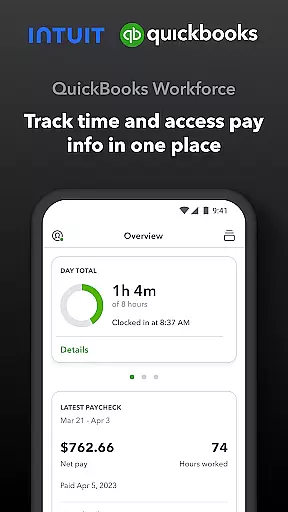
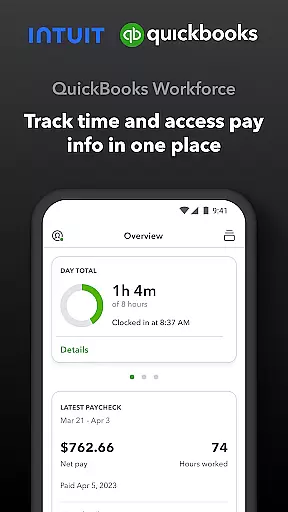
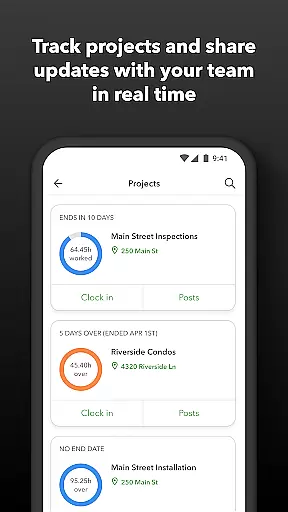
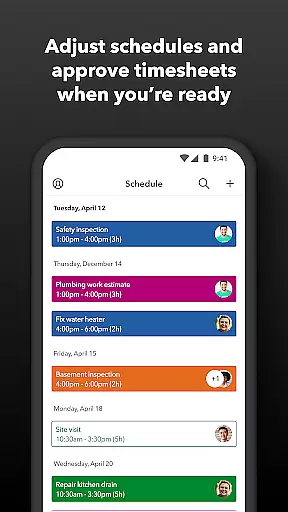
QuickBooks Workforce is a comprehensive productivity app designed to streamline payroll and time tracking for businesses using QuickBooks Payroll and QuickBooks Time. The app consolidates essential workforce management features into one platform, allowing both employers and employees to efficiently manage their work-related tasks.
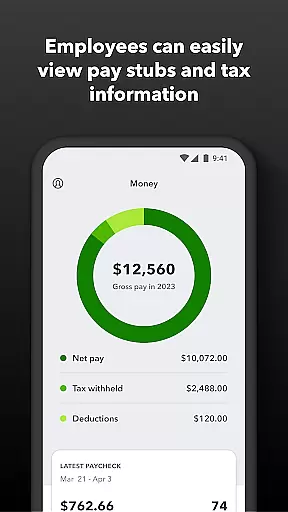
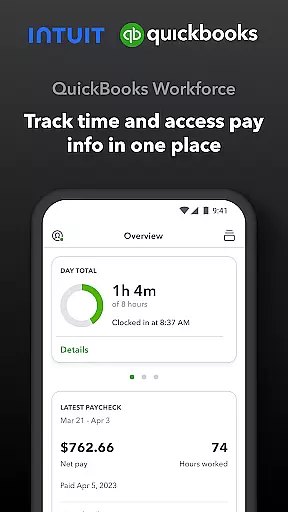
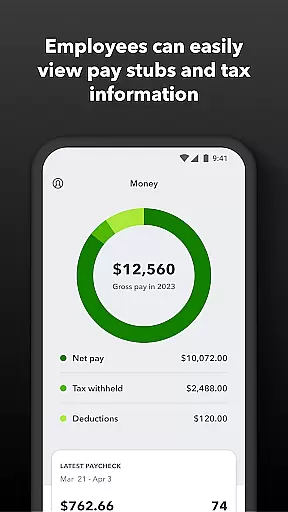
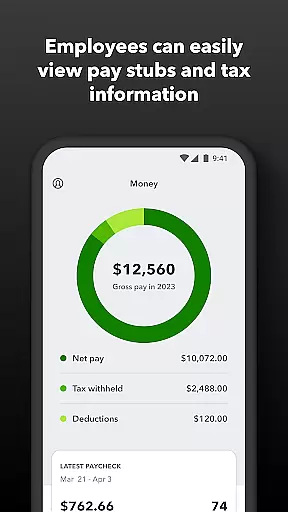
Employees can conveniently access pay stubs, W-2s, and other crucial pay information from any location. The built-in time tracking functionality supports clocking in and out even without an internet connection, ensuring accurate time records. Additionally, users can submit requests for paid time off, sick days, and holidays, while also being able to edit timesheets and manage job schedules effectively.
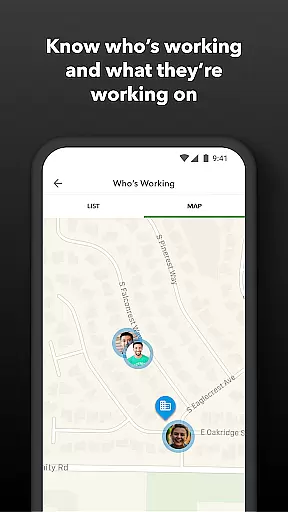
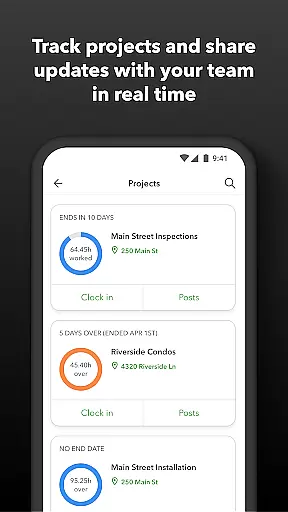
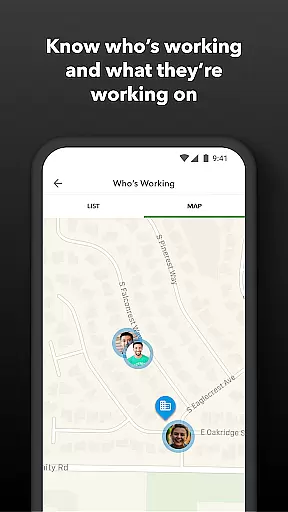
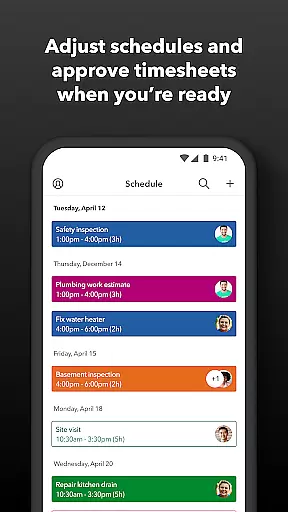
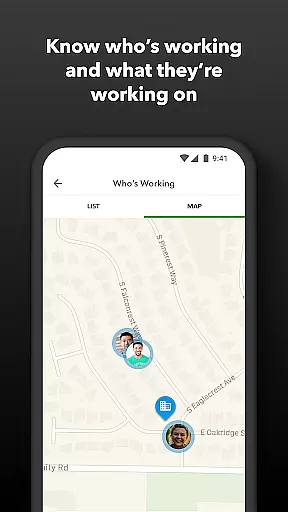
For employers and administrators, the app offers advanced oversight capabilities such as approving, editing, or deleting timesheets, scheduling by job or shift, and monitoring team locations in real-time. With geofencing technology available in the Elite version, managers can receive alerts when employees enter or leave job sites. Real-time reports and seamless integration with QuickBooks Online enhance productivity and reduce manual data entry, making QuickBooks Workforce an indispensable tool for modern businesses.
QuickBooks Workforce boasts a variety of robust features tailored to improve productivity and efficiency within businesses. One standout feature is its ability to provide employees with anytime, anywhere access to their pay information, including pay stubs and W-2s. This ensures that workers are always informed about their earnings and tax documents.
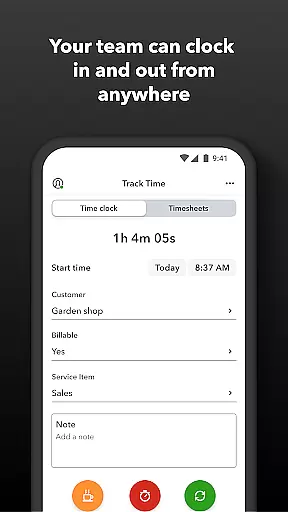
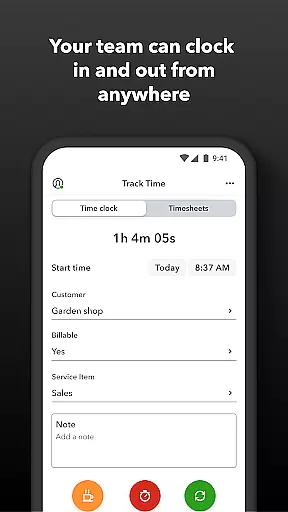
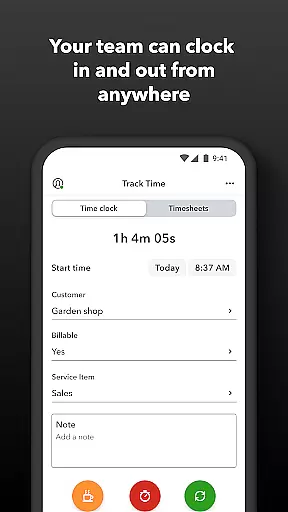
The app's time tracking capabilities are equally impressive. Employees can clock in and out seamlessly, even in areas with no Wi-Fi or cellular service, ensuring accurate time logs. Furthermore, the app allows for easy submission and tracking of paid time off, sick days, and holidays. Users can switch jobs, pause tracking, or take breaks, providing flexibility and precision in managing work hours.
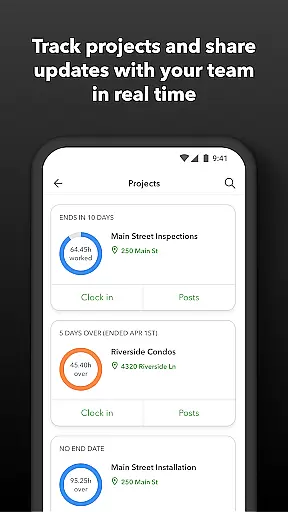
For employers, QuickBooks Workforce offers powerful administrative tools. These include the ability to approve, edit, or delete timesheets, schedule shifts, and monitor employee locations in real-time. The Elite version includes geofencing technology, which triggers reminders for employees to clock in or out based on their physical location. Employers can also track accruals for vacation, sick, and holiday time, generate various reports, and oversee team productivity and project status, ensuring optimal resource allocation and budget management.
Task management is a cornerstone of productivity applications, and QuickBooks Workforce excels in this area by offering comprehensive tools for both employers and employees. This functionality allows users to efficiently organize, track, and manage their work schedules and timesheets.
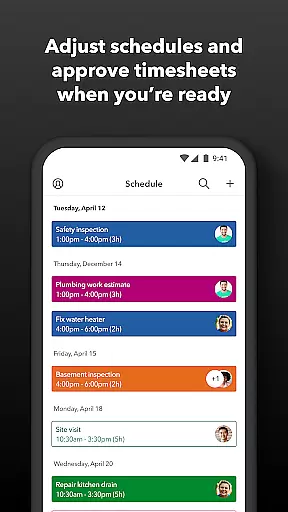
For team members, the app provides the ability to clock in and out, edit timesheets, and manage job schedules from any location, even without Wi-Fi or service. Employers and admins can approve, modify, or delete timesheets, set up geofences for automatic time tracking, and create or adjust employee schedules as needed.
The real value lies in its seamless integration with QuickBooks Online and QuickBooks Desktop Payroll, which streamlines payroll processes and eliminates manual data entry. This ensures that all time data is accurately recorded, reducing errors and saving on payroll costs.
By leveraging these task management features, businesses can enhance productivity, maintain accurate records, and make informed decisions regarding budget, deadlines, and resource allocation.
Cross-device synchronization is vital for ensuring that all team members have access to the most up-to-date information regardless of the device they use. QuickBooks Workforce offers reliable synchronization across multiple platforms, enhancing collaboration and communication within teams.
This app allows employees to access their pay stubs, W-2s, and other pay information anytime, anywhere. They can also submit and track paid time off, sick days, and holidays, switch jobs, pause tracking, or take breaks, all while maintaining consistent data across devices.
Employers benefit from real-time updates on who is working and where, receive alerts if employees don't clock in as scheduled or approach overtime, and can oversee team productivity and project status. The synchronization extends to integrating with other payroll, accounting, and invoicing software, providing a holistic view of business operations.
With reliable cross-device synchronization, QuickBooks Workforce ensures that every team member stays connected and informed, leading to improved efficiency and accuracy in managing work tasks and schedules.
User-friendly interface
Comprehensive payroll features
Real-time time tracking
Seamless QuickBooks integration
Advanced administrative tools
Limited free features
Premium version costly
Geofencing requires Elite
Occasional sync issues
Complex setup process

A Revolutionary All-in-One Artificial Intelligence Tools
 3.80
3.80
Auto-shutoff Alarm with Sunrise, Sunset & Fixed Options.
3.50
Create study competitions, track your hours, and stay consistent with friends
4.2
Easily read and manage all your PDF files
4.10
⏰ Finally a timer app which can run multiple timers simultaneously on your watch
3.90
Customizable calendar widget for seamless event sync, planning & scheduling.
4.00
CalenGoo is a very flexible and feature-rich calendar app
4.40
Quickly and easily keep track of your work shifts
4.70
Intelligent AI Assistant
4.10
Native client for Forgejo and Gitea
5.00
Simple notepad & memo. Take notes, to-do list, shopping list with reminders.
4.80
The Pro Version of Android's tiniest Notepad app. Just 0.3MB but feature-packed!
4.60
App Lock with fingerprint, password: Lock apps & hide photos with lock screens
4.60
Calendar 2023 widget for Android. Appointment scheduler, planner, and reminder
4.60
Planet Free VPN - The best Fast Unlimited and Secure VPN Without Logs
4.50
Share files & memories safely. Keep your photos and videos secure.
4.40
The ultimate file manager for rooted devices. The original and still the best.
4.00
Smart PDF reader & editor to view, organize and manage PDF documents easily.
3.70
The upgraded version of Name Wheel with AI and the power to add your own wheels.
4.3


User Reviews