
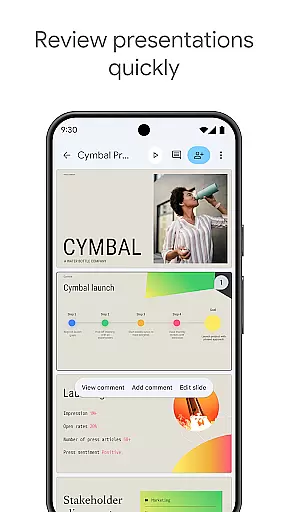
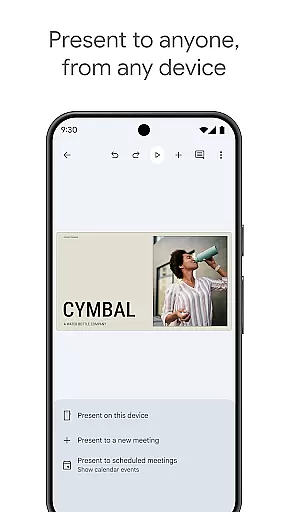
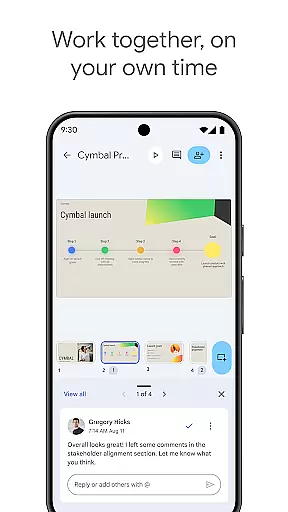
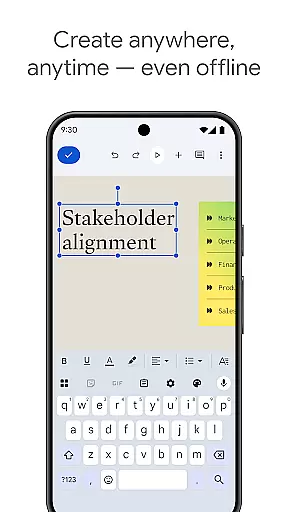
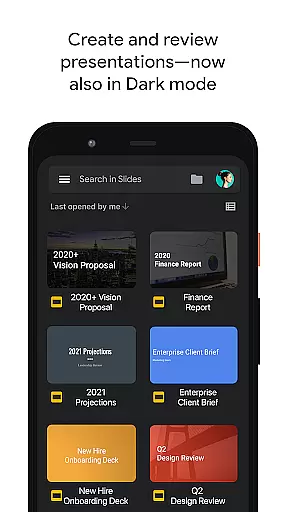
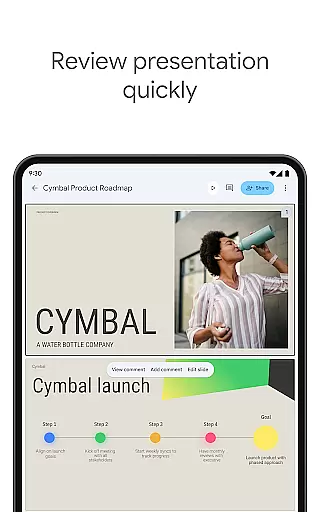
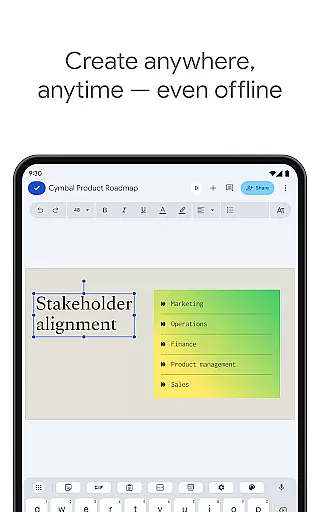
Google Slides is a powerful productivity application that allows users to create, edit, and collaborate on presentations directly from their Android devices. The app offers a comprehensive set of features including real-time collaboration, offline working capabilities, and automatic saving functionality. Users can add and respond to comments, format text and shapes, and even present slides directly from their mobile device.
The application stands out with its smart suggestions feature that helps users create visually appealing slides instantly. It also integrates seamlessly with Google Workspace, allowing teams to chat, create, and collaborate efficiently. With the ability to open, edit, and save PowerPoint files, Google Slides ensures compatibility and flexibility for various use cases.
Whether you're preparing for an important business presentation or creating educational content, Google Slides provides a reliable platform that enhances productivity and fosters teamwork. Its intuitive interface and robust feature set make it an essential tool for professionals and students alike.
Google Slides offers an impressive array of features designed to enhance productivity and streamline the presentation creation process. One of its standout capabilities is real-time collaboration, which allows multiple users to work on the same presentation simultaneously. This feature is particularly beneficial for remote teams who need to coordinate their efforts without being in the same physical location.
The app supports offline functionality, ensuring that users can continue working even without an internet connection. Automatic saving ensures that all changes are preserved, eliminating the risk of losing valuable work. Additionally, Google Slides provides smart suggestions that help users design beautiful slides quickly and easily.
Integration with Google Workspace unlocks additional premium features such as advanced permission controls and access to a wide range of templates. These templates enable users to expedite the creation process while maintaining professional standards. Furthermore, the ability to insert multimedia elements like videos and images enhances the overall quality and engagement of presentations.
Google Slides excels in core task management by providing a comprehensive suite of tools for creating and editing presentations. The app allows users to build new slideshows from scratch or modify existing ones with ease.
It supports real-time collaboration, enabling multiple users to work on the same presentation simultaneously. This feature is particularly beneficial for team projects, allowing members to add and rearrange slides, format text and shapes, and respond to comments without any compatibility issues.
The application ensures that users can work seamlessly across different devices, offering an uninterrupted experience whether online or offline. Every change made is automatically saved, eliminating the fear of losing important work due to unforeseen technical glitches.
Additionally, Google Slides enhances productivity by integrating smart suggestions that help in crafting visually appealing slides instantly. This functionality not only saves time but also assists users who may not have advanced design skills to create professional-looking presentations.
Cross-device synchronization is a standout feature of Google Slides, ensuring reliable access to presentations regardless of the device being used. Whether on a PC, Mac, mobile phone, or tablet, users can view or even present their slides, making last-minute preparations possible until the very moment of the presentation.
This synchronization extends to the integration with Google Workspace, where teams can collaborate online with partners, entire teams, or external contacts. Permissions can be finely controlled, determining who can edit, view, or comment on the presentation.
Google Slides further expedites the process by offering templates that enhance presentations with videos, images, drawings, and smooth transitions. These elements are reliably synced across all devices, maintaining the integrity and quality of the presentation.
Moreover, the app's ability to open, edit, and save PowerPoint files adds another layer of convenience, ensuring that users can work with various file formats while enjoying the consistent performance and reliability of Google's ecosystem.
User-friendly interface
Real-time collaboration
Automatic saving
Offline access
Smart suggestions
Limited advanced features
Fewer templates than competitors
Requires Google account
No desktop-class features
Basic animations only

Client for Nextcloud Deck
 4.60
4.60
A customizable calendar for your Wear OS watch
4.20
Experience Reading - Night Mode for Documents
4.40
Font maker keyboard with your own handwriting
4.10
Docker, Kubernetes management over Portainer Mobile
4.40
* block pre-roll ads, pop-up and forced redirect ads * Samsung certification app
4.00
Great calculator for Android named one of USA TODAY's "25 Essential Apps".
4.90
Quickly and easily keep track of your work shifts
4.70
Note taking, handwriting, record audio, PDF annotation, planner & journal
4.20
Protect and view your important info on your phone and tablet with eWallet®
4.80
Stay on top of your to-dos with Google Tasks, part of Google Workspace.
4.60
All document reader, all in one file viewer read PDF, DOCX, XLS, PPT, TXT files.
4.60
Planet Free VPN - The best Fast Unlimited and Secure VPN Without Logs
4.50
Send files, sync SMS, notifications & clipboard across devices via local network
4.40
Secure your apps with lock screens, use custom themes and different features.
4.40
When you Focus, so will your Bean in this cozy focus timer
4.30
Device's storage information in a simple and clear graphical form (infographics)
4.10
Secure, open-source, SPICE and SSH Remote Desktop for QEMU KVM virtual machines
4.00
Access your phone's notifications, calls, apps, photos & texts on your PC
3.90


User Reviews