
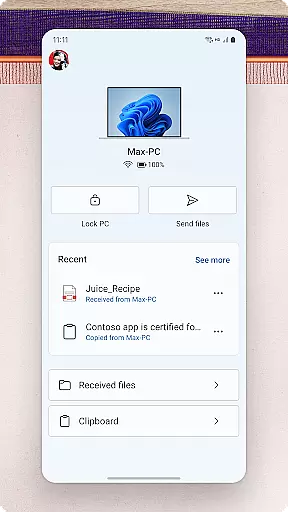
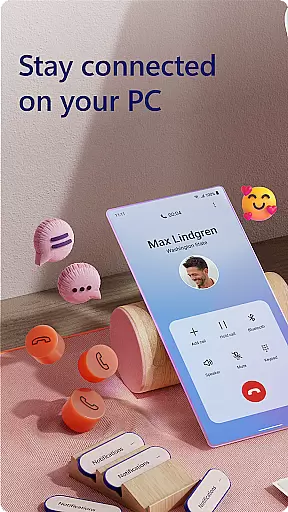
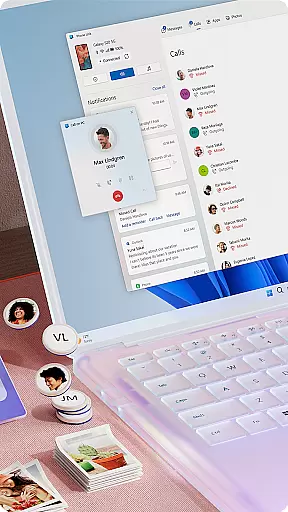
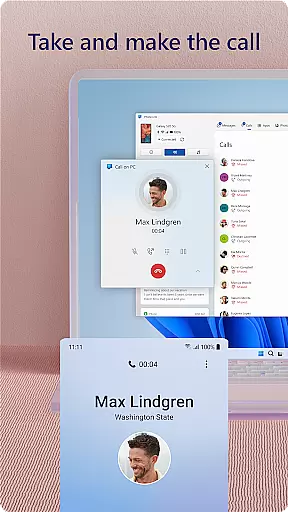
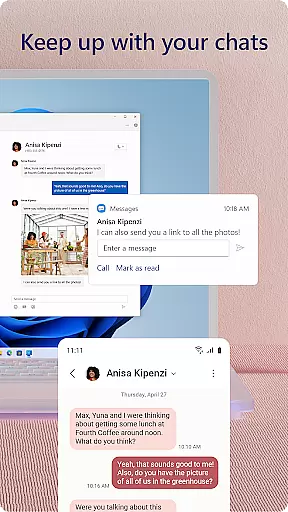
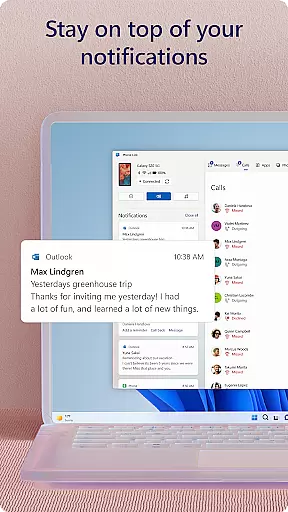
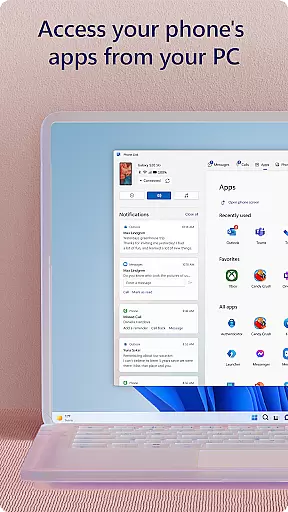
Link to Windows is a productivity-focused application that bridges the gap between your Android phone and Windows PC. This app allows users to seamlessly interact with their mobile device directly from their computer, streamlining workflows and enhancing connectivity. Key functionalities include making and receiving calls, managing notifications, and accessing mobile apps on the PC.
The app also supports advanced features like drag-and-drop file sharing, cross-device copy-paste, and instant photo access, which are particularly beneficial for users with compatible Microsoft Duo, Samsung, or HONOR devices. These capabilities make multitasking more efficient and eliminate the need for constant device switching, thus optimizing the user's productivity.
Whether you're a professional managing multiple tasks or a student needing easy access to resources across devices, Link to Windows provides an integrated solution that maximizes efficiency and convenience. By leveraging your PC's larger screen and input peripherals, it transforms how you interact with your smartphone, offering a unified digital experience.
Link to Windows offers a comprehensive suite of features designed to enhance productivity and streamline device management. One of its standout capabilities is the ability to make and receive calls directly from your PC, provided your computer has Bluetooth functionality. This feature alone can significantly improve communication efficiency for professionals who spend most of their time on the computer.
In addition to call management, the app allows users to view and manage Android notifications on their PC, ensuring they never miss important updates. The integration with select Microsoft Duo, Samsung, and HONOR phones brings exclusive functionalities such as cross-device copy-paste, Phone screen mirroring, and app access, which further enrich the user experience. These features are especially valuable for those who require high levels of interactivity between devices.
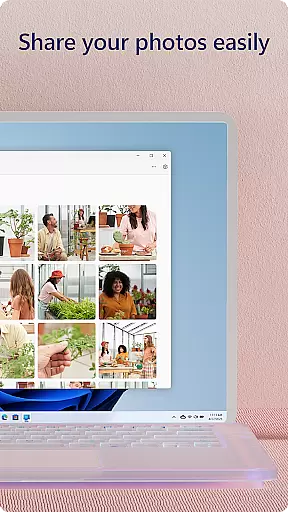
Moreover, Link to Windows supports drag-and-drop file sharing and photo access, eliminating cumbersome transfer processes. With these tools, users can effortlessly move content between devices, edit files, and even use their PC’s peripherals to navigate their phone. Such seamless integration underscores the app's commitment to boosting productivity through innovative technology.
Task management is a cornerstone of productivity applications, and Link to Windows excels in this area by integrating your Android phone's functionalities with your PC. This seamless connection allows users to handle calls, text messages, notifications, and even mobile apps directly from their Windows desktop.
The app simplifies multitasking by enabling users to make and receive calls, manage notifications, and access mobile apps on their PC. With the ability to drag and drop files between devices and use the PCu2019s hardware for phone interactions, users can maintain workflow without reaching for their phone.
For those with compatible devices, Link to Windows offers advanced features like cross-device copy and paste, Phone screen mirroring, and multiple app experiences. These capabilities ensure that users can stay productive and efficient, leveraging their PCu2019s larger screen, keyboard, mouse, and touch functionalities.
Ultimately, Link to Windows enhances core task management by centralizing phone and PC operations, streamlining user tasks, and boosting overall productivity.
Cross-device synchronization is vital for maintaining productivity, and Link to Windows ensures reliable and real-time updates between your Android phone and PC. By connecting your devices, you gain instant access to your phoneu2019s content, including messages, calls, and photos, all from your computer.
This synchronization extends beyond simple notifications. Users can share images effortlessly, edit files, and even drag and drop content between devices. The integration with select Microsoft Duo, Samsung, and HONOR phones further enhances this reliability, offering exclusive features like Apps and file management without additional downloads.
Link to Windows also supports advanced accessibility services for screen readers, allowing full phone control from the PC while providing spoken feedback. This ensures that all users, regardless of ability, can benefit from synchronized device operations.
By focusing on robust synchronization, Link to Windows provides a dependable bridge between phone and PC, ensuring users experience uninterrupted connectivity and enhanced operational fluidity.
Seamless device integration
Efficient notification management
Advanced cross-device functionalities
User-friendly interface
Enhanced productivity tools
Limited to specific devices
Requires Windows 10 or later
Some features need Android 11.0
Bluetooth dependency for calls
May need high RAM for full functionality

Secure, fast, open-source, VNC and SSH Remote Desktop for Windows, Linux and Mac
 4.70
4.70
Take control of your clipboard with Clipper!
3.90
Auto-shutoff Alarm with Sunrise, Sunset & Fixed Options.
3.50
IP Camera Viewer - Android TV : RTSP Surveillance camera viewer for Android TV
4.5
Find and delete junk files & block unwanted notifications & manage files
3.70
Docker, Kubernetes management over Portainer Mobile
4.40
Ultimate Virtual AI Character for immersive Roleplay Chat. Perfect Companion
3.90
Lightweight PDF, Word, Excel reader.
4.60
Note taking, handwriting, record audio, PDF annotation, planner & journal
4.20
Multilingual translator for text, voice, and image translation!
4.90
Android Wallet Password Manager
4.80
Client for Nextcloud Deck
4.60
App Lock with fingerprint, password: Lock apps & hide photos with lock screens
4.60
Pwnagotchi companion app
4.20
Activate Two Factor Authentication (2FA or Multi OTP), Password manager and more
4.10
Make your handwriting beautiful, even more than pen on paper.
3.60
Simple and reliable communication between inmates, friends and family
3.20
Code on-the-go with VScode for Android. Edit,debug and collaborate from mobile!!
3.10
Create study competitions, track your hours, and stay consistent with friends
4.5


User Reviews