
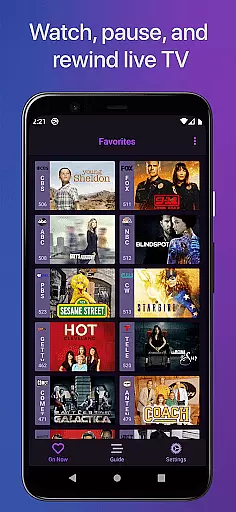
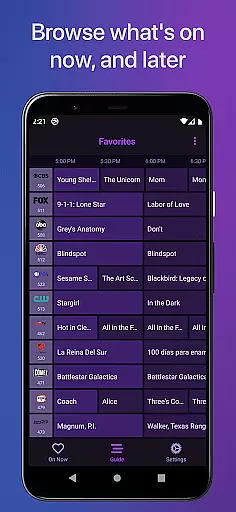
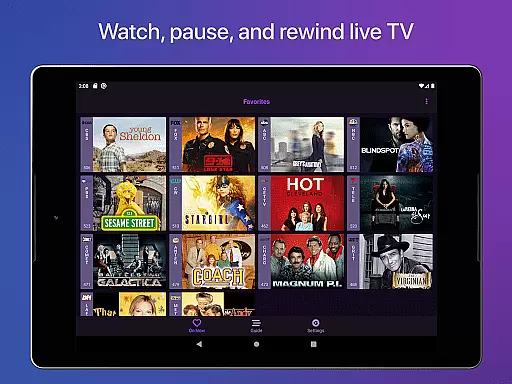
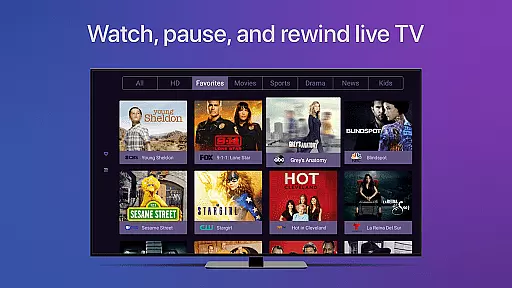
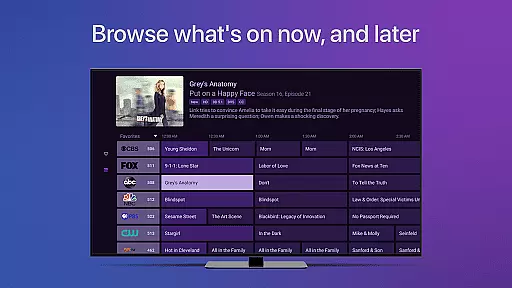
Channels for HDHomeRun is a versatile live TV streaming application designed specifically for Android users who own an HDHomeRun networked TV tuner. This app allows you to seamlessly watch, pause, and rewind live or cable TV directly on your Android device. With features like full HD streaming, 5.1 surround sound, closed captioning, and an intuitive full grid guide, Channels ensures a high-quality viewing experience. The app also supports advanced functionalities such as channel favoriting, jumping back to the last channel, and managing your HDHomeRun devices remotely.
Beyond just live TV, Channels integrates effortlessly with your existing streaming apps, creating a unified entertainment hub right on your device. Whether you're looking to catch up on sports, local news, award shows, or primetime TV, this app bridges the gap between traditional broadcasting and modern streaming services. By using a single antenna, Channels can distribute live TV to multiple devices across your home network, offering both convenience and cost savings by eliminating the need for multiple cable boxes.
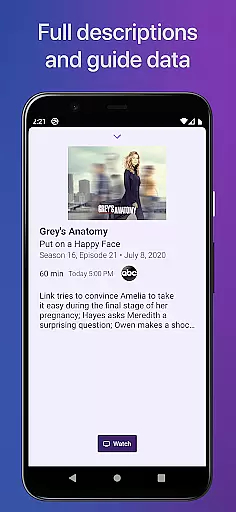
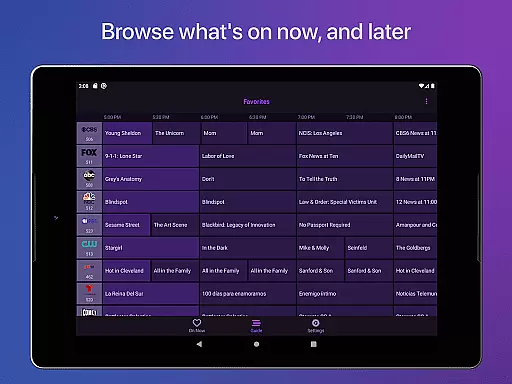
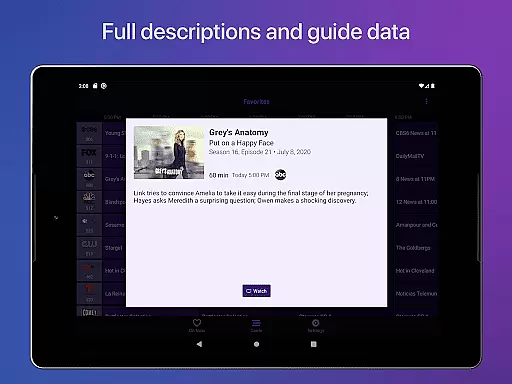
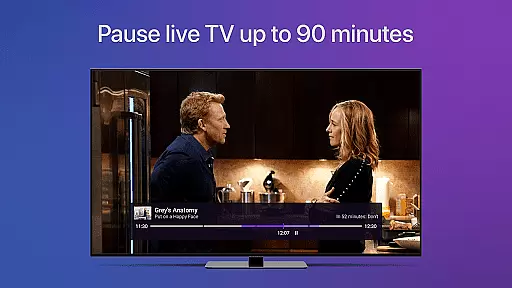
One of the standout features of Channels for HDHomeRun is its robust live TV functionality. Users can pause, rewind, and fast forward through live broadcasts, effectively turning their Android devices into personal DVRs. The app provides comprehensive guide data, enabling users to browse a full grid guide that displays current and upcoming programming across all their available channels. Additionally, Channels offers advanced audio and visual options, including full HD streaming (dependent on bandwidth), 5.1 surround sound, and closed captioning support, ensuring an immersive viewing experience.
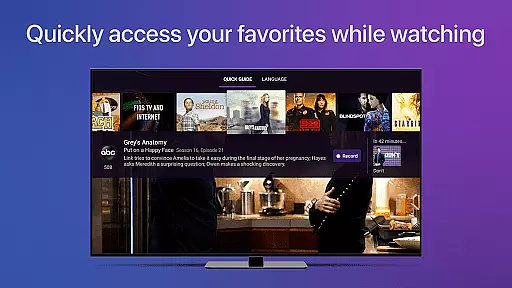
Channels also excels in user customization and accessibility. The app supports VoiceOver, making it accessible to visually impaired users, and includes features like channel favoriting and quick channel switching. Users can manage their HDHomeRun devices directly from the app interface, streamlining the setup and maintenance process. Furthermore, the app's Quick Guide feature lets viewers see what's playing on other channels without interrupting their current program, while touch controls allow for precise navigation through live TV buffers.
Channels for HDHomeRun offers extensive video format compatibility, ensuring users can stream content in various formats without interruptions. The app supports full HD streaming, provided there is sufficient bandwidth, and delivers crisp, clear visuals directly to Android devices.
The application's ability to handle different formats extends to audio as well, with support for 5.1 Surround Sound. This feature provides an immersive experience, making it ideal for users who demand high-quality audio alongside their video streaming.
Closed captioning is another key aspect of its video format compatibility. By including this feature, Channels ensures accessibility for viewers who rely on subtitles, thereby broadening its user base and enhancing the viewing experience for everyone.
Overall, the app's comprehensive format support makes it versatile and adaptable to various user needs, whether they are streaming live TV, sports, or local news, thus delivering a seamless entertainment experience across multiple devices within the home network.
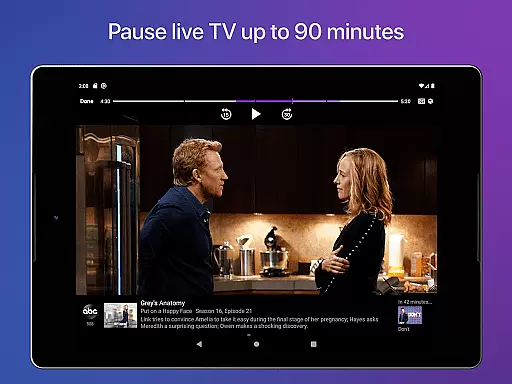
While Channels for HDHomeRun focuses primarily on live TV streaming, it incorporates AI-powered features that enhance the user experience significantly. One such feature is the live TV buffer, which uses intelligent algorithms to manage up to 90 minutes of playback, allowing users to pause, rewind, and fast forward through live television effortlessly.
The app also utilizes AI for channel favoriting and management. Users can easily pick their favorite channels in the Settings tab, and the app intelligently curates content based on these preferences, presenting them prominently in the Favorites tab for quick access.
Additionally, Channels employs smart detection for remote control inputs via Accessibility APIs offered by the operating system. Although this feature requires explicit user permission, once enabled, it allows for intuitive navigation and control, further simplifying the user interface and interaction.
These AI-driven capabilities ensure that Channels not only streams content efficiently but also personalizes and streamlines the viewing process, making it a sophisticated solution for modern digital entertainment needs.
User-friendly interface
High-quality streaming
Comprehensive channel guide
Advanced DVR functions
Multi-device support
Requires HDHomeRun tuner
No DRM stream support
Network-dependent
Limited remote access
Premium features need subscription

Client application for NextPVR software
 3.00
3.00
A Quick and Pro Video Editor
4.70
Watch a large amount of high-definition short drama content
4.60
Tik & Story Saver-Download ALL social media videos, photos & reels no watermark.
4.80
Create photo video with music & template. AI video maker for stunning slideshow.
4.60
Play and download HD videos from all sources — fast, simple, and all-in-one.
4.5
IPTV Player - Watch live TV from m3m & m3u8 playlist, stream IPTV on mobile
3.30
Fast & Private Video Downloader App. Save all videos easily from the Internet.
4.40
Capture the moment and Cut
3.40
Fast & easy HD video downloader for all formats, support 4K playback & download.
4.60
Cast movies, tv shows and live streams to Chromecast, Roku, DLNA, Fire TV & more
4.60
Full HD Video mp3 Player, MP4 player play 1080p, File manager, Video Downloader
4.40
Movie maker & video editing app with AI effects and green screen
4.30
Powerful Video Editor & Photo Editing App —— Quick Edits & Stunning Effects!
4.30
Video Downloader is an utility that can save videos and music from web sites
4.20
IPTV-Smarters Player Pro M3U - Watch Live Stream TV Channels with Chromecast
4.00
Connect 2 UVC devices for recording and broadcast video/audio stream
3.90
A full editing room to accompany your Insta360 cameras and handheld gimbals.
3.30
The essential companion to your Blue Iris PC software
2.50


User Reviews