
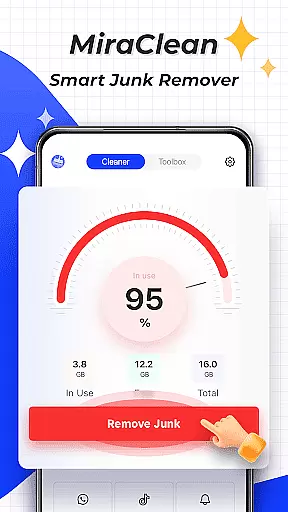

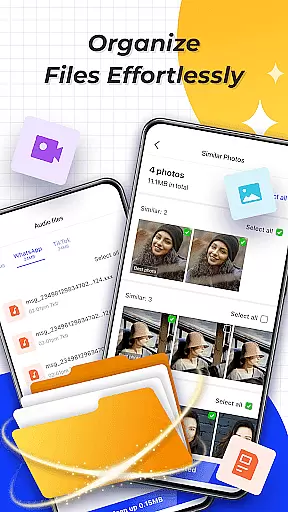

MiraClean is a productivity-focused app designed to help Android users efficiently manage their device storage and optimize performance. The app provides essential tools for scanning and removing unnecessary files, including temporary data, app caches, and residual files that accumulate over time. Additionally, it offers features like notification management, file organization by type and size, and network data usage tracking.
One of MiraClean's standout capabilities is its ability to provide detailed insights into mobile and Wi-Fi data consumption, along with a built-in network speed test feature. This makes it an ideal solution for users who want to maintain control over both their device's storage and data usage. Lightweight and privacy-conscious, MiraClean ensures a clutter-free experience without compromising user security.
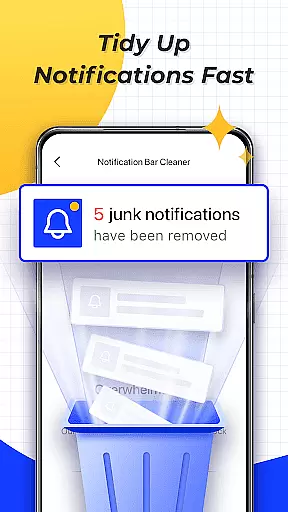
MiraClean stands out with its comprehensive set of productivity-enhancing features tailored for Android users. First, the app performs deep scans to identify junk files such as temporary files, app caches, and leftover data from uninstalled apps. Users can then easily delete these files to free up valuable storage space. Another notable feature is the ability to clear unwanted notifications, helping users declutter their notification bar for better focus.
In addition to storage management, MiraClean allows users to organize files by type and size, making it easier to locate and manage large or unnecessary files. The app also tracks network data usage, providing statistics on how much data each app consumes via mobile or Wi-Fi. Furthermore, its integrated network speed test tool measures real-time download and upload speeds, ensuring users are always informed about their connection quality.
With its lightweight design and commitment to user privacy, MiraClean delivers a seamless experience without intrusive ads or unnecessary permissions. These features collectively empower users to take full control of their device’s performance while maintaining a clean and organized digital environment.
At the heart of MiraClean lies its robust core task management system, designed to streamline your device maintenance routine. This feature allows users to efficiently scan and delete unnecessary junk files that accumulate over time, such as temporary files, app caches, and residual data.
The app's intelligent scanning engine meticulously combs through your Android device, identifying files that can be safely removed without affecting system stability or user data. By clearing these redundant files, MiraClean helps free up valuable storage space, enhancing your device's overall performance.
Moreover, the clear unwanted notifications function adds another layer of productivity by decluttering your notification bar. This ensures that users are not overwhelmed by outdated or irrelevant alerts, allowing them to focus on important tasks at hand.
While MiraClean primarily focuses on individual device optimization, it offers reliable cross-device synchronization capabilities for users managing multiple Android devices. The application maintains consistent performance metrics across all connected devices, ensuring uniformity in file management and storage optimization.
Through its network data usage statistics feature, MiraClean provides comprehensive insights into how much mobile or Wi-Fi data each app consumes across different devices. This enables users to monitor their data usage patterns and make informed decisions about which apps to restrict or uninstall.
Additionally, the built-in network speed test tool delivers accurate measurements of current download and upload speeds, regardless of the device being used. This consistency in performance tracking empowers users to maintain optimal connectivity and identify potential network issues across their entire device ecosystem.
Lightweight design
Privacy-focused
Easy-to-use interface
Comprehensive file management
Network speed testing
Limited advanced tools
No cloud backup option
Basic UI design
Occasional scan slowdowns
Few customization settings

Experience Reading - Night Mode for Documents
 4.40
4.40
8 custom complications. Custom Time Fonts. Beautiful color schemes. A++ Design.
5.00
Device's storage information in a simple and clear graphical form (infographics)
4.10
Make your handwriting beautiful, even more than pen on paper.
3.60
Easiest event planning, volunteer signups & parent teacher conference scheduling
2.20
Cloud storage, automatic phone backup, and more.
4.10
Activate Two Factor Authentication (2FA or Multi OTP), Password manager and more
4.10
Calendar 2023 widget for Android. Appointment scheduler, planner, and reminder
4.60
Daily processing of PDF documents.
4.40
Understand anything with a personalized AI research assistant
4.80
Direct Chat without saving contacts & Dual WA Account on Single Device
4.70
A simple Whisper AI keyboard for reliable speech transcription and rewording
4.60
Pwnagotchi companion app
4.20
Easily read and manage all your PDF files
4.10
* block pre-roll ads, pop-up and forced redirect ads * Samsung certification app
4.00
Auto-shutoff Alarm with Sunrise, Sunset & Fixed Options.
3.50
Simple and reliable communication between inmates, friends and family
3.20
The upgraded version of Name Wheel with AI and the power to add your own wheels.
4.4
IP Camera Viewer - Android TV : RTSP Surveillance camera viewer for Android TV
4.3


User Reviews