
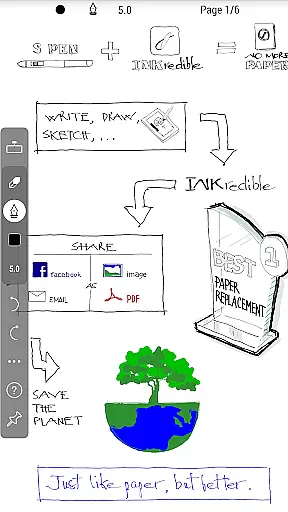
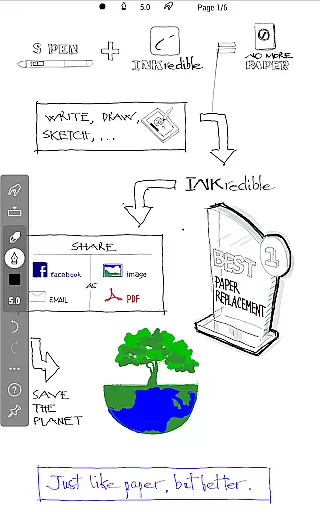
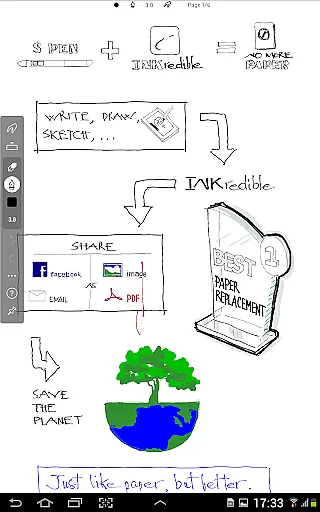
INKredible PRO is a premium handwriting app designed to deliver an exceptional writing experience on tablets. Building upon the success of its predecessor, Notes Plus, this app offers advanced inking capabilities with automatic palm and wrist rejection, making digital writing feel as natural as using pen and paper. The app focuses on simplicity, providing a clean interface free from distractions, allowing users to concentrate solely on their writing.
What sets INKredible PRO apart is its sophisticated vector-graphics technology that has been developed over three years. This innovation ensures that handwriting appears more elegant than on traditional paper and maintains its quality at any resolution, whether for printing or display purposes. With features worth $9 included for free along with future updates, INKredible PRO represents both value and performance in the realm of productivity tools.
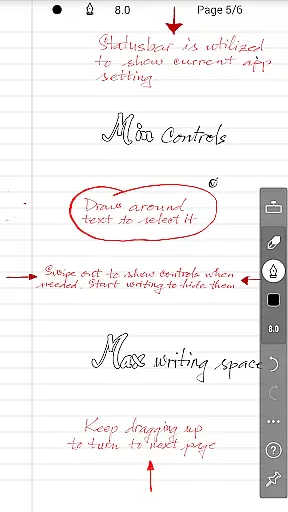
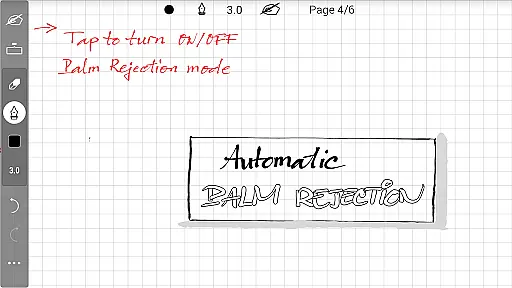
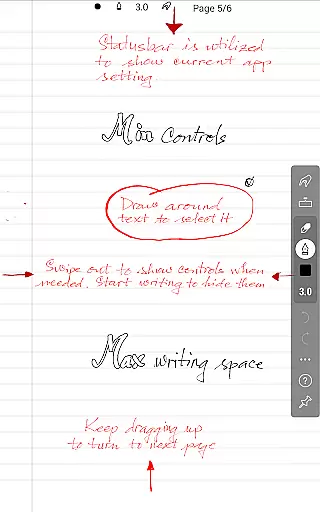
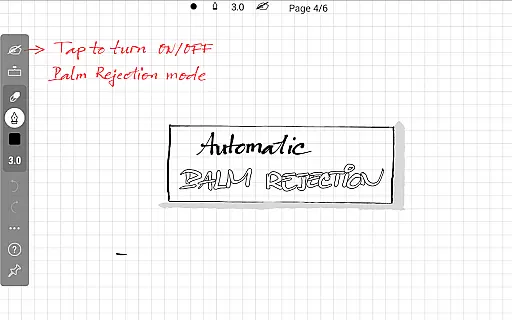
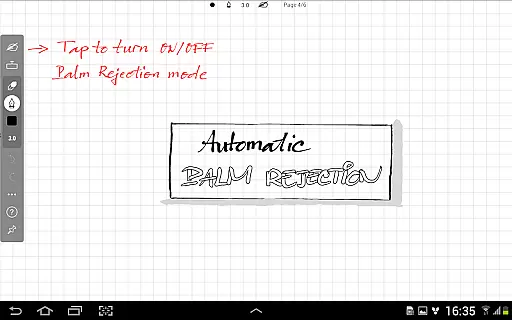
INKredible PRO boasts several standout features that cater to those who appreciate a high-quality writing experience. One of the most notable aspects is the automatic palm rejection technology, which allows users to rest their hand on the screen without affecting the writing process. This feature, combined with the app's distraction-free UI, creates an immersive environment where only the virtual paper is visible.
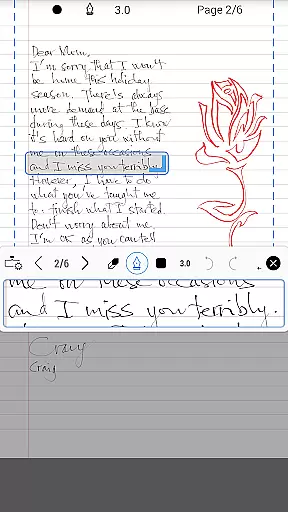
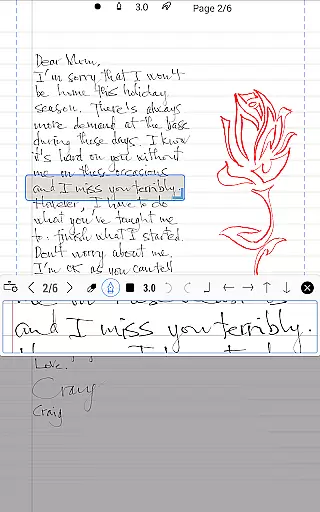
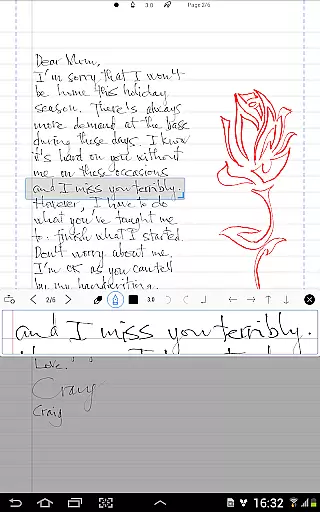
The app also excels in rendering beautiful handwriting through its proprietary manipulation of Bezier curves. This results in strokes that look better than real ink on paper and can be zoomed into without losing clarity. Additionally, INKredible PRO supports various resolutions for different use cases such as printing or presentations. These features collectively contribute to an unparalleled writing experience that bridges the gap between analog and digital note-taking.
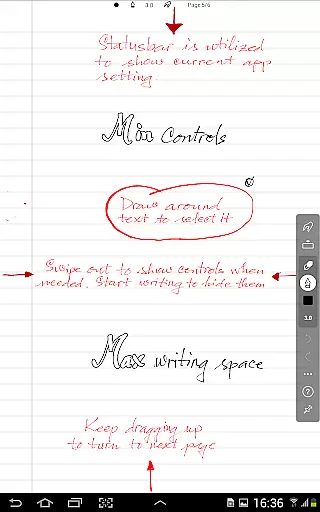
INKredible PRO excels in core task management by focusing on delivering an unparalleled writing experience. The app strips away unnecessary distractions, offering users a clean slate to work on, free from intrusive UI elements. This singular focus ensures that users can concentrate fully on their tasks without any digital noise.
The app's dedication to simplicity is evident in its design philosophy. By removing buttons and controls from view, INKredible PRO creates an environment where the user's thoughts and ideas take center stage. This minimalist approach not only enhances concentration but also streamlines the task management process, making it more intuitive and efficient.
For those who appreciate a distraction-free workspace, this app provides the perfect solution. Users can manage their notes and tasks effortlessly, ensuring that their workflow remains uninterrupted. The result is a more productive and organized approach to personal and professional task management.
Cross-device synchronization is a critical feature for users managing tasks across multiple platforms, and INKredible PRO does not disappoint. The app ensures that all your notes and writings are seamlessly synced across your devices, providing reliable access wherever you are. This synchronization capability means you can start a note on your tablet and continue editing it on another device without missing a beat.
The reliability of INKredible PRO's synchronization is backed by robust cloud technology, which guarantees that your data is not only accessible but also secure. Whether you're working from home, in the office, or on the go, your documents remain up-to-date and consistent across all your devices.
This level of synchronization reliability empowers users to work flexibly and efficiently. With INKredible PRO, you can trust that your important notes and tasks are always at your fingertips, no matter which device you choose to use. This seamless integration across devices enhances productivity and ensures that your workflow is as dynamic as your lifestyle.
Advanced palm rejection
Beautiful handwriting rendering
Distraction-free interface
High-resolution support
Free future updates
Higher cost compared to similar apps
Limited additional features beyond writing
No collaboration tools
Premium pricing model
Requires learning curve for new users

AI Video AI Image Private LLM AI Browser Llama Gemma Ollama Connect LLM Studio
 4.3
4.3
Native client for Forgejo and Gitea
5.00
Ads Free App! Editor, Hide File, Copy, Move, Delete and Rename.. all facility av
1.70
Remotely view listen control and record cameras.
3.70
All in One PDF Reader: Manage, Read and Edit your Documents
4.20
Cloud storage, automatic phone backup, and more.
4.10
Enjoy classic gameplay with customizable features and retro-style graphics.
4.30
Code on-the-go with VScode for Android. Edit,debug and collaborate from mobile!!
3.10
Secure your apps with lock screens, use custom themes and different features.
4.40
Multilingual translator for text, voice, and image translation!
4.90
Scientific calculator for Android - looks and operates like the real thing!
4.90
Understand anything with a personalized AI research assistant
4.80
Simple notepad & memo. Take notes, to-do list, shopping list with reminders.
4.80
The long-awaited modern gallery app for your Nextcloud server
4.70
Absolutely the best CNC machinist speed and feed calculator around. fswizard.com
4.60
When you Focus, so will your Bean in this cozy focus timer
4.30
Easily read and manage all your PDF files
4.10
Create and edit presentations with Google Slides, part of Google Workspace.
4.00
Easiest event planning, volunteer signups & parent teacher conference scheduling
2.20


User Reviews