
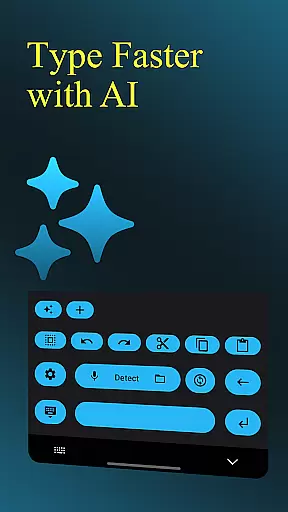
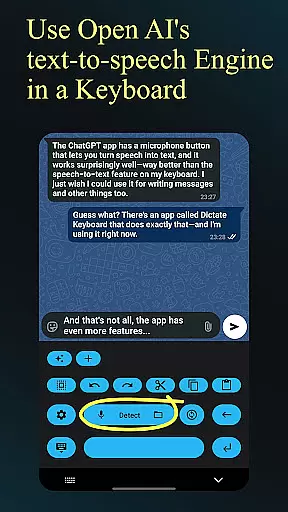
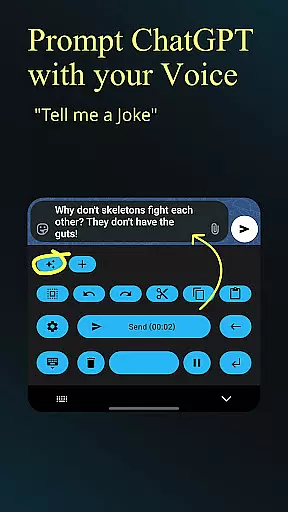
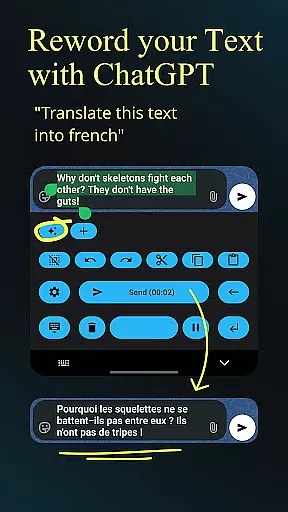
Dictate Keyboard is a cutting-edge productivity tool designed to streamline text input through advanced speech recognition technology. This innovative keyboard app converts spoken language into accurate text, supporting all common national languages. Its AI-powered engine not only transcribes words but also intelligently adds punctuation and recognizes even sung phrases.
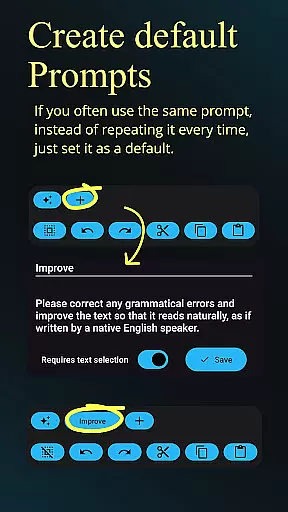
Beyond basic transcription, Dictate offers professional-grade features including custom rewording using GPT-5, automatic formatting of spoken commands, and seamless integration with multiple transcription models. Users can switch between different recognition modes, record audio through various microphones, and customize their experience with system prompts and theme settings. The app's open-source nature ensures transparency and continuous improvement.
Ideal for content creators, professionals, and anyone seeking efficient text input, Dictate Keyboard revolutionizes how we interact with digital devices. By combining powerful AI capabilities with user-friendly features, it significantly boosts productivity while maintaining ease of use across different platforms and devices.
Dictate Keyboard distinguishes itself through its comprehensive feature set tailored for maximum productivity. The app's core functionality lies in its sophisticated speech recognition AI, which supports multiple languages and automatically handles punctuation. Its unique ability to recognize sung phrases sets it apart from conventional voice-to-text solutions.
Advanced users will appreciate the customizable rewording instructions powered by GPT-5 and other models, enabling translation, summarization, and style transformation. The app supports multiple transcription models and providers, including OpenAI and Groq, allowing users to optimize for accuracy or cost. Additional professional features include file transcription capabilities, API server customization, and proxy support for enhanced security.
The keyboard's practical design elements enhance usability, featuring both dark and light modes, haptic feedback, and quick-switch functionality to standard keyboards. These features, combined with its open-source architecture and active community support, make Dictate Keyboard a versatile tool for various professional and personal applications.
Dictate Keyboard revolutionizes core task management by integrating advanced speech recognition technology into a user-friendly keyboard interface. This innovative approach allows users to convert spoken language into text with remarkable accuracy, supporting all common national languages.
The app's AI-driven system goes beyond basic transcription by intelligently adding punctuation and formatting spoken commands. Users can create new paragraphs, insert specific phrases, and even dictate complex instructions without manual editing.
What sets Dictate apart in task management is its seamless integration with various transcription models and providers. Users can switch between different recognition systems, including Whisper and GPT-4o-transcribe, while maintaining consistent performance across platforms.
This versatility enables efficient task completion through voice commands, making it ideal for productivity-focused users who need to manage their tasks while on the go or when their hands are occupied.
Cross-device synchronization is where Dictate Keyboard truly shines, offering unparalleled reliability across multiple platforms. The application maintains consistent performance whether you're using OpenAI, Groq, or your own transcription server.
Users can seamlessly transition between devices without losing functionality or experiencing synchronization delays. The app's architecture ensures that custom settings, including rewording instructions and system prompts, remain consistent across all connected devices.
The synchronization extends to various features such as custom themes, API server configurations, and proxy settings. This comprehensive approach guarantees that users' preferences and customizations are preserved regardless of which device they're using.
Furthermore, Dictate's open-source nature and GitHub availability ensure that any synchronization issues are quickly addressed by the developer community, maintaining high reliability standards across all supported platforms.
Advanced speech recognition
Multi-language support
Automatic punctuation
Customizable themes
Open-source platform
Requires API setup
Incurs usage fees
Complex for beginners
Limited offline functions
Dependent on third-party services

Client for Nextcloud Deck
 4.60
4.60
Take control of your clipboard with Clipper!
3.90
We're working to become the best machining app on the market! www.cncdirt.com
4.80
All in One PDF Reader: Manage, Read and Edit your Documents
4.20
Find and delete junk files & block unwanted notifications & manage files
3.70
Great calculator for Android named one of USA TODAY's "25 Essential Apps".
4.90
The ultimate file manager for rooted devices. The original and still the best.
4.00
AI Chatbot and AI writing assistant powered by ChatGPT.
4.60
Put a lock on your cloud: Take the security of your data into your own hands
3.70
Native client for Forgejo and Gitea
5.00
Understand anything with a personalized AI research assistant
4.80
Calendar 2023 widget for Android. Appointment scheduler, planner, and reminder
4.60
A customizable calendar for your Wear OS watch
4.20
Intelligent AI Assistant
4.10
Customizable calendar widget for seamless event sync, planning & scheduling.
4.00
Make your handwriting beautiful, even more than pen on paper.
3.60
Auto-shutoff Alarm with Sunrise, Sunset & Fixed Options.
3.50
AI Video AI Image Private LLM AI Browser Llama Gemma Ollama Connect LLM Studio
4.5
The upgraded version of Name Wheel with AI and the power to add your own wheels.
4.4


User Reviews