
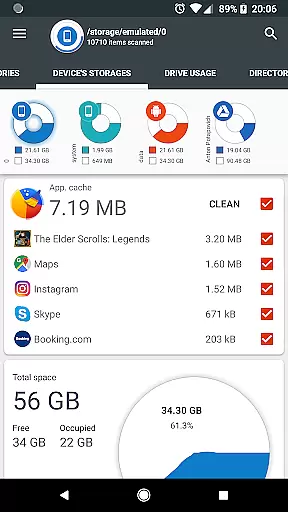
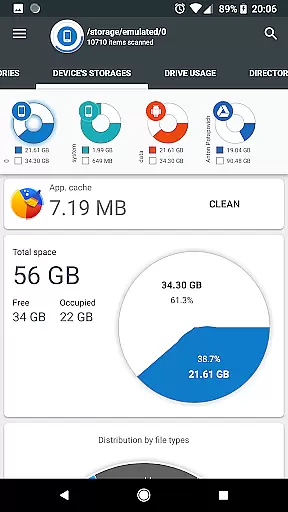
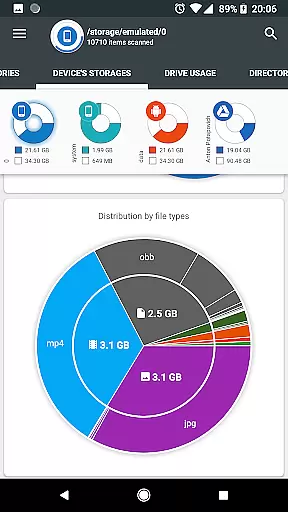
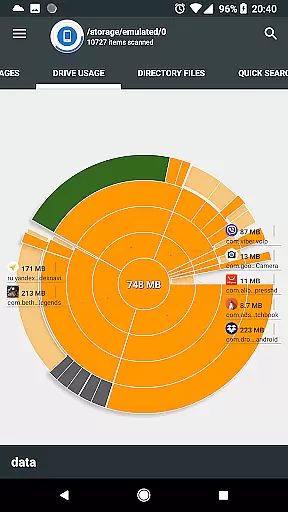
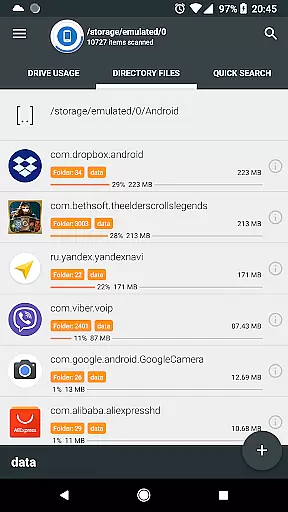
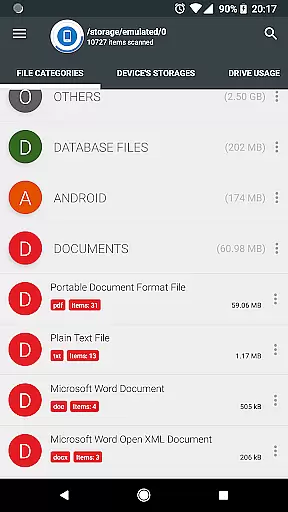
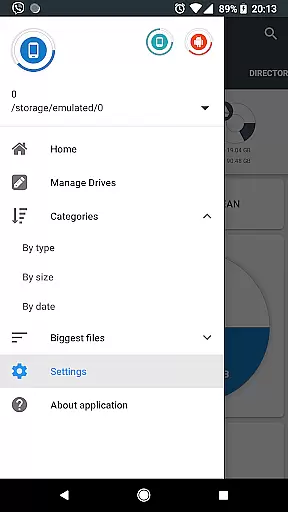
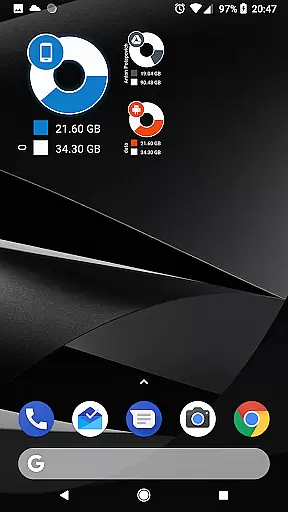
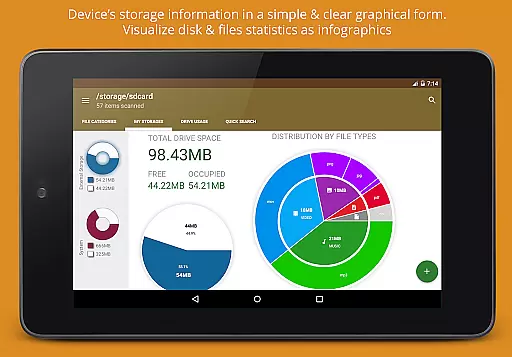
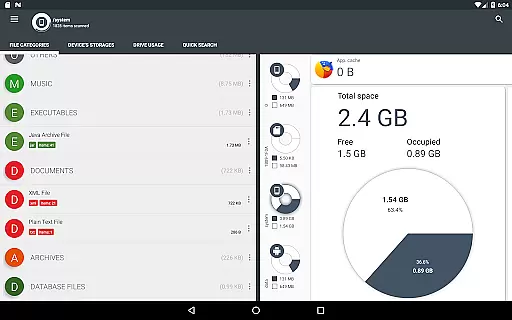
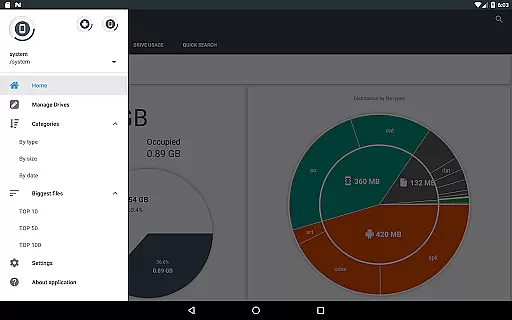
Disk & Storage Analyzer [PRO] is a comprehensive productivity tool designed to help users understand and manage their device's storage efficiently. This application provides detailed insights into internal storage, SD cards, and USB devices through intuitive infographics like pie charts and sunburst diagrams. The app stands out with its ability to connect to cloud drives such as Google Drive and Dropbox, offering a unified view of both local and cloud storage usage.
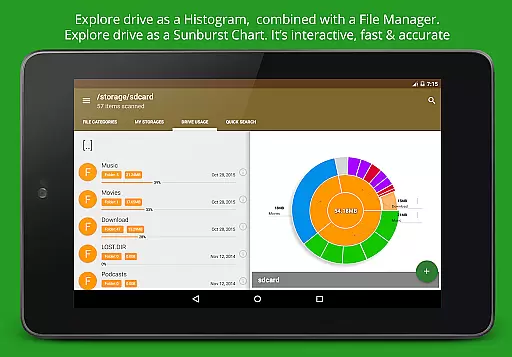
One of the key features is its powerful file visualization system that allows users to see folder structures and file sizes in an interactive chart format. Users can drill down into specific directories for more granular analysis. Additionally, the app includes functionality for managing installed applications, enabling cache cleaning and app deletion based on size and usage statistics. With no ads or required user registration, this PRO version delivers a seamless experience for optimizing device storage.
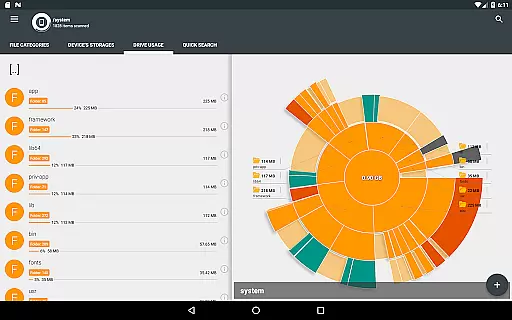
The Disk & Storage Analyzer [PRO] offers several advanced features that make it an indispensable tool for managing digital storage. First, it provides complete visibility into device storage through detailed reports and visual diagrams. The sunburst chart visualization presents files and folders in a hierarchical structure, allowing users to quickly identify space-consuming elements. This feature is particularly useful for identifying large files or rarely used data that could be deleted or moved to free up space.
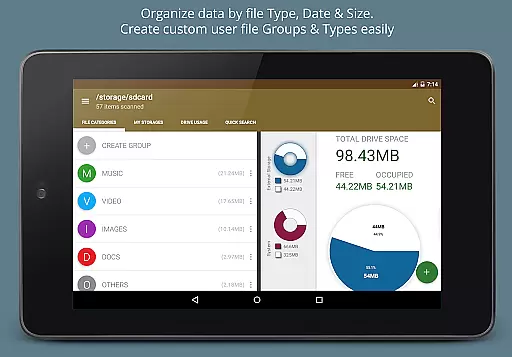
Another standout capability is its integration with cloud services. Users can connect their Google Drive, Dropbox, and Yandex.Disk accounts to analyze cloud storage alongside local files. The application also indexes all files for quick searching and categorization by type, size, and date. Its global search function enables rapid file location across all connected storage locations. Furthermore, the app's installed application manager helps optimize device performance by identifying bloated apps and clearing cached data. These features collectively provide users with unprecedented control over their digital storage resources.
Disk & Storage Analyzer [PRO] excels in core task management by offering users a comprehensive suite of tools to monitor and manage their device's storage effectively. The application provides detailed insights into file usage, categorizing data across internal and external storage mediums, including SD cards and USB devices.
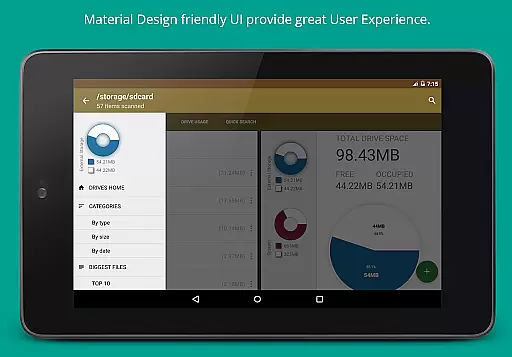
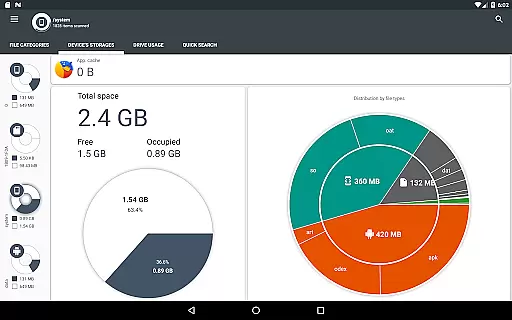
Through an intuitive interface, users can access graphical representations of their storage statistics via infographics such as pie charts and sunburst diagrams. This visualization helps users quickly identify which files or categories are consuming the most space, enabling them to make informed decisions about managing their storage.
The app goes beyond simple storage analysis by allowing users to take direct action. With features like cache cleaning and the ability to delete selected apps, Disk & Storage Analyzer [PRO] empowers users to free up valuable space on their devices without needing to navigate through complex system menus.
By integrating functionality for both local and cloud storage services, including Google Drive and Dropbox, this productivity tool ensures that users have a holistic view of their digital footprint. Such extensive coverage makes it an indispensable utility for maintaining an organized and efficient digital workspace.
Cross-device synchronization is a critical feature for users who operate within multi-platform ecosystems, and Disk & Storage Analyzer [PRO] addresses this need with reliable performance. By connecting various cloud drives such as Google Drive, Dropbox, and Yandex.Disk, the application ensures that users can access their storage analytics from different devices seamlessly.
The synchronization process involves indexing files across connected platforms, providing users with real-time updates on their storage usage. This means whether you're accessing your data from a smartphone, tablet, or computer, the information displayed will be consistent and up-to-date, reflecting changes made on any connected device.
In addition to cloud integration, the app supports robust permission management to ensure secure and reliable data handling. Permissions like MANAGE_EXTERNAL_STORAGE and WRITE_EXTERNAL_STORAGE allow for broad yet safe access to external storage, ensuring that all user actions are accurately mirrored across devices.
With its focus on maintaining accurate and synchronized data views, Disk & Storage Analyzer [PRO] enhances productivity by saving time and reducing the complexity associated with managing digital storage across multiple platforms. This reliability fosters trust among users who depend on consistent access to their data regardless of the device they use.
Comprehensive storage analysis
Cloud drive integration
Interactive visualization tools
Cache cleaning functionality
No ads or registration required
Requires multiple permissions
May have stability issues
Complex for beginners
Limited customer support
Premium price point

Take control of your clipboard with Clipper!
 3.90
3.90
Native client for Forgejo and Gitea
5.00
Smart PDF reader & editor to view, organize and manage PDF documents easily.
3.70
Mind Map and brainstorm, note taking and idea collection
4.80
Fill, sign & send docs, forms, agreements & contracts via electronic signature.
4.50
A simple Whisper AI keyboard for reliable speech transcription and rewording
4.60
Daily processing of PDF documents.
4.40
Seamlessly read, manage, and organize all your PDF files solution in one place
4.40
Browse and view your photos and videos from the phone with photo & video hide.
4.10
App lock - lock apps with fingerprint, password, pin or pattern, protect privacy
4.70
QuickBooks Workforce lets teams view pay info and track time in one place.
4.70
The AI assistant that thinks with you - write, code, and solve complex tasks
4.60
CalenGoo is a very flexible and feature-rich calendar app
4.40
When you Focus, so will your Bean in this cozy focus timer
4.30
Secure, open-source, SPICE and SSH Remote Desktop for QEMU KVM virtual machines
4.00
Find and delete junk files & block unwanted notifications & manage files
3.70
AI Video AI Image Private LLM AI Browser Llama Gemma Ollama Connect LLM Studio
4.3
Create study competitions, track your hours, and stay consistent with friends
4.0
IP Camera Viewer - Android TV : RTSP Surveillance camera viewer for Android TV
4.1


User Reviews