
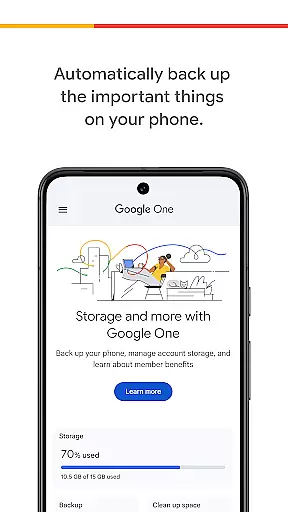
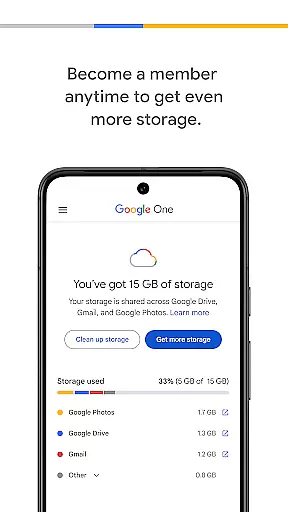
Google One is a productivity app designed to help users efficiently manage their digital storage and backups. The app provides automatic backup functionality for essential phone data such as photos, contacts, and messages using the 15 GB of free storage that comes with every Google account. This ensures that users can easily restore their data when switching to a new Android device.
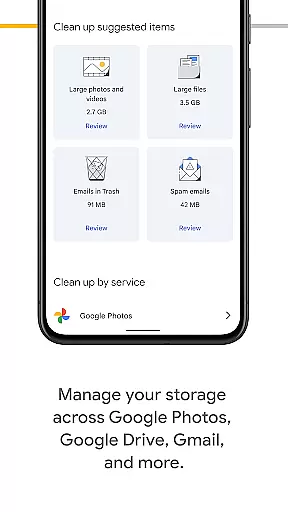
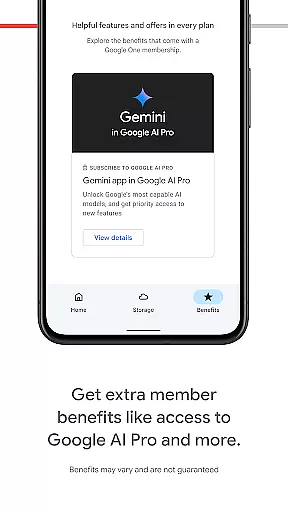
In addition to basic backup features, Google One offers advanced storage management capabilities across Google Drive, Gmail, and Google Photos. Users can upgrade to a Google One membership to access expanded storage options tailored to their specific needs, whether for personal use or professional projects.
This app is particularly useful for individuals who rely on Google services for their daily digital activities and require a reliable solution for safeguarding their important files and memories.
Google One stands out with its comprehensive set of features designed to enhance productivity and data security. One of the key functionalities is its automatic backup system, which seamlessly backs up critical phone data without requiring manual intervention from the user. This feature alone saves time and ensures that no important information is lost.
Beyond simple backups, the app allows users to manage their existing Google account storage across multiple platforms including Google Drive, Gmail, and Google Photos. This centralized storage management makes it easy to monitor and optimize available space. For those needing additional capacity, Google One memberships offer flexible plans ranging from 100 GB to 30 TB of storage.
The app's ability to restore data to new devices and its customizable storage plans make it an invaluable tool for both casual users and professionals managing large volumes of digital content.
Task management is a cornerstone of productivity applications, and Google One excels in this area by offering users the ability to manage their digital assets effectively. The app provides automatic backup solutions for essential data such as photos, contacts, and messages, ensuring that users never lose important information.
Google One's functionality extends beyond simple backups. It allows users to oversee their entire Google ecosystem storage, including Google Drive, Gmail, and Google Photos. This comprehensive management tool ensures that users can keep track of their storage limits and make adjustments as needed.
The real value for users lies in the peace of mind and efficiency gains provided by the app. With automatic backups and easy restoration options, users can seamlessly transition between devices without losing their valuable data.
Furthermore, the ability to upgrade to a Google One membership adds another layer of task management sophistication. Users can choose plans that suit their storage needs, making it an adaptable solution for both personal and professional use.
Cross-device synchronization is crucial for maintaining workflow continuity across multiple devices. Google One addresses this need by providing reliable and consistent synchronization services for its users. Whether switching from an old phone to a new one or accessing files on different devices, Google One ensures that all data remains up-to-date and accessible.
The reliability of Google One's synchronization features is bolstered by its integration with Google's suite of services. Users can expect their backed-up data to be available across Google Drive, Gmail, and Google Photos, creating a cohesive and interconnected digital environment.
This seamless synchronization empowers users to work more efficiently and reduces the risk of data loss. By having their files automatically updated and synchronized, users can focus on their tasks without worrying about manual updates or version control issues.
In addition to basic synchronization, upgrading to a Google One membership enhances these capabilities further. Members receive increased storage capacities and improved synchronization speeds, ensuring that even large files are transferred quickly and reliably between devices.
User-friendly interface
Automatic backup functionality
Flexible storage plans
Seamless integration with Google services
Reliable data restoration
Limited free storage
Paid subscription required for more space
Android-focused features
Occasional sync issues
Not ideal for non-Google users

A Revolutionary All-in-One Artificial Intelligence Tools
 3.80
3.80
Seamlessly integrate data and reports to build your presentation to impress
4.80
When you Focus, so will your Bean in this cozy focus timer
4.30
Experience real multitasking on your Android!
4.00
Smart PDF reader & editor to view, organize and manage PDF documents easily.
3.70
Protect and view your important info on your phone and tablet with eWallet®
4.80
Make apps & sites with natural language prompts
4.10
PDF scanner & converter for files, photos, lottery, QR codes. One swipe away!
4.50
Best Tool for the professionals Electrician, Electrical contractors, etc.
4.90
Use powerful, industry-leading AI tools to generate visual charts from any data
4.80
App Lock with fingerprint, password: Lock apps & hide photos with lock screens
4.60
This small app MUST BE INSTALLED after purchase, else license won't work
4.40 4.20
4.20
Activate Two Factor Authentication (2FA or Multi OTP), Password manager and more
4.10
Ultimate Virtual AI Character for immersive Roleplay Chat. Perfect Companion
3.90
Find and delete junk files & block unwanted notifications & manage files
3.70
Make your handwriting beautiful, even more than pen on paper.
3.60
Create study competitions, track your hours, and stay consistent with friends
4.2
The upgraded version of Name Wheel with AI and the power to add your own wheels.
4.5


User Reviews