
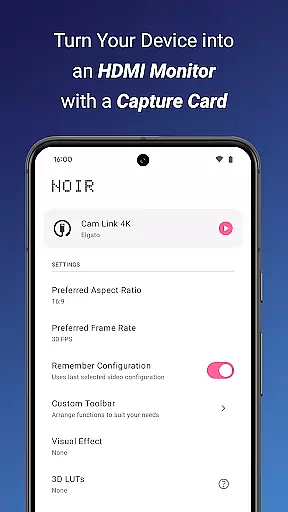
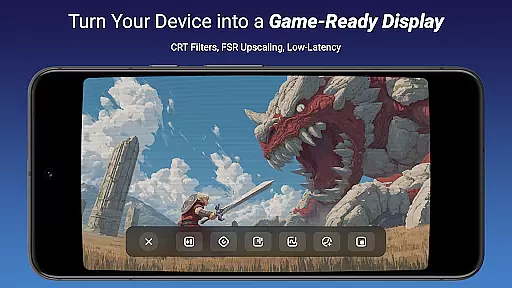
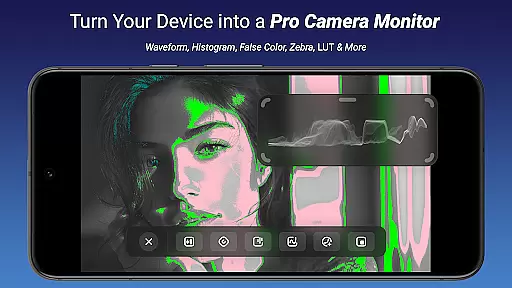
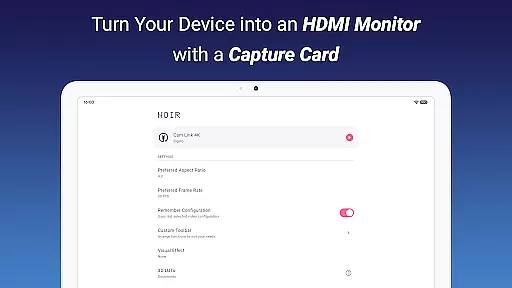
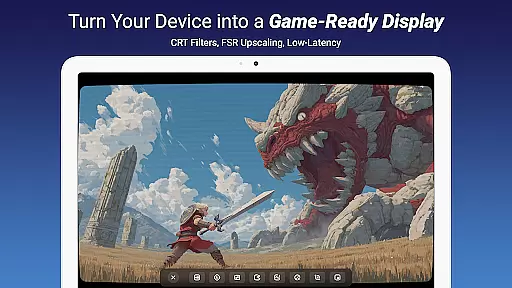
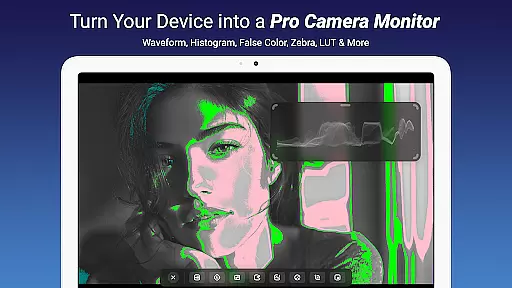
Noir Pro is a professional-grade video player and editor designed for users who require advanced features and high performance. This application transforms your device into a versatile monitor, compatible with gaming consoles, laptops, cameras, and other HDMI-output devices when paired with a USB-C capture card. With support for UVC video streaming and UAC audio streaming, it offers a robust platform for various use cases including camera monitoring, gaming, and drone operations.
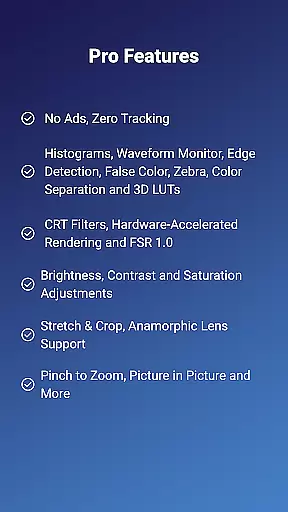
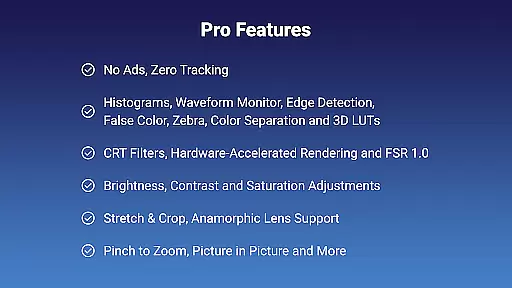
The app boasts an array of pro features such as 3D LUTs, waveform monitors, histograms, edge detection, false color, zebra patterns, and CRT filters. These tools provide users with precise control over their video content, making it ideal for professional video editors and enthusiasts alike. Additionally, Noir Pro supports advanced functionalities like pinch to zoom, stretch and crop, brightness, contrast, and saturation adjustments, ensuring that users can fine-tune their viewing experience.
Whether you're using it as a primary display for gaming consoles or as a secondary monitor for laptops, Noir Pro delivers exceptional performance and reliability. Its compatibility with various devices and its comprehensive feature set make it an invaluable tool for anyone in need of a portable and powerful video solution.
Noir Pro stands out with its extensive list of professional features tailored for video enthusiasts and professionals. One of the key highlights is the inclusion of 3D LUTs, which allow for advanced color grading and correction, giving users the ability to achieve cinema-quality visuals. The waveform monitor and histogram provide detailed insights into video exposure and color distribution, enabling precise adjustments.
Additional features include edge detection and false color, which assist in focusing and exposure accuracy, while zebra patterns help in identifying overexposed areas. The app also includes CRT filters and FSR 1.0 for enhancing video quality and performance. Users can take advantage of pinch to zoom and stretch and crop functionalities to customize their viewing area, along with brightness, contrast, and saturation controls for optimal image settings.
Noir Pro further enhances user experience with app-specific volume control, picture-in-picture mode, and in-app screenshot capabilities. These features ensure that users have complete control over their multimedia environment, whether they are editing videos, playing games, or monitoring camera feeds. The combination of these advanced tools makes Noir Pro a top choice for those seeking a comprehensive video player and editor.
Video format compatibility is a crucial feature for any video player and editor, ensuring that users can work with a wide range of video files without conversion hassles. Noir Pro supports an extensive array of formats thanks to its use of both OpenGL ES and Vulkan graphics backends, which cater to different types of video content.
This app's support for UVC video streaming means it can handle input from various devices like cameras, endoscopes, microscopes, and more, as long as they have USB streaming capabilities. This makes it versatile for professionals in different fields who rely on specialized equipment for their video needs.
For users looking to connect gaming consoles or laptops, the compatibility with HDMI-output devices through appropriate USB-C capture cards enhances its utility as a portable display solution. The ability to manage diverse video streams with adjustable brightness, contrast, and saturation provides users with the control needed for optimal viewing experiences.
By supporting advanced features such as Waveform Monitor, Histogram, Edge Detection, and others, Noir Pro ensures that videographers and editors can analyze and tweak their footage precisely. These tools are essential for achieving professional-grade results, making the app suitable for high-end production environments where format flexibility is non-negotiable.
AI-powered editing features represent the cutting edge of video editing technology, enabling creators to enhance their work with intelligent automation and sophisticated algorithms. Noir Pro incorporates several AI-driven tools that streamline the editing process while delivering impressive visual effects.
Among these features are 3D LUTs for color grading, False Color and Zebra patterns for exposure analysis, and CRT Filters for adding nostalgic aesthetics to digital footage. Such functionalities allow editors to achieve complex looks or corrections quickly and accurately, saving time during post-production.
The inclusion of FSR 1.0 (FidelityFX Super Resolution) demonstrates Noir Pro's commitment to leveraging artificial intelligence not just for artistic purposes but also for performance optimization. By intelligently upscaling images, this feature maintains clarity and detail even when stretching or cropping videosu2014a boon for content destined for large screens or varied aspect ratios.
Moreover, practical utilities like Edge Detection and Color Separation provide analytical insights into video composition, assisting in tasks ranging from basic adjustments to intricate visual effects creation. With these AI-powered capabilities at hand, users can elevate their projects' quality significantly, regardless of whether they're crafting casual vlogs or cinematic masterpieces.
Advanced color grading
Comprehensive monitoring tools
Versatile device compatibility
High-performance video processing
User-friendly interface
Requires capture card
No free version available
Complex for beginners
Occasional lag issues
Limited customer support

Photo and Music Video Creator into Stunning Videos—Effortlessly
 4.40
4.40
Video Downloader is an utility that can save videos and music from web sites
4.20
Tik & Story Saver-Download ALL social media videos, photos & reels no watermark.
4.80
KineMaster, Your Ultimate Video Editor!
4.40
This app was created to edit the metadata of music files.
4.20
Turn your phone into a wireless camera!
4.20
Cast to Smart TV, Fire TV. Cast video, photo - Fast & Stable!
3.90
Browser for Sony TV to stream web videos, online movies and live tv
3.20
Download Hub, easy and private way to download and enjoy your videos offline
4.80
All in one HD video downloader & player for multiple formats with full privacy
4.70
Watch IPTV on your Android device
4.60
Auto video maker with music & exclusive filters. Video editing made simple.
4.50
Add date and time watermark to photos and videos
4.50
Fast video downloader & private browser. Save HD clips to watch offline.
4.40
Capture images & record videos for USB Camera, Webcam, Microscopes, Endoscopes
3.80
Livestream, news, & gaming content. Watch, chat, and upload. Join Rumble today!
3.80
Save photos and videos from social apps in one tap.
3.60
Watch full episodes of your favorite Cartoon Network and Cartoonito shows!
3.50
Mix with Virtual DJ directly from your phone or tablet !
3.10


User Reviews