
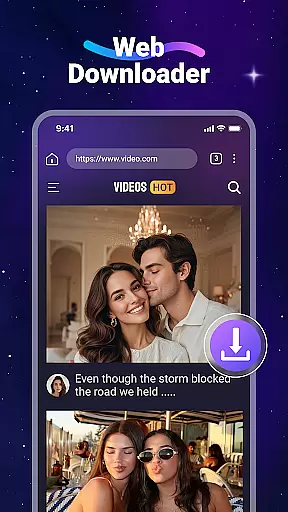
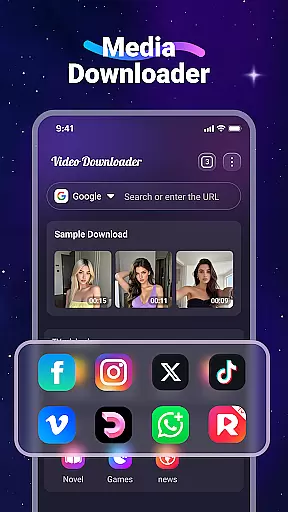
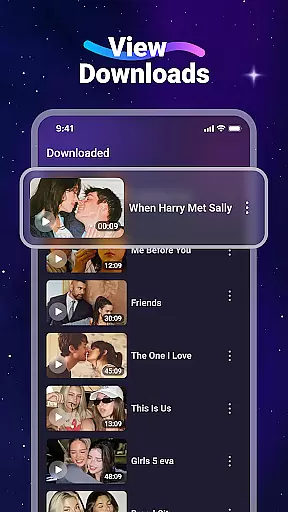
Video Downloader is a versatile utility app designed for users who want to download and manage videos and music files directly from websites. The app's core functionality lies in its ability to save various media formats onto mobile devices, allowing offline playback without internet connectivity. This makes it particularly useful for users who need to conserve mobile data or access content in areas with poor network coverage.
The application stands out with its built-in media player, background downloading capability, and SD card support. These features create a comprehensive solution for managing downloaded content efficiently. Whether you're a student wanting to save educational videos or a traveler needing entertainment on the go, Video Downloader provides a practical solution for storing and accessing digital content anytime, anywhere.
Video Downloader offers an impressive array of features that cater to diverse user needs. The app's standout capability is its universal format support, accommodating various file types including MP4, AVI, PDF, and more. Its built-in web browser simplifies the downloading process by automatically detecting downloadable media on web pages, while the bookmarking feature allows users to save their favorite websites for quick access.
Advanced functionalities include background downloading, which enables users to continue using their devices while files are being saved, and comprehensive SD card support for flexible storage management. The integrated media player provides seamless offline playback, eliminating the need for additional applications. These carefully designed features collectively create a robust tool that enhances how users interact with and manage their digital content.
Video Downloader stands out for its extensive video format compatibility, ensuring users can download and play videos in virtually any format they encounter online. This includes popular formats such as MP4, AVI, and MOV, alongside audio formats like MP3 and M4A.
The application's robust support for a wide range of formats means that users are not limited by specific file types when saving content for offline viewing. Whether it's high-definition videos or simple audio tracks, the app accommodates diverse media needs.
By offering comprehensive format support, Video Downloader enhances user convenience, eliminating the need for additional conversion tools. This ensures a seamless experience from download to playback, making it an ideal choice for users with varied multimedia requirements.
Beyond just downloading, Video Downloader incorporates AI-powered editing features that elevate the user's ability to manage and customize their downloaded content. These intelligent tools allow for efficient trimming, cropping, and enhancing videos directly within the app.
The inclusion of AI technology streamlines the editing process, enabling users to quickly adjust video parameters or improve visual quality without needing specialized skills. This democratizes video editing, making it accessible to casual users and professionals alike.
With these advanced editing capabilities, users can personalize their media files to better suit their preferences or specific project requirements. The combination of broad format support and smart editing tools positions Video Downloader as a versatile solution for managing digital content effectively.
User-friendly interface
Fast download speeds
Multiple format support
Offline playback capability
Background downloading
No YouTube support
Limited social integration
Requires careful permissions
Ads in free version
File size limitations

Your media, on your terms.
 4.10
4.10
Photo and Music Video Creator into Stunning Videos—Effortlessly
4.40
Cast to Chromecast, Xbox, Fire Stick, Roku, DLNA, Smart TV & No Feature Limited!
4.50
Live TV, anywhere in your home
3.80
Video player with powerful streaming playback and various convenient features.
2.10
Seamlessly connect and control your smart devices, anytime, anywhere with ease.
4.60
Fast & Private Video Downloader App. Save all videos easily from the Internet.
4.40
Cast movies, tv shows and live streams to Chromecast, Roku, DLNA, Fire TV & more
4.60
Photo editor & video maker with music and slideshows.
4.10
GENRAL PRO - General Pro is the best video player that fully supports all formats.
4.70
?100% FREE! Download & save videos? safely in this app. All formats supported.
4.60
AirMirror Receiver - Screen mirroring/cast web videos to Android TV by AirPlay.
4.40
This app was created to edit the metadata of music files.
4.20
IPTV-Smarters Player Pro M3U - Watch Live Stream TV Channels with Chromecast
4.00
All format media Player, no need video converter any more!
4.00
Online Videos Player
3.90
Connect EasyCap or UVC devices for recording and broadcast video/audio stream
3.60
The essential companion to your Blue Iris PC software
2.50
The smartest M3U IPTV Player your playlists have ever seen.
4.5


User Reviews