
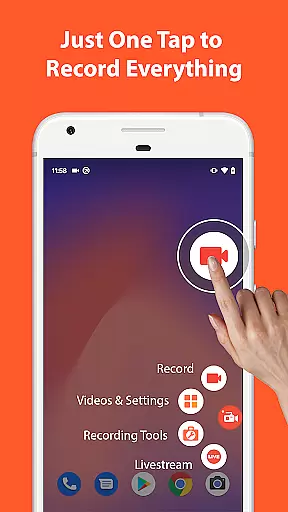

AZ Screen Recorder is a versatile screen recording application designed for Android users who need to capture high-quality screen videos with audio. This app stands out with its comprehensive feature set that includes not only screen recording but also video editing, live streaming, and image editing capabilities.
The core functionality allows users to record their device screens effortlessly, with options to include both microphone and internal system audio. The app supports various resolutions up to 4K quality and different frame rates, making it suitable for diverse use cases from casual recordings to professional-grade video production. Additionally, the facecam feature enables creators to include their reactions in a floating window, adding a personal touch to tutorials or gameplays.
One notable advantage of AZ Screen Recorder is its user-friendly interface that requires no technical expertise to operate. Whether you're creating educational content, recording important video calls, or streaming mobile games, this app provides all necessary tools within a single platform, eliminating the need for multiple applications.
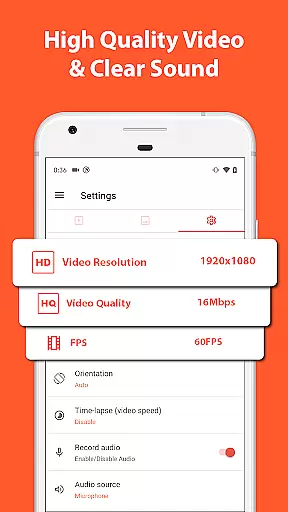
AZ Screen Recorder offers an impressive array of features that cater to different content creation needs. The application's primary strength lies in its robust screen recording capabilities, which support multiple resolutions including HD, FullHD, 2K, and 4K (for compatible devices). Users can choose from various frame rates such as 24fps, 30fps, and 60fps, ensuring optimal quality for different types of content.
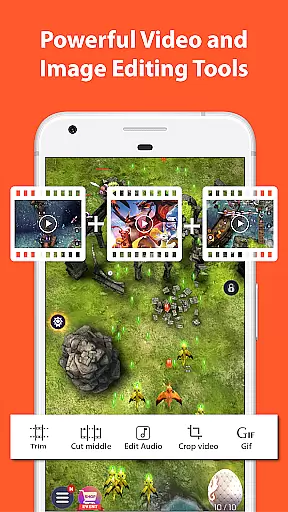
Beyond basic recording, the app functions as a complete video editing suite. It allows users to trim unwanted sections, merge multiple clips, add background music, insert subtitles, and even extract frames from recorded videos. The built-in editor also supports essential modifications like cropping, rotating, and compressing videos to save storage space. These features make post-production more convenient and eliminate the need for separate editing software.
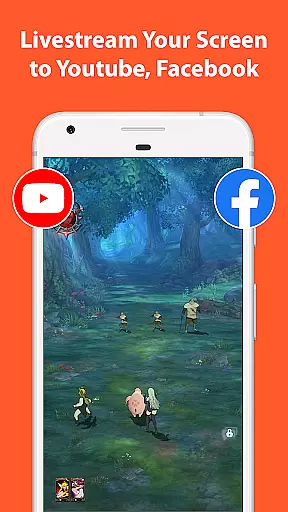
For those interested in live content creation, AZ Screen Recorder serves as a powerful broadcasting tool. It enables users to stream their device screens directly to platforms like YouTube and Facebook, with options to include both screen activity and facecam simultaneously. The app's ability to handle both external microphone audio and internal system sounds during recordings makes it particularly valuable for creating professional-looking tutorials, game walkthroughs, and demonstration videos.
Video format compatibility is a crucial feature for any video recording and editing application. AZ Screen Recorder excels in this area by supporting a wide range of video formats, ensuring that users can record, edit, and share videos without worrying about format restrictions.
The app supports high-definition video recording in resolutions from HD to 4K, making it suitable for various purposes, including professional video production. This flexibility allows users to choose the best resolution for their specific needs, whether they are creating content for YouTube, capturing gameplay, or recording video calls.
In addition to supporting multiple resolutions, AZ Screen Recorder also offers different frame rate options such as 24fps, 30fps, and 60fps. This ensures smooth video playback and provides users with the ability to customize their recording settings based on their device capabilities and desired output quality.
Furthermore, the app's compatibility extends to its editing features, where users can trim, merge, and compress videos while maintaining the original quality. With these comprehensive format support and editing capabilities, AZ Screen Recorder stands out as a versatile tool for both casual and professional video creators.
AI-powered editing features represent the cutting edge of video editing technology, and AZ Screen Recorder incorporates several advanced tools that leverage artificial intelligence to enhance the editing process. These features not only simplify complex editing tasks but also improve the overall quality of the final video product.
One notable AI-powered feature is the automatic detection and stitching of images, which allows users to combine multiple screenshots into a single cohesive image. This function is particularly useful for creating tutorials or documenting processes that span multiple screens. The AI algorithm intelligently aligns and merges images, saving users significant time and effort.
Another impressive capability is the app's smart video compression technology. Using AI algorithms, the app can significantly reduce file sizes without compromising video quality. This feature is essential for users who need to store large amounts of video content or share files quickly across devices or platforms.
Additionally, AZ Screen Recorder's AI-driven facecam feature automatically adjusts and optimizes the floating window that displays the user's face during recordings. This ensures optimal positioning and clarity, regardless of the background activity on the screen. These intelligent features demonstrate how AZ Screen Recorder utilizes AI to provide users with professional-grade editing tools in an accessible mobile application.
User-friendly interface
High-quality recording options
No watermark on videos
No time limit for recordings
Versatile feature set
Premium features require subscription
Some features limited to newer Android versions
Advanced settings may overwhelm beginners
Occasional performance issues on older devices
Facecam feature might drain battery faster

A full editing room to accompany your Insta360 cameras and handheld gimbals.
 3.30
3.30
Connect 2 UVC devices for recording and broadcast video/audio stream
3.90
Watch full episodes of your favorite Cartoon Network and Cartoonito shows!
3.50
Video Downloader is an utility that can save videos and music from web sites
4.20
Turn your phone into a wireless camera!
4.20
All in one HD video downloader & player for multiple formats with full privacy
4.70
Fast & Private Video Downloader App. Save all videos easily from the Internet.
4.40
Manage your YouTube channel on the go
4.40
Make videos you’re proud to share with Edits, a video editor for creators.
4.70
Support 1000+ Video Format, Subtitle Download, mp3 & Background Play, Cast On TV
4.60
Cast movies, tv shows and live streams to Chromecast, Roku, DLNA, Fire TV & more
4.60
Fast, private downloading, video saving, social media
4.50
Cast to Chromecast, Xbox, Fire Stick, Roku, DLNA, Smart TV & No Feature Limited!
4.50
HD video maker with no watermark, no ads & vlog maker with music, PIP, text
4.50
Photo and Music Video Creator into Stunning Videos—Effortlessly
4.40
Stream Web Videos to Chromecast, Samsung, LG, Sony, Roku, Fire TV, DLNA + more
4.00
Cast to Smart TV, Fire TV. Cast video, photo - Fast & Stable!
3.90
You can play SWF format file!
2.50
Stream high quality video from your camera over NDI protocol
4.1


User Reviews