


MX Player is a powerful video and music player designed for Android devices, offering advanced hardware acceleration and comprehensive subtitle support. The app utilizes a new HW+ decoder to enhance video playback on supported devices, ensuring smooth performance even with high-resolution files.
Beyond its core video playback capabilities, MX Player provides users with versatile features such as multi-core decoding, which significantly improves performance on multi-core devices by up to 70%. It also includes intuitive gesture controls for zooming and subtitle adjustments, making it easy to customize the viewing experience. With additional privacy and parental control features, this app is suitable for individual entertainment as well as family use.
One of MX Player's standout features is its advanced hardware acceleration, which allows for superior video playback performance across a wide range of formats. The inclusion of multi-core decoding ensures that devices with multiple processing cores can deliver an optimized and faster playback experience compared to single-core devices.
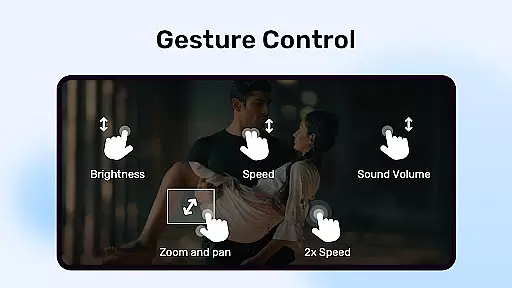
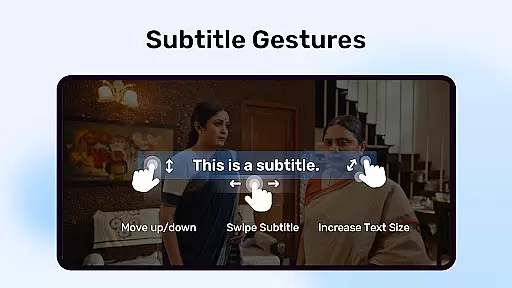
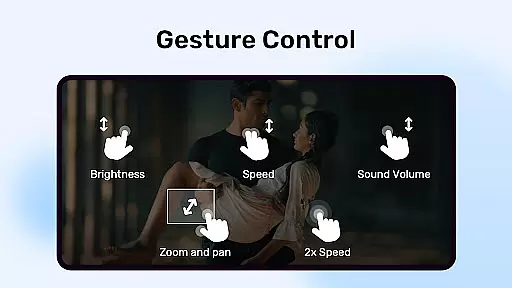
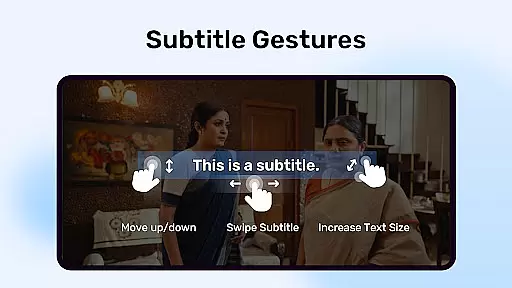
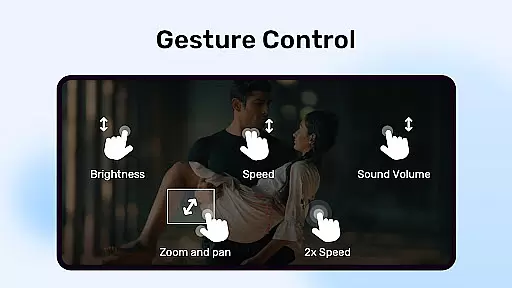
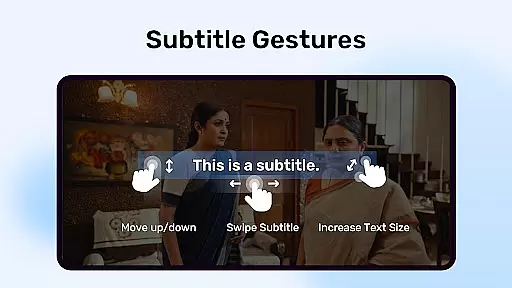
The app also offers innovative user interaction features like pinch-to-zoom, swipe controls, and advanced subtitle gesture support. These allow users to easily navigate and adjust subtitles with simple screen interactions. Additionally, the Kids Lock feature provides peace of mind for parents by restricting access to other apps while children are using the player.
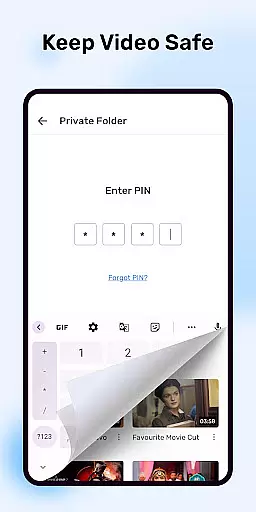
MX Player supports a wide array of subtitle formats including SubStation Alpha, SAMI, SubRip, and many others, catering to global audiences who rely on accurate and styled subtitles. Privacy-focused options like the Privacy Folder enable users to hide personal media, adding an extra layer of security to their content.
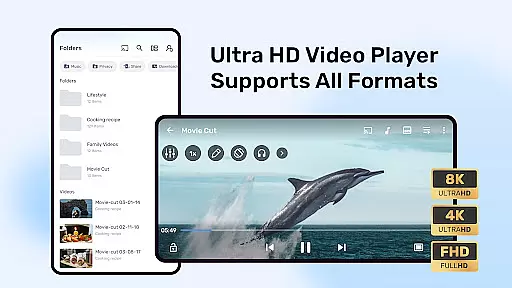
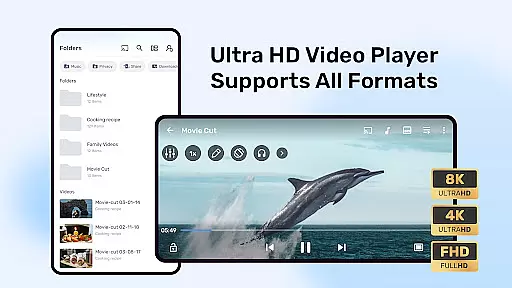
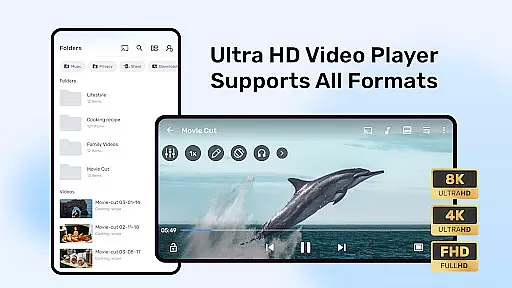
MX Player stands out in video format compatibility, ensuring users can enjoy a wide range of video content without worrying about format support. The application supports numerous formats including but not limited to AVI, MKV, MP4, and MOV.
The advanced hardware acceleration feature enhances the playback experience by utilizing the device's hardware capabilities to decode videos more efficiently. This results in smoother playback, even for high-definition content, while conserving battery life.
Additionally, MX Player incorporates multi-core decoding, which significantly boosts performance on devices with multiple processing cores. This means that users with multi-core devices will experience up to 70% better performance compared to using single-core devices, making video playback consistently smooth and reliable.
While primarily known for its video playback capabilities, MX Player also offers AI-powered editing features that enhance user interaction with video content. These features include intuitive gesture controls for subtitles, allowing users to easily navigate through text via simple swipe actions.
Users can zoom in and out or pan across the screen with pinch gestures, providing a more interactive viewing experience. Subtitles can be adjusted in size and position, catering to individual preferences and improving accessibility for all viewers.
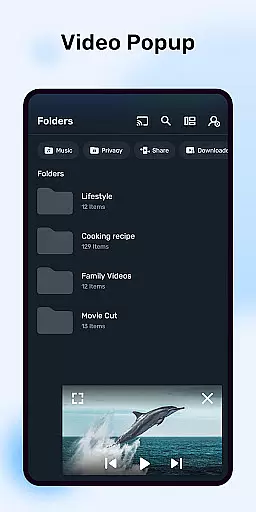
Moreover, the inclusion of a privacy folder and kids lock demonstrates MX Playeru2019s commitment to user-centric features beyond basic playback. These tools ensure personal content remains private and children can enjoy videos safely, showcasing the app's versatility beyond just playing media files.
Advanced hardware acceleration
Multi-core decoding support
Intuitive gesture controls
Comprehensive subtitle support
Kids Lock for parental control
Occasional compatibility issues
Ads in free version
Complex permissions required
Resource-intensive on older devices
Limited iOS functionality

Your media, on your terms.
 4.10
4.10
Watch full episodes of your favorite Cartoon Network and Cartoonito shows!
3.50
Cast to Chromecast, Xbox, Fire Stick, Roku, DLNA, Smart TV & No Feature Limited!
4.50
HD video maker with no watermark, no ads & vlog maker with music, PIP, text
4.50
Fast & easy HD video downloader for all formats, support 4K playback & download.
4.60
All in one HD video downloader & player for multiple formats with full privacy
4.70
LumaFusion: The Ultimate Storytelling Experience for Video Editing
4.10
Browser for Fire TV to stream webvideos, online movies, livestreams in HD
4.40
Video player with 4K & 1080P support, popup play, background play and subtitle.
4.20
A Quick and Pro Video Editor
4.70
Cast Videos from Web Browser, IPTV to Roku, Chromecast, DLNA, Smart TV +more
4.60
AirMirror Receiver - Screen mirroring/cast web videos to Android TV by AirPlay.
4.40
Video Downloader is an utility that can save videos and music from web sites
4.20
Browser for Samsung TV to stream webvideos, online movies and livestreams in HD
4.10
1)AirPlay/DLNA Mirroring/Streaming, up to 4 connections; 2)Samba/NAS/DMS Player.
4.00
Connect 2 UVC devices for recording and broadcast video/audio stream
3.90
Explore the largest library of free GIFs, Stickers & Memes - or create your own!
3.90
Connect EasyCap or UVC devices for recording and broadcast video/audio stream
3.60
Powerful HD video player with support for all formats & subtitles.
4.4


User Reviews