

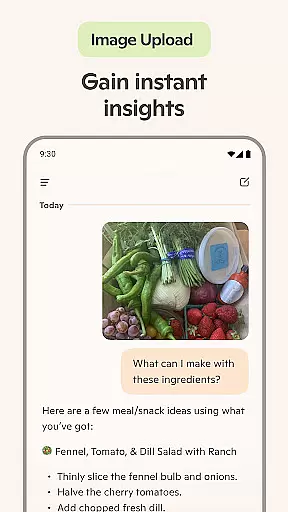
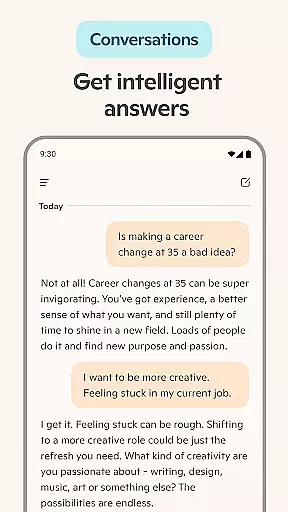
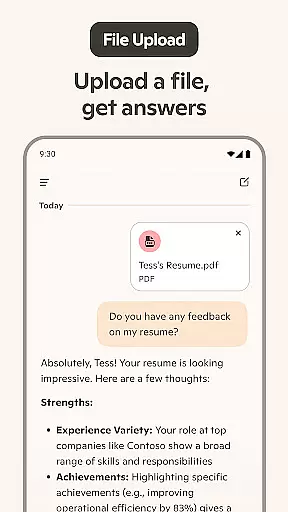
Microsoft Copilot is an advanced AI productivity tool designed to be your daily companion in both personal and professional tasks. The app integrates GPT-5, the latest in AI technology, offering users a seamless blend of reasoning and conversational capabilities. Whether you need help with writing, research, or generating images from text prompts, Copilot delivers smart solutions tailored to your needs.
This versatile AI assistant supports multiple functionalities including summarizing complex information, translating across hundreds of languages, and even creating visual content. Its voice chat feature allows for hands-free interaction, making it ideal for multitasking professionals and creatives alike. With Microsoft Copilot, users can streamline workflows, generate creative content, and manage everyday tasks more efficiently.
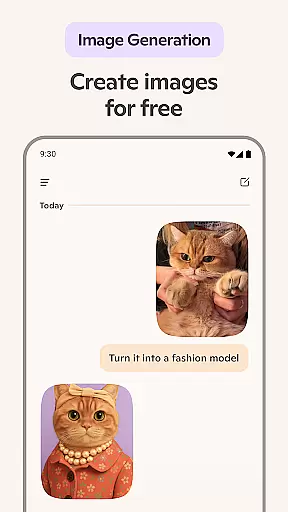
One of the standout features of Microsoft Copilot is its ability to function as a comprehensive AI writing assistant. It helps users compose emails, draft cover letters, and update resumes with ease. Additionally, the app's AI photo generator transforms textual descriptions into high-quality visuals, catering to a variety of creative needs such as logo design, children's book illustrations, and social media content creation.
Copilot also excels in simplifying routine tasks. Users can generate grocery lists, plan weekly meals, and even proofread documents in multiple languages. The app's voice chat functionality adds another layer of convenience, allowing users to dictate stories, scripts, or any other content on the go. This combination of powerful AI tools makes Copilot an indispensable asset for anyone looking to enhance their productivity and creativity.
At the heart of Microsoft Copilot lies its robust core task management capabilities, designed to streamline both personal and professional workflows. This AI-driven productivity tool excels in organizing tasks, setting priorities, and managing deadlines, ensuring users can focus on what truly matters.
The application leverages advanced algorithms to provide summarized answers and insights, transforming complex queries into straightforward solutions. Whether it's drafting emails, creating shopping lists, or planning weekly meals, Copilot's intuitive interface simplifies these processes with remarkable efficiency.
Users benefit from an AI writing assistant that not only composes but also edits and researches content, making it invaluable for crafting cover letters, updating resumes, or even generating creative scripts. The seamless integration of multi-language support further enhances its utility, catering to a global audience with diverse linguistic needs.
Microsoft Copilot sets a new standard in cross-device synchronization reliability, ensuring that your data and preferences are consistently updated across all platforms. This feature is crucial for users who rely on multiple devices throughout their day, providing a unified experience whether they're at home, in the office, or on the go.
The app employs cutting-edge cloud technology to maintain real-time updates, allowing users to start a task on one device and effortlessly continue on another without missing a beat. This synchronization extends beyond mere text, encompassing AI-generated images, voice chat histories, and personalized settings.
With Copilot, professionals can trust that their work remains secure and accessible, regardless of the device they choose to use. This reliability fosters confidence in using the app for critical tasks such as developing presentations, curating social media content, or visualizing creative projects, knowing that every element will be perfectly aligned across their digital ecosystem.
Advanced AI models
Versatile writing assistance
Multi-language support
High-quality image generation
Convenient voice chat
Requires internet connection
Premium features may cost extra
Learning curve for new users
Limited offline functionality
Subscription model

Native client for Forgejo and Gitea
 5.00
5.00
Unlock AutoNotification
4.00
Absolutely the best CNC machinist speed and feed calculator around. fswizard.com
4.60
Pwnagotchi companion app
4.20
Activate Two Factor Authentication (2FA or Multi OTP), Password manager and more
4.10
Code on-the-go with VScode for Android. Edit,debug and collaborate from mobile!!
3.10
This small app MUST BE INSTALLED after purchase, else license won't work
4.40
Ultimate Virtual AI Character for immersive Roleplay Chat. Perfect Companion
3.90
Put a lock on your cloud: Take the security of your data into your own hands
3.70
Seamlessly integrate data and reports to build your presentation to impress
4.80
Stay on top of your to-dos with Google Tasks, part of Google Workspace.
4.60
A simple Whisper AI keyboard for reliable speech transcription and rewording
4.60
Planet Free VPN - The best Fast Unlimited and Secure VPN Without Logs
4.50
A customizable calendar for your Wear OS watch
4.20
All in One PDF Reader: Manage, Read and Edit your Documents
4.20
Secure, open-source, SPICE and SSH Remote Desktop for QEMU KVM virtual machines
4.00
* block pre-roll ads, pop-up and forced redirect ads * Samsung certification app
4.00
A Revolutionary All-in-One Artificial Intelligence Tools
3.80
A simple, portable logger for POTA, SOTA, Field Day, and more
4.4


User Reviews