
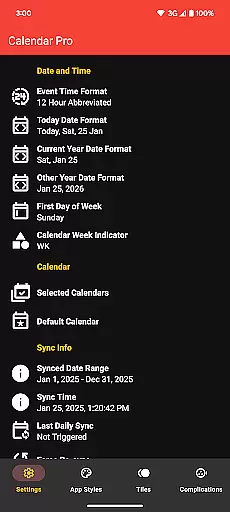
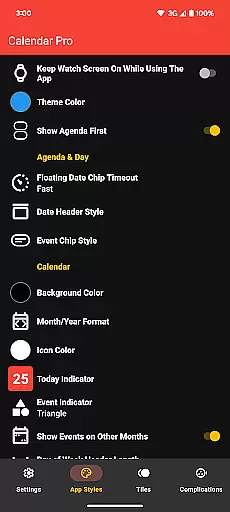
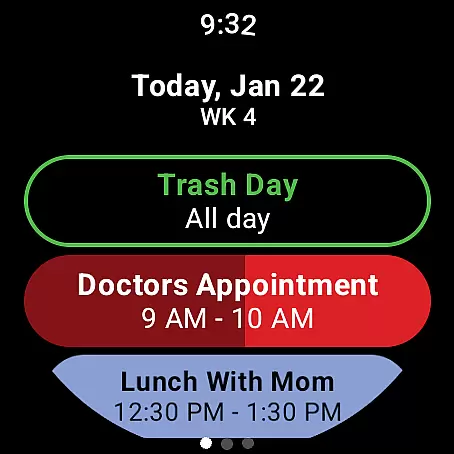
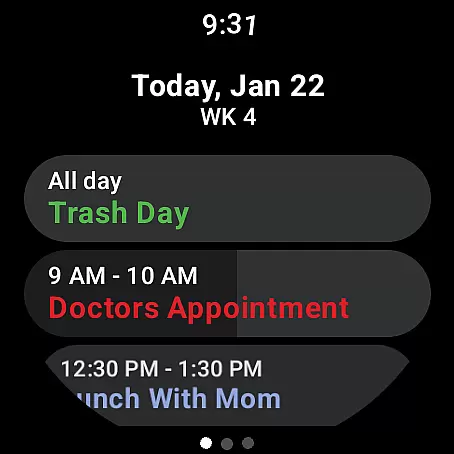
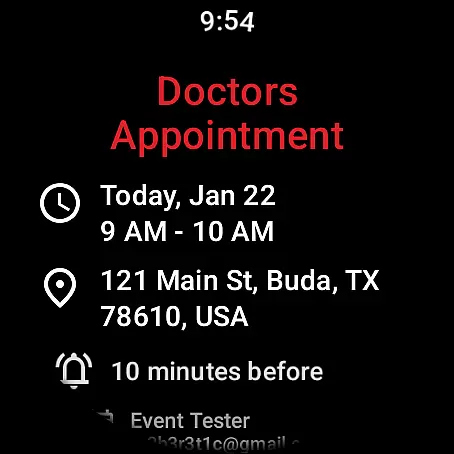
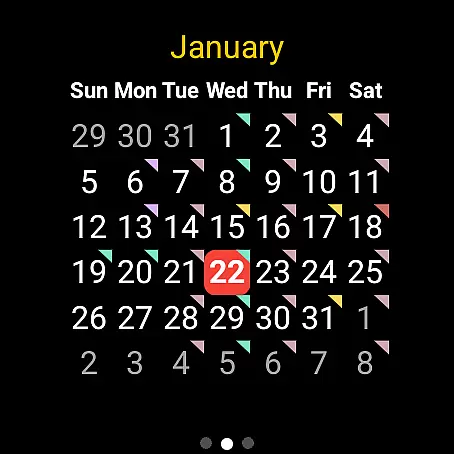
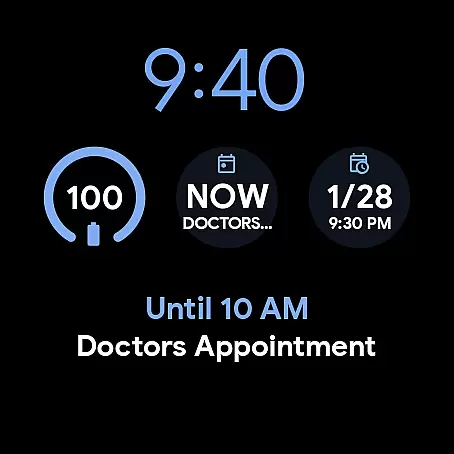
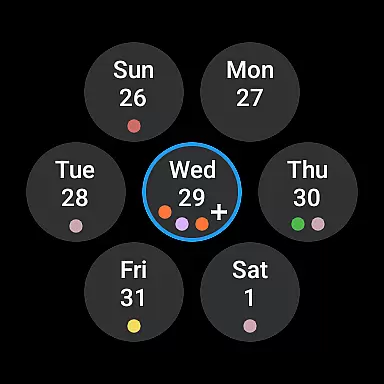
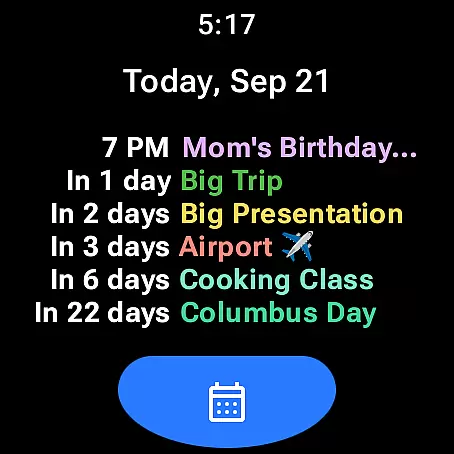
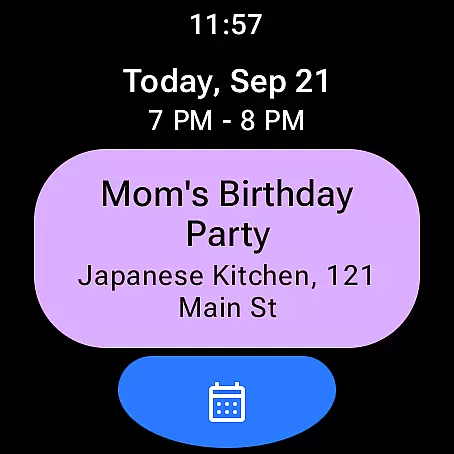
Calendar Pro for Wear OS is a comprehensive productivity tool designed to streamline your scheduling directly from your wrist. This app syncs all your phone calendars to your Wear OS watch, offering seamless access to the next 12 months of events. With its intuitive interface, users can conveniently add, edit, and delete events right from their smartwatch.
The app stands out with its fully customizable calendar views, including month, agenda, week, and next event layouts. Each view comes with unique tile customizations and theme options, allowing users to tailor the appearance to their preferences. Whether you need to check your schedule on-the-go or manage appointments during meetings, Calendar Pro ensures you stay organized in style.
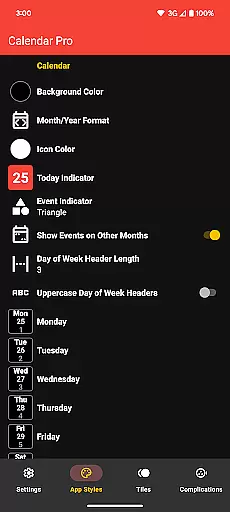
Calendar Pro offers an impressive array of features that enhance wearable productivity. The app supports multiple calendar services like Google Calendar, Outlook, and Samsung Calendar, ensuring compatibility across different platforms. Its standout feature is the ability to customize every aspect of the calendar display, from background colors to event indicators.
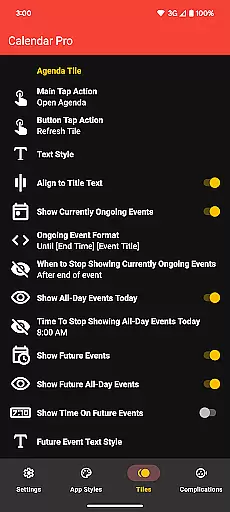
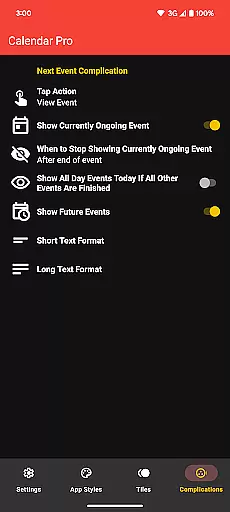
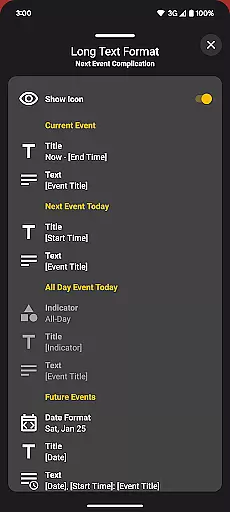
Users can personalize their experience with various theme colors and detailed customization options for both month and agenda views. The Next Event complication and tiles provide quick access to upcoming commitments, while the Agenda Tile displays up to six upcoming events. These robust features make Calendar Pro an indispensable tool for professionals who need constant access to their schedules without reaching for their phones.
Calendar Pro for Wear OS excels in core task management by providing users with a comprehensive suite of tools to manage their schedules effectively. The app syncs the next 12 months of events to your watch, allowing you to stay informed and organized without needing your phone nearby.
With the ability to add, edit, and delete events directly from your Wear OS device, Calendar Pro ensures that your schedule is always up-to-date. This feature empowers users to make changes on-the-go, which is crucial for maintaining productivity in dynamic environments.
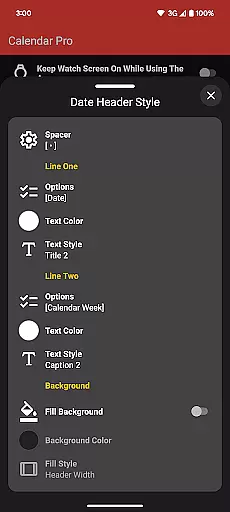
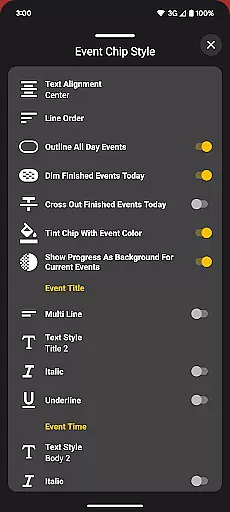
The customizable Agenda view offers multiple date header styles and text styles for event chips, catering to individual preferences and ensuring optimal readability. Users can also dim finished events and cross out completed tasks, providing clear visual cues for task prioritization and completion tracking.
Cross-device synchronization is a cornerstone of Calendar Pro's functionality, ensuring that all your calendars from your phone are reliably synced to your Wear OS watch. This seamless integration supports Google Calendar, Outlook Calendar, Samsung Calendar, DAVxu2075, and ICSxu2075, offering unparalleled compatibility across different platforms.
The app provides real-time updates, so any changes made on your phone are immediately reflected on your smartwatch. This reliability is vital for users who depend on accurate and timely information to manage their day-to-day activities efficiently.
Moreover, Calendar Pro includes various Tiles like Month Calendar Tile, Agenda Tile, Week Tile, and Next Event Tile, enhancing accessibility to your schedule across devices. These Tiles ensure that critical information is always just a glance away, whether you're viewing it on your phone or your watch.
User-friendly interface
Extensive customization
Multi-calendar support
No subscription required
Real-time syncing
Requires phone app
Limited Samsung support
Complex setup
Premium price
Battery intensive

Smart PDF reader & editor to view, organize and manage PDF documents easily.
 3.70
3.70
A lightweight JSON & XML files creator, editor and viewer (Premium Version)
4.40
Protect and view your important info on your phone and tablet with eWallet®
4.80
CalenGoo is a very flexible and feature-rich calendar app
4.40
App Lock with fingerprint, password: Lock apps & hide photos with lock screens
4.60
All document reader, all in one file viewer read PDF, DOCX, XLS, PPT, TXT files.
4.60
Tally and goal counter for Wear OS & mobile
4.50
Best Tool for the professionals Electrician, Electrical contractors, etc.
4.90
Share files & memories safely. Keep your photos and videos secure.
4.40
Understand anything with a personalized AI research assistant
4.80
QuickBooks Workforce lets teams view pay info and track time in one place.
4.70
Scan paperwork into PDF/JPG, generate your own e-signature and send fax or email
4.70
A simple Whisper AI keyboard for reliable speech transcription and rewording
4.60
Fill, sign & send docs, forms, agreements & contracts via electronic signature.
4.50
Subscribe to Webcal & .ics calendars and keep them up-to-date!
4.50
Font maker keyboard with your own handwriting
4.10
Intelligent AI Assistant
4.10
* block pre-roll ads, pop-up and forced redirect ads * Samsung certification app
4.00
Experience and share your SolidWorks designs on your Android® phone and tablet.
2.50


User Reviews