
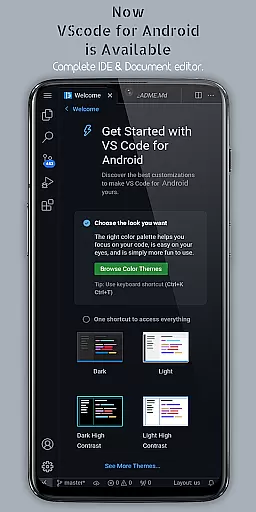
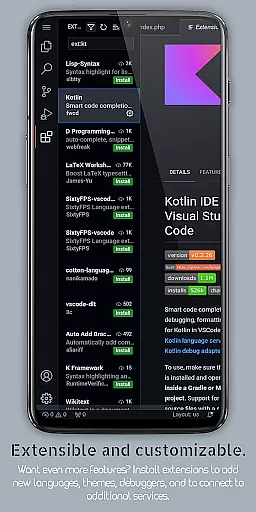
VScode for Android brings the powerful functionality of Visual Studio Code to mobile devices, allowing developers to write, edit, and debug code on-the-go. With support for a wide range of programming languages and file types, this app provides an immersive coding experience with features like customizable themes, IntelliSense, debugging tools, and Git integration.
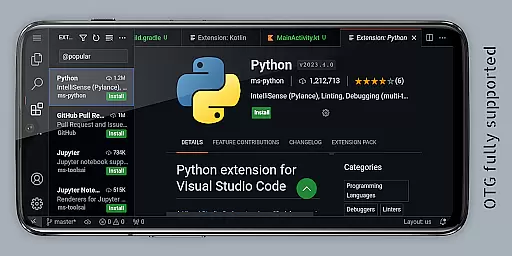
The app offers a professional-grade coding environment in your pocket, featuring fullscreen mode for uninterrupted sessions and remote access capabilities through a web browser. Whether you're working on HTML, Python, Java, or other languages, VScode for Android ensures you have the necessary tools at your fingertips. Its comprehensive feature set makes it ideal for both quick edits and extended coding sessions.
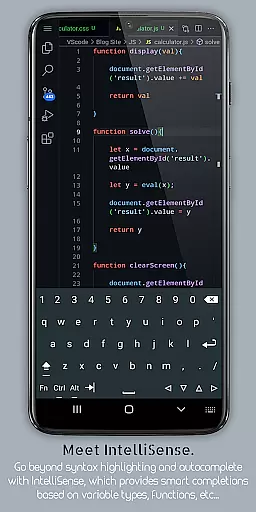
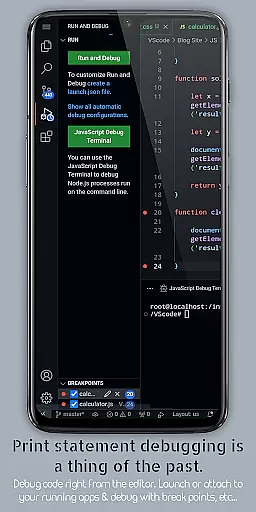
VScode for Android stands out with its robust feature set tailored for developers. The app includes built-in debugging tools, syntax highlighting for numerous programming languages, and IntelliSense for intelligent code completion. These features ensure efficient coding by reducing errors and speeding up the development process.
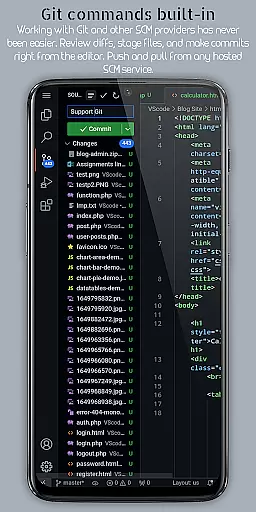
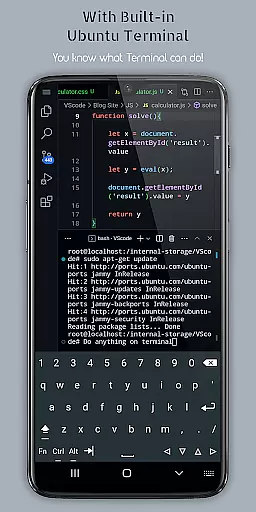
Additional functionalities include multi-cursor editing, embedded Git support, customizable keyboard shortcuts, and split view editing. The integrated terminal and task runner automate common tasks, while language-specific settings allow users to optimize their workflow per project needs. This combination of advanced tools makes VScode for Android a versatile choice for developers seeking productivity on mobile platforms.
VScode for Android revolutionizes the way developers handle task management by bringing desktop-level functionality to mobile devices. The app allows users to organize their coding projects efficiently through workspace management, enabling seamless switching between different tasks and projects.
With its integrated task runner, the application automates repetitive tasks, freeing up valuable time for developers to focus on more critical aspects of their work. This feature ensures that productivity is maintained even when working remotely or on-the-go.
The app's support for a wide range of programming languages means that users can manage diverse project requirements without switching between different tools. This versatility enhances the overall task management experience, making it easier to maintain workflow continuity.
Moreover, the built-in terminal and split view editing capabilities allow developers to execute commands and edit multiple files simultaneously. These features contribute to a comprehensive task management system that empowers users to be more efficient in their daily operations.
One of the standout features of VScode for Android is its reliable cross-device synchronization. Users can access their projects from any location using a web browser and their phone's IP address with port 8080, ensuring that work progress is never lost and always available.
This synchronization extends to version control systems like Git, which is embedded within the app. Developers can collaborate effortlessly with team members, committing changes and pulling updates directly from their mobile devices.
The app also supports customizable keyboard shortcuts and multi-cursor editing, allowing users to replicate their desktop workflows accurately on their mobile devices. This consistency across devices enhances the reliability of the synchronization process.
Furthermore, the immersive display experience provided by fullscreen mode ensures that users can work uninterrupted, regardless of their environment. This feature, combined with remote access capabilities, guarantees that productivity remains high, no matter where the user is located.
Powerful code editor
Wide language support
Customizable interface
Built-in Git support
Remote access via browser
Complex for beginners
Requires learning curve
Limited screen space
Advanced features may overwhelm
Not officially by Microsoft

A customizable calendar for your Wear OS watch
 4.20
4.20
Seamlessly integrate data and reports to build your presentation to impress
4.80
Wake up & get tasks done! Add alarms & reminders on the Clock Launcher.
4.00
8 custom complications. Custom Time Fonts. Beautiful color schemes. A++ Design.
5.00
Automates browsing any website and notifies you of important changes or events
4.30
The Pro Version of Android's tiniest Notepad app. Just 0.3MB but feature-packed!
4.60
aCalendar+ makes your day, week and month
4.70
All in One PDF Reader: Manage, Read and Edit your Documents
4.20
Browse and view your photos and videos from the phone with photo & video hide.
4.10
The long-awaited modern gallery app for your Nextcloud server
4.70
Secure, fast, open-source, Remote Desktop Client for Windows and Linux with SSH
4.60
Calendar 2023 widget for Android. Appointment scheduler, planner, and reminder
4.60
Translate text/voice/photos in 150+ languages. Offline & fast translator app.
4.50
Subscribe to Webcal & .ics calendars and keep them up-to-date!
4.50
Remotely view listen control and record cameras.
3.70
Find and delete junk files & block unwanted notifications & manage files
3.70
Simple and reliable communication between inmates, friends and family
3.20
AI Video AI Image Private LLM AI Browser Llama Gemma Ollama Connect LLM Studio
4.1
A simple, portable logger for POTA, SOTA, Field Day, and more
4.4


User Reviews