
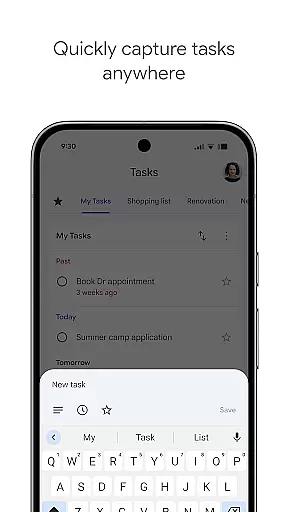
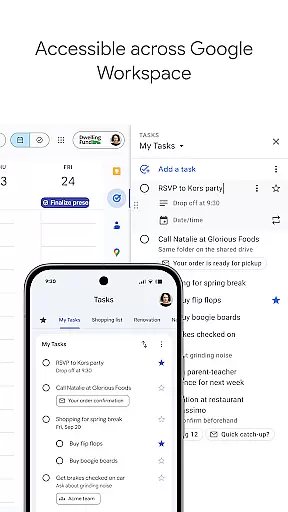
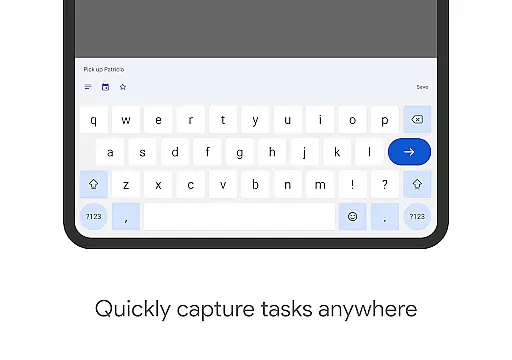
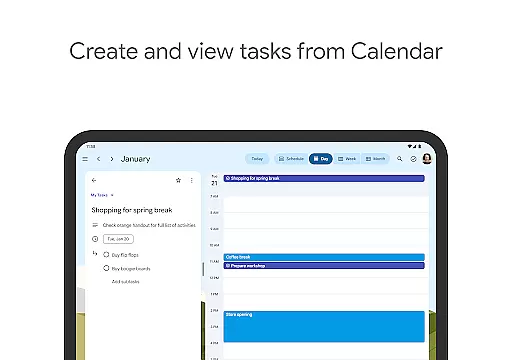
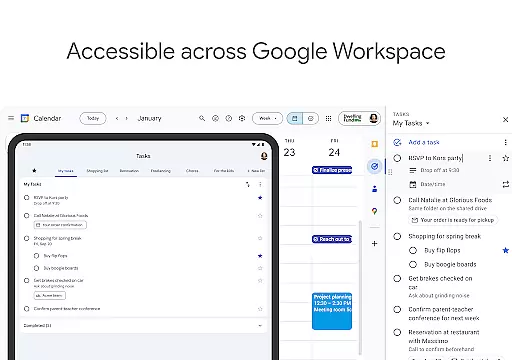
Google Tasks is a productivity app designed to help users manage their daily tasks efficiently. The app allows you to capture, organize, and prioritize your to-do lists from any location and at any time. With seamless synchronization across all devices, Google Tasks ensures that your lists are always up-to-date whether you're on your phone, tablet, or computer.
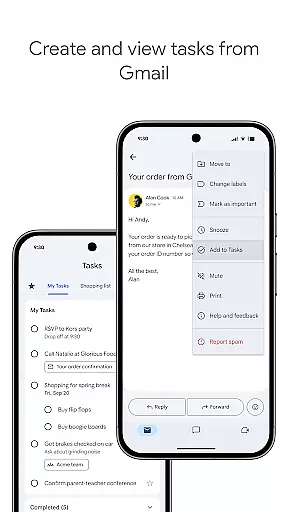
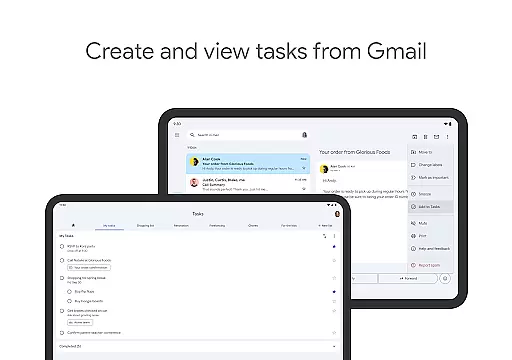
One of the standout features of Google Tasks is its deep integration with Gmail and Google Workspace, allowing users to create tasks directly from emails and access them later with a single tap. This makes it an ideal tool for professionals who need to track multiple responsibilities while managing deadlines effectively. By breaking down complex tasks into subtasks, setting reminders, and organizing items by priority, Google Tasks helps users stay focused and productive throughout their day.
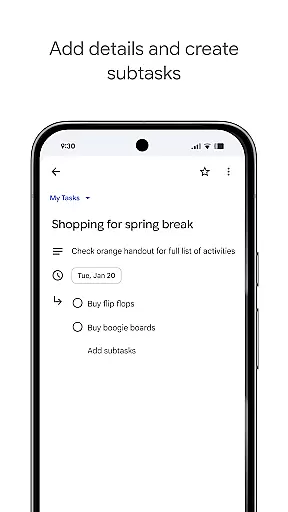
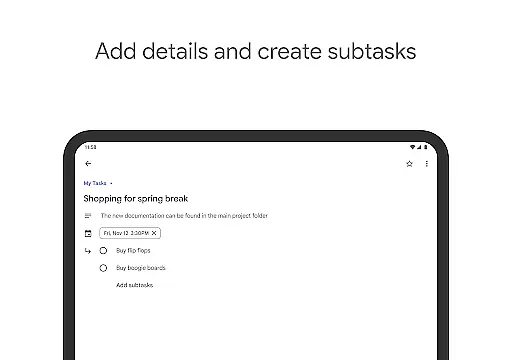
Google Tasks offers a variety of features that make task management simple yet powerful. Users can create multiple task lists based on topics, projects, or priorities, ensuring better organization. Each task can be reordered using drag-and-drop functionality, marked with a star for high-priority items, or broken down into subtasks for more granular control over complex projects.
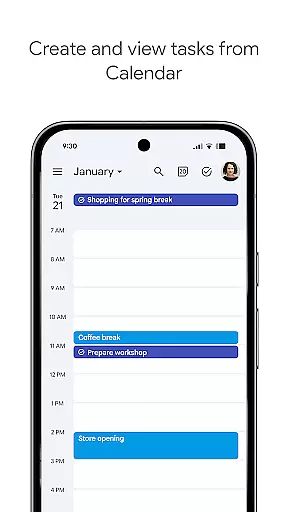
The app also supports date-based reminders and notifications, helping users meet deadlines without fail. Integration with Gmail allows users to convert emails into actionable tasks, complete with links back to the original message for context. Additionally, the clean and minimalistic interface ensures ease of use, making it accessible even for those new to task management apps. These features collectively enhance productivity by streamlining workflows and reducing clutter in daily routines.
Google Tasks offers a comprehensive approach to managing your daily responsibilities through its robust core task management features. The app allows users to create, edit, and organize tasks with remarkable ease, ensuring that nothing falls through the cracks. With functionalities such as drag-and-drop for reordering tasks and starring for prioritization, staying on top of your to-do list has never been more intuitive.
The ability to create subtasks is particularly beneficial for breaking down complex projects into manageable steps. This feature not only clarifies the path to completion but also provides a sense of accomplishment as each subtask is checked off. Moreover, the seamless integration with Gmail enables users to turn emails into tasks effortlessly, linking back to the original message for context, which significantly enhances productivity.
For those who juggle multiple projects or areas of responsibility, Google Tasks supports the creation of different task lists. This separation ensures that work, personal, and other categories of tasks remain distinct, aiding in maintaining focus and reducing overwhelm. Overall, these capabilities make Google Tasks an indispensable tool for anyone looking to enhance their productivity systematically and efficiently.
Cross-device synchronization is a cornerstone of the Google Tasks experience, ensuring that your tasks are always up-to-date across all your devices. Whether you're switching from your phone to your tablet or desktop, the transition is seamless, with all updates reflected instantly wherever you go. This reliable sync capability means you can start a task on one device and continue on another without missing a beat.
This synchronization extends beyond just task entries; it encompasses all aspects of your task management, including due dates, priorities, and subtasks. Such thoroughness guarantees that every detail you input is preserved and accessible, providing a consistent and dependable user experience. Furthermore, because Google Tasks integrates with other Google services like Gmail, any task created from an email is immediately available across devices, streamlining workflows and boosting efficiency.
The reliability of this synchronization is backed by Google's infrastructure, renowned for its stability and speed. Users can trust that their data is secure and that they won't experience lag or loss of information. This peace of mind allows users to focus on their tasks rather than worrying about data integrity, making Google Tasks a reliable companion for productivity across all facets of life.
User-friendly interface
Seamless cross-device sync
Deep Gmail integration
Subtask support
Free to use
Limited advanced features
No team collaboration
Basic design
Few customization options
No offline mode

Seamlessly integrate data and reports to build your presentation to impress
 4.80
4.80
Easily read and manage all your PDF files
4.10
The upgraded version of Name Wheel with AI and the power to add your own wheels.
4.3
Protect and view your important info on your phone and tablet with eWallet®
4.80
Remotely view listen control and record cameras.
3.70
App lock - lock apps with fingerprint, password, pin or pattern, protect privacy
4.70
Calendar 2023 widget for Android. Appointment scheduler, planner, and reminder
4.60
Code on-the-go with VScode for Android. Edit,debug and collaborate from mobile!!
3.10
Put a lock on your cloud: Take the security of your data into your own hands
3.70
Multilingual translator for text, voice, and image translation!
4.90
PDF scanner & converter for files, photos, lottery, QR codes. One swipe away!
4.50
Experience Reading - Night Mode for Documents
4.40
Docker, Kubernetes management over Portainer Mobile
4.40
Total remote control for your Android device, PC and cloud services (IFTTT)!
4.20
All in One PDF Reader: Manage, Read and Edit your Documents
4.20
Todo reminder
4.10
Secure, open-source, SPICE and SSH Remote Desktop for QEMU KVM virtual machines
4.00
Take control of your clipboard with Clipper!
3.90
Easiest event planning, volunteer signups & parent teacher conference scheduling
2.20


User Reviews