
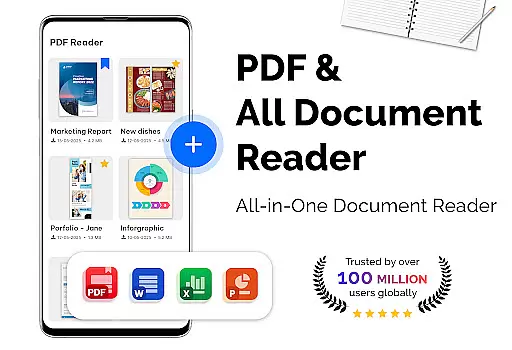
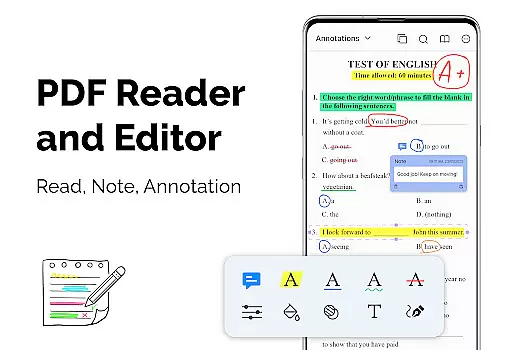
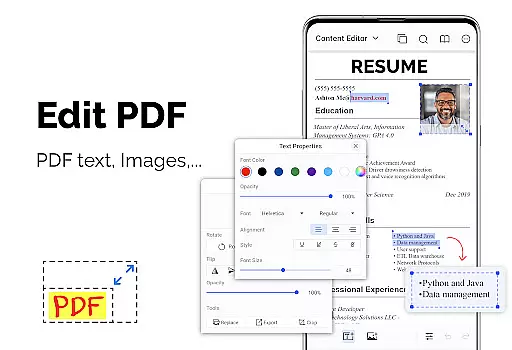
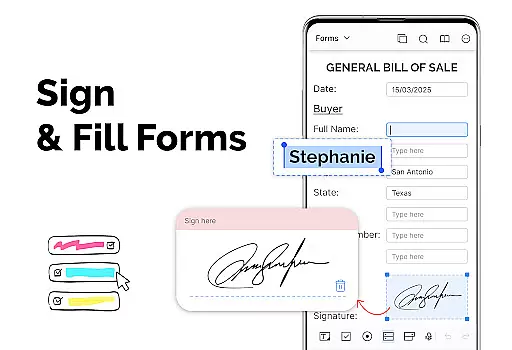
PDF Reader - PDF Viewer is a versatile productivity app designed for seamless document management. This application allows users to read all types of documents, especially PDF files stored locally on their devices. It supports even password-protected PDFs, ensuring no file is inaccessible. The app's advanced technology ensures quick loading and display of large PDF files, providing an efficient reading experience.
The app offers multiple display modes including single page, two-page, book mode, or full-screen reading, catering to user preferences. With features like bookmarks, customizable themes, and intuitive navigation, it enhances the reading experience. Additionally, its capabilities extend to converting images to PDFs and vice versa, making it a comprehensive tool for document handling.
Whether you're a student managing research papers or a professional dealing with reports, this app provides a fast and simple way to manage and view PDF files. Its ability to handle large files exceeding 300MB ensures that users can work with extensive documents without performance issues.
PDF Reader - PDF Viewer stands out with its array of robust features tailored for productivity. One of its key strengths is the quick display technology, which uses advanced algorithms to load and render large PDF files swiftly. This ensures that users spend less time waiting and more time reading or working.
The app provides various viewing options such as single page, two-page, book mode, and full-screen reading. Users can also choose between vertical and horizontal orientations, offering flexibility in how they consume content. Quick page navigation and bookmarking further enhance usability by allowing users to move through documents effortlessly and mark important sections for future reference.
In addition to viewing, the app includes powerful conversion tools. Users can convert images to PDFs, transform PDFs into JPGs, and create new PDFs from multiple image formats. These features make it an indispensable tool for anyone needing to manage and share documents efficiently.
For a productivity app like PDF Reader u2013 PDF Viewer, core task management is essential for organizing and handling documents efficiently. This app offers multiple features that streamline the process of managing PDF files.
The app provides various viewing modes including single page, two-page, book mode, and full-screen reading, allowing users to customize their reading experience according to their preferences. Quick page moving and bookmarks further enhance navigation through large or complex PDFs, making it simpler to find and manage specific sections.
Additionally, the app supports PDF files with password protection, ensuring that users can handle sensitive documents securely. With its quick display technology, even large files are loaded swiftly, which is crucial for effective task management.
Users benefit from a comprehensive set of tools that not only help in reading but also in creating and converting PDF files, thus covering all aspects of document handling within a single, efficient application.
Cross-device synchronization is vital for users who access their documents on multiple devices. PDF Reader u2013 PDF Viewer ensures reliable synchronization, enabling seamless transitions between different platforms.
While the app itself focuses on local storage, its capability to handle large files quickly means that users can effortlessly sync and access their documents across devices without performance lags. The support for various file formats and conversion options like Image to PDF and PDF to JPG enhances this flexibility.
Moreover, the app's customization options such as theme color selection and different viewing modes ensure that user preferences are maintained consistently across devices, providing a uniform experience.
This synchronization reliability, combined with the appu2019s powerful features, ensures that users can depend on PDF Reader u2013 PDF Viewer for their productivity needs, regardless of the device they are using.
User-friendly interface
Advanced PDF rendering
Multiple display modes
Efficient file handling
Comprehensive conversion tools
Limited cloud integration
No collaborative features
Basic annotation tools
Occasional ads in free version
Some features require premium

A customizable calendar for your Wear OS watch
 4.20
4.20
Experience real multitasking on your Android!
4.00
Total remote control for your Android device, PC and cloud services (IFTTT)!
4.20
Protect and view your important info on your phone and tablet with eWallet®
4.80
We're working to become the best machining app on the market! www.cncdirt.com
4.80
⏰ Finally a timer app which can run multiple timers simultaneously on your watch
3.90
PDF scanner & converter for files, photos, lottery, QR codes. One swipe away!
4.50
Simple and reliable communication between inmates, friends and family
3.20
Translate text/voice/photos in 150+ languages. Offline & fast translator app.
4.50
Secure, fast, open-source, VNC and SSH Remote Desktop for Windows, Linux and Mac
4.70
The long-awaited modern gallery app for your Nextcloud server
4.70
Quickly and easily keep track of your work shifts
4.70
Absolutely the best CNC machinist speed and feed calculator around. fswizard.com
4.60
Functional QR scanner and barcode reader that requires little storage space.
4.60
Experience Reading - Night Mode for Documents
4.40
Device's storage information in a simple and clear graphical form (infographics)
4.10
Take control of your clipboard with Clipper!
3.90
The upgraded version of Name Wheel with AI and the power to add your own wheels.
4.4
A comprehensive suite of tools designed specifically for Lactation Consultants
4.0


User Reviews