
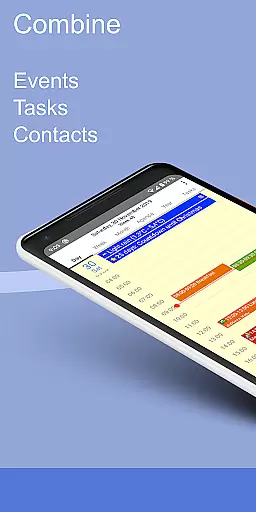
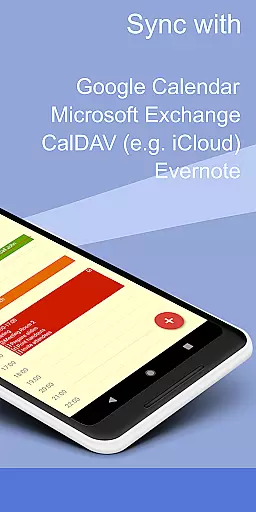
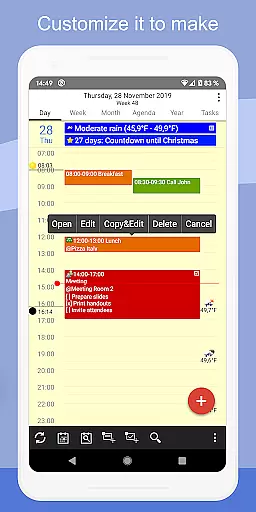
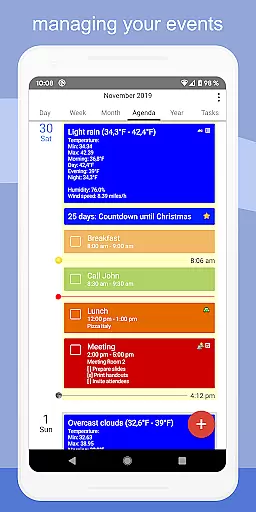
CalenGoo is a comprehensive productivity app designed to help users efficiently manage their events and tasks. With seamless synchronization capabilities, it connects directly with Google Calendar, Exchange, CalDAV, and iCloud, ensuring all your past and future events are always up-to-date across devices. The app offers extensive customization options, allowing you to tailor the interface and functionality to suit your preferences.
One of CalenGoo's standout features is its ability to sync not only calendars but also tasks across multiple platforms. Users can attach photos, files, and even Evernote® notes to events, providing a richer context for each appointment. Additionally, the app includes practical tools like weather forecasts, event icons, and various reminder functions, making it an indispensable tool for organizing both personal and professional schedules.
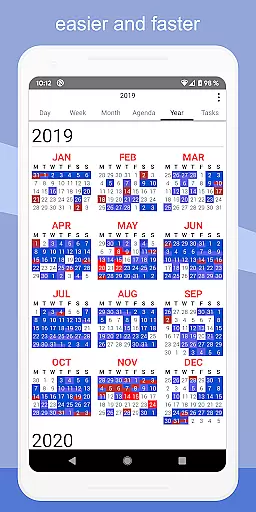
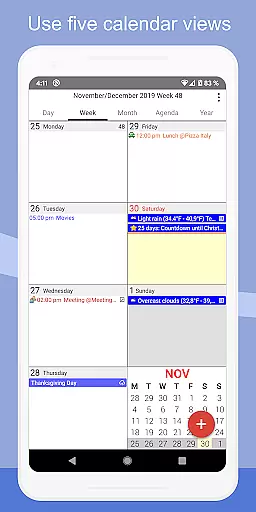
CalenGoo boasts an impressive array of features that cater to diverse productivity needs. The app provides five distinct calendar views - day, week, month, agenda, and year - along with four customizable agenda view styles. Its intuitive drag-and-drop functionality makes it easy to move or copy events between different time slots or calendars.
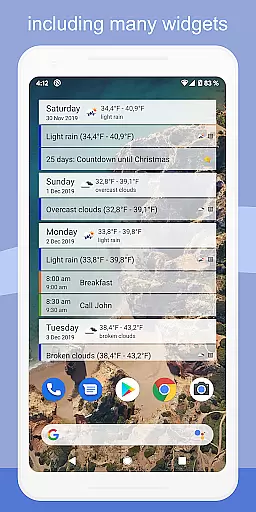
For quick access to important information, CalenGoo offers multiple home screen widgets displaying day, week, month, agenda, year, and task views. The app supports advanced features such as Exchange categories, shared calendars through Google Calendar, and sophisticated reminder systems including notifications, pop-up windows, and spoken reminders. Furthermore, its extensive configuration options allow users to personalize everything from event colors to display themes, ensuring a truly customized experience.
CalenGoo offers robust core task management features that allow users to efficiently organize their schedules and responsibilities. The app supports syncing with multiple calendar services such as Google Calendar, Exchange, CalDAV, and iCloud, ensuring all your past and future events are accessible in one place.
With the ability to attach photos, files, and even Evernote notes to events, CalenGoo enhances task management by centralizing necessary resources. Users can also categorize and visually distinguish events using icons and color-coding through keywords, streamlining event identification and prioritization.
The agenda view comes in four styles, and the app provides five types of calendar views including day, week, month, agenda, and year. This flexibility allows users to choose the format that best suits their workflow, making daily planning more intuitive and efficient.
One of CalenGoo's standout features is its reliable cross-device synchronization. By integrating directly with Google Calendar, Exchange, CalDAV, and iCloud, it ensures that updates made on one device are promptly reflected across all others. This seamless sync capability keeps users consistently updated, regardless of the device they are using.
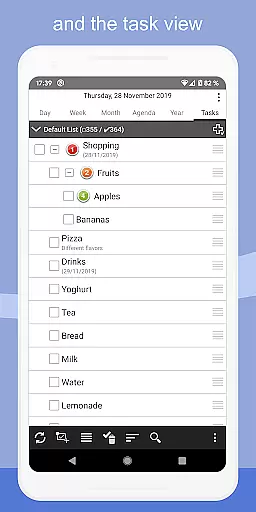
In addition to calendar events, CalenGoo also syncs tasks, maintaining a unified task list that is accessible from any synced device. This comprehensive synchronization extends to attached files and notes, ensuring all relevant information is available wherever you go.
Furthermore, the app offers widgets for day, week, month, agenda, year, and task views, allowing quick access to your schedule right from the home screen. With these reliable and versatile synchronization options, CalenGoo ensures users stay organized and informed across all their devices.
Extensive sync options
Highly customizable
Multiple calendar views
Rich feature set
Intuitive interface
Steep learning curve
Paid application
No free version
Complex setup
Resource intensive

Seamlessly integrate data and reports to build your presentation to impress
 4.80
4.80
When you Focus, so will your Bean in this cozy focus timer
4.30
The long-awaited modern gallery app for your Nextcloud server
4.70
Auto-shutoff Alarm with Sunrise, Sunset & Fixed Options.
3.50
Absolutely the best CNC machinist speed and feed calculator around. fswizard.com
4.60
The AI assistant that thinks with you - write, code, and solve complex tasks
4.60
Simple notepad & memo. Take notes, to-do list, shopping list with reminders.
4.80
Okta MFA
4.70
QuickEdit is a fast, stable and full featured text and code editor.
4.20
The Pro Version of Android's tiniest Notepad app. Just 0.3MB but feature-packed!
4.60
Professional calendar app for Google Calendar, MS Outlook & Exchange
4.20
Easily read and manage all your PDF files
4.10
Intelligent AI Assistant
4.10
Customizable calendar widget for seamless event sync, planning & scheduling.
4.00
Secure, open-source, SPICE and SSH Remote Desktop for QEMU KVM virtual machines
4.00
Take control of your clipboard with Clipper!
3.90
Smart PDF reader & editor to view, organize and manage PDF documents easily.
3.70
Create study competitions, track your hours, and stay consistent with friends
4.4
A simple, portable logger for POTA, SOTA, Field Day, and more
4.1


User Reviews