
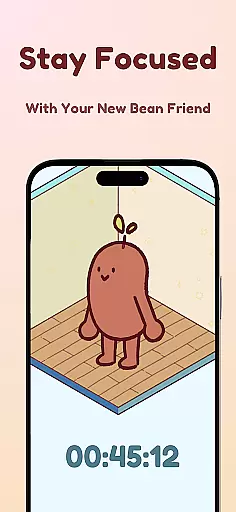
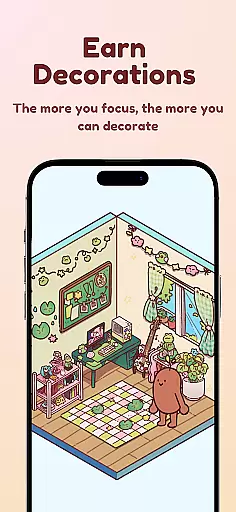

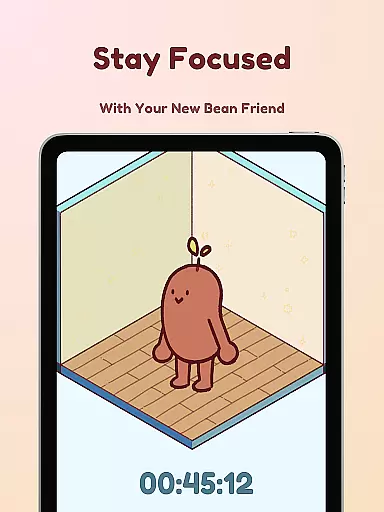
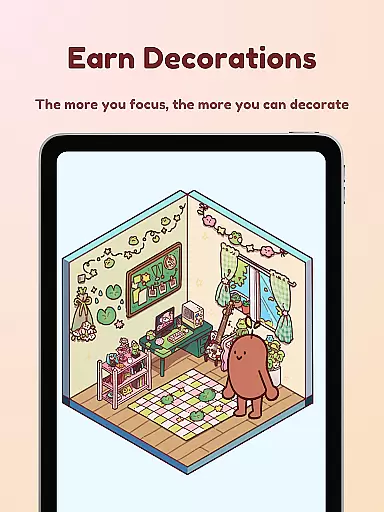
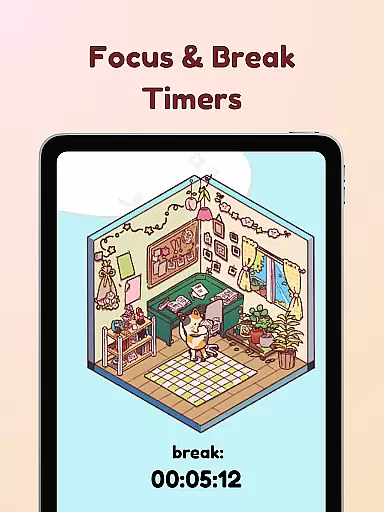
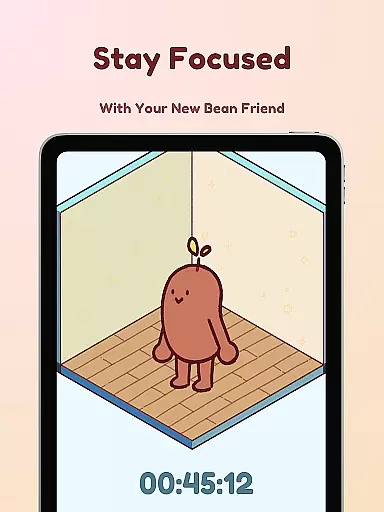
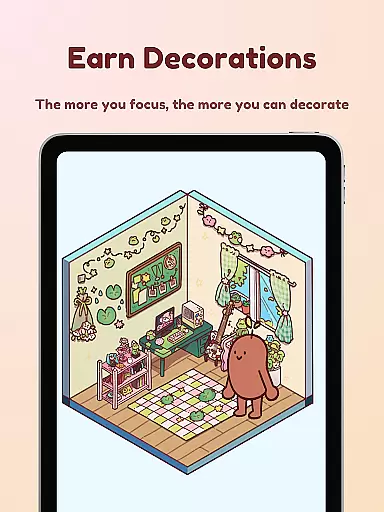
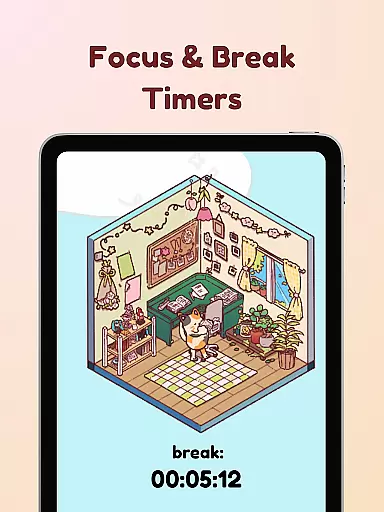
Focus Friend is a productivity app designed to help users maintain focus through gamification. Developed by Hank Green, this app features a unique timer system where users are motivated to complete focus sessions to keep their virtual Bean Friend happy. The core functionality revolves around creating an engaging experience that rewards users with in-app prizes for successfully completing focus sessions. These rewards can be used to decorate the Bean's room, adding a layer of fun and personalization.
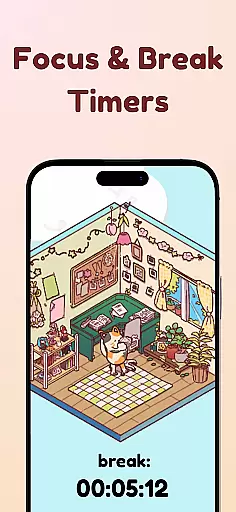
The app also incorporates productivity techniques like the Pomodoro method, offering break timers and deep focus modes that lock distracting apps. With hundreds of decoration options and various Bean skins to choose from, Focus Friend caters to anyone who struggles with maintaining concentration over long periods. Whether you're a student or a professional, this app provides a supportive environment to help you get into the flow of work or study while having fun.
Focus Friend offers a variety of features that enhance the user's productivity while keeping the experience enjoyable. One standout feature is the Live Activity function, which allows users to see their timer progress even when their phone is locked. This ensures that users remain aware of their session status without needing to unlock their device. Another key feature is the Deep Focus Mode, which helps eliminate distractions by locking apps that may interrupt the user's concentration during a session.
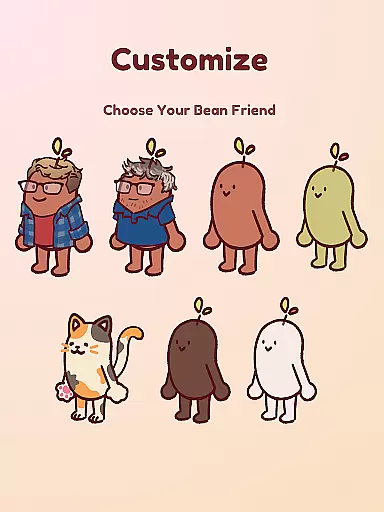
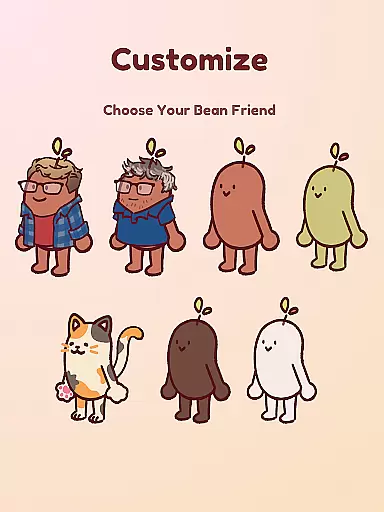
In addition to these productivity tools, Focus Friend includes break timers that align with the Pomodoro technique, encouraging users to take regular breaks and decorate their Bean's room. The app also boasts hundreds of decoration options across different themes, allowing for extensive customization. Users can choose from various Bean skins, including Coffee Bean, Edamame Bean, and even characters like Hank and John Green, providing a personalized touch to each focus session.
At the heart of Focus Friend lies its robust core task management system, designed to help users maintain focus and productivity. This feature allows users to set specific time intervals for focused work sessions, ensuring that tasks are approached in a structured manner.
The app employs gamification techniques by introducing a virtual companion, your Bean Friend, who mirrors your focus sessions. If you stay on task, your Bean remains happy and motivated; however, if you interrupt the session, your Bean becomes visibly upset, providing an engaging incentive to remain disciplined.
Users can also access additional tools such as break timers and deep focus mode, which locks distracting apps during work periods. These features collectively enhance the user's ability to manage their tasks effectively while maintaining a healthy balance between work and rest.
Focus Friend ensures reliable cross-device synchronization, allowing users to seamlessly transition between devices without losing progress or data. This means whether you're using your phone, tablet, or any other compatible device, your focus sessions and achievements will be consistently updated across all platforms.
This synchronization extends to various aspects of the app, including completed focus sessions, earned rewards, and customized settings like Bean Skins and room decorations. Such comprehensive syncing guarantees that every achievement and customization made on one device is immediately reflected on others.
By prioritizing synchronization reliability, Focus Friend empowers users to integrate the app into their daily routines more fluidly, regardless of the device they choose to use at any given moment. This flexibility enhances the overall user experience, making it easier than ever to stay focused and organized.
User-friendly interface
Engaging gamification elements
Effective focus timer
Variety of customization options
Supports Pomodoro technique
Limited free content
Some features require in-app purchases
May not suit all productivity styles
Notifications can be intrusive
Occasional app stability issues

Experience Reading - Night Mode for Documents
 4.40
4.40
Ads Free App! Editor, Hide File, Copy, Move, Delete and Rename.. all facility av
1.70
The upgraded version of Name Wheel with AI and the power to add your own wheels.
4.3
We're working to become the best machining app on the market! www.cncdirt.com
4.80
Fill, sign & send docs, forms, agreements & contracts via electronic signature.
4.50
Subscribe to Webcal & .ics calendars and keep them up-to-date!
4.50
A beautiful digital clock with autostart and many other functions
4.70
Okta MFA
4.70
AT&T Internet customers can use this app to personalize their Wi-Fi network.
4.40
Scientific calculator for Android - looks and operates like the real thing!
4.90
aCalendar+ makes your day, week and month
4.70
Client for Nextcloud Deck
4.60
Absolutely the best CNC machinist speed and feed calculator around. fswizard.com
4.60
Stay on top of your to-dos with Google Tasks, part of Google Workspace.
4.60
To do list widget with a notebook organizer, checklist, simple shopping list
4.60
Cloud storage, automatic phone backup, and more.
4.10
* block pre-roll ads, pop-up and forced redirect ads * Samsung certification app
4.00
Access your phone's notifications, calls, apps, photos & texts on your PC
3.90
A comprehensive suite of tools designed specifically for Lactation Consultants
4.4


User Reviews