
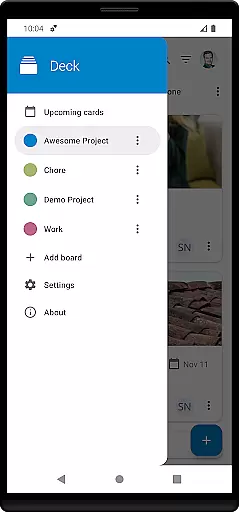
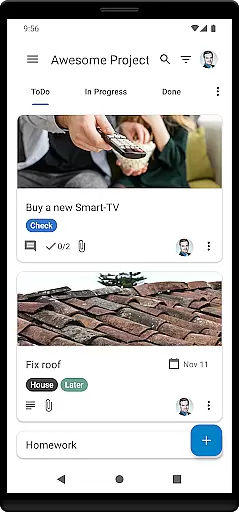
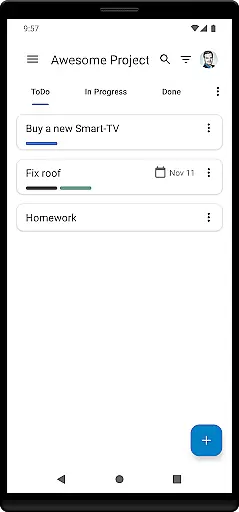
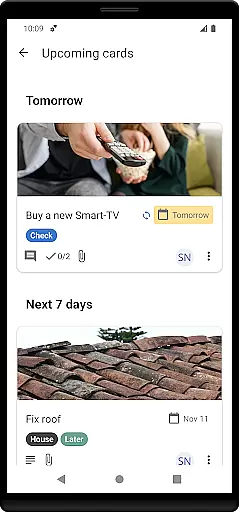
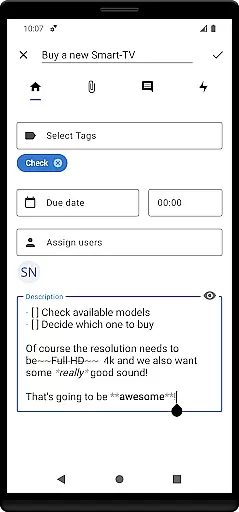
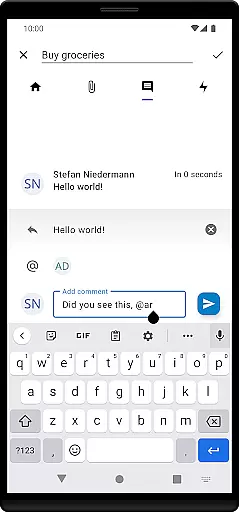
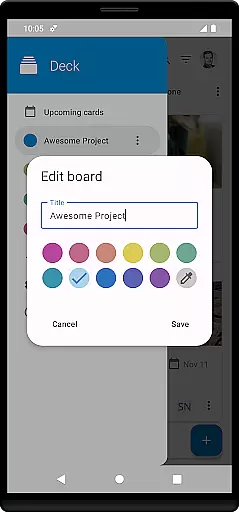

Nextcloud Deck is a productivity-focused application designed to streamline task management and team collaboration. This app allows users to create and organize tasks using cards, lists, and boards, making it an ideal tool for both personal and professional project management.
One of the standout features of Nextcloud Deck is its ability to work offline, ensuring that users can manage their tasks even without an internet connection. Additionally, the app supports multiple accounts, attachments, activities, and comments, providing a comprehensive solution for collaborative projects. With dark mode and multi-language support, Nextcloud Deck offers a user-friendly experience tailored to individual preferences.
Whether you're managing a small team or handling multiple personal projects, Nextcloud Deck provides a flexible and efficient platform to keep everything organized and accessible.
Nextcloud Deck boasts a variety of features that enhance productivity and collaboration. The app's core functionality revolves around managing cards, lists, and boards, which allows users to categorize and prioritize tasks effectively. Each card can be customized with tags, attachments, activities, and comments, ensuring all relevant information is centralized and easily accessible.
Another significant feature is the support for multiple accounts, enabling users to switch between different Nextcloud instances seamlessly. The app also includes a dark mode, which reduces eye strain and enhances readability in low-light environments. Furthermore, Nextcloud Deck is translated into many languages, catering to a global audience and ensuring accessibility for non-English speakers.
By integrating with the Nextcloud ecosystem, including the Nextcloud Android app, Nextcloud Deck ensures a cohesive and synchronized experience across devices. This integration not only boosts productivity but also enhances data security and privacy, as all information is stored on the user's Nextcloud server.
Nextcloud Deck offers a robust solution for managing tasks and projects efficiently. The app allows users to create, organize, and prioritize cards, lists, and boards, which are essential components of task management systems.
With support for tags, attachments, activities, and comments, the app ensures that every detail related to a task is captured and easily accessible. This comprehensive approach helps teams stay aligned and informed throughout the project lifecycle.
The offline functionality further enhances productivity by enabling users to manage their tasks without an internet connection. Once online, all changes sync seamlessly with the Nextcloud server, ensuring data consistency across devices.
Cross-device synchronization is a cornerstone feature of Nextcloud Deck, ensuring that all your data remains consistent and up-to-date across multiple devices. Whether you're using a smartphone, tablet, or computer, the app provides reliable syncing capabilities.
This synchronization extends to various elements such as cards, lists, boards, tags, attachments, activities, and comments. As a result, users can switch between devices without losing any information or experiencing delays in updates.
Additionally, the integration with the Nextcloud ecosystem, including the Nextcloud Android app, guarantees a seamless experience. Users can trust that their data will be accurately reflected on all platforms, enhancing both personal productivity and team collaboration.
User-friendly interface
Offline functionality
Multi-account support
Comprehensive task management
Dark mode available
Requires Nextcloud setup
Limited standalone use
No built-in calendar
Dependent on third-party apps
Advanced features need technical knowledge

Mind Map and brainstorm, note taking and idea collection
 4.80
4.80
Font maker keyboard with your own handwriting
4.10
Code on-the-go with VScode for Android. Edit,debug and collaborate from mobile!!
3.10
Great calculator for Android named one of USA TODAY's "25 Essential Apps".
4.90
Secure your apps with lock screens, use custom themes and different features.
4.40
Use powerful, industry-leading AI tools to generate visual charts from any data
4.80
Understand anything with a personalized AI research assistant
4.80
Seamlessly read, manage, and organize all your PDF files solution in one place
4.40
Set up, print, and get support—in one place
4.20
Android Wallet Password Manager
4.80
The long-awaited modern gallery app for your Nextcloud server
4.70
Absolutely the best CNC machinist speed and feed calculator around. fswizard.com
4.60
Docker, Kubernetes management over Portainer Mobile
4.40
A Pixel Art watchface inspired by other iconic 90s designs for Wear OS devices!
4.40
Enjoy classic gameplay with customizable features and retro-style graphics.
4.30
Cloud storage, automatic phone backup, and more.
4.10
Ultimate Virtual AI Character for immersive Roleplay Chat. Perfect Companion
3.90
Ads Free App! Editor, Hide File, Copy, Move, Delete and Rename.. all facility av
1.70
The upgraded version of Name Wheel with AI and the power to add your own wheels.
4.5


User Reviews