
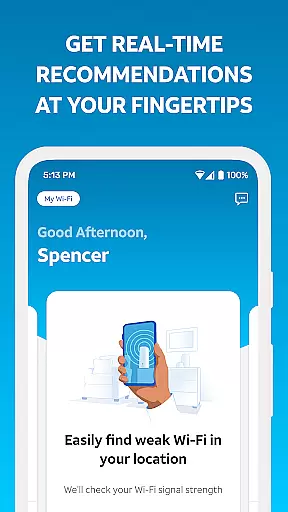
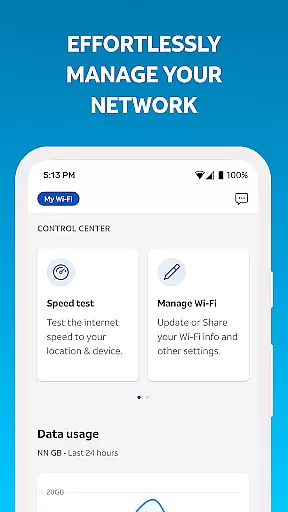
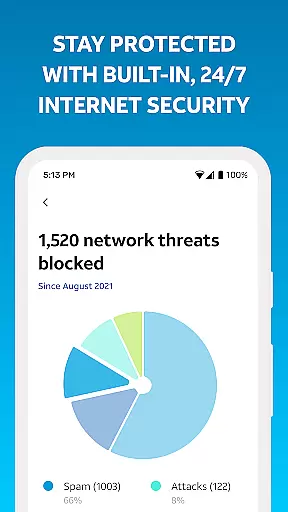
Smart Home Manager is a productivity-focused application designed to simplify the management of your AT&T Internet service. The app provides an intuitive interface for setting up and managing your home network, including Wi-Fi settings, connected devices, and parental controls. With this tool, users can easily troubleshoot issues without needing a technician, update their Wi-Fi credentials, and monitor network health.
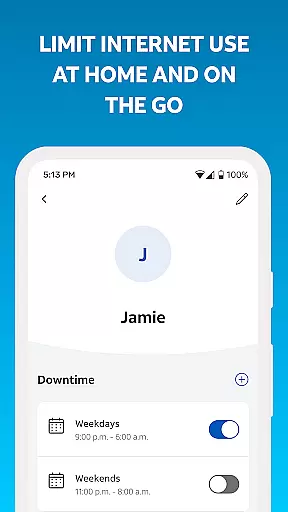
One of its standout features is the ability to control family screen time by creating profiles and setting schedules. Additionally, it offers advanced functionalities such as speed testing, signal strength mapping, and outage notifications. This makes it an essential tool for AT&T customers who want complete control over their home internet experience.
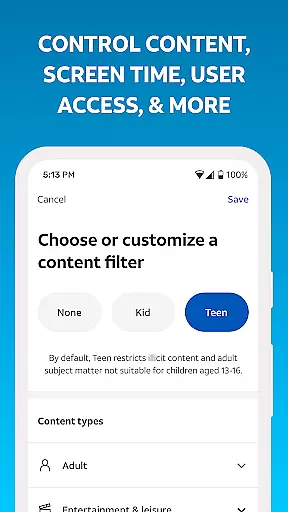
The Smart Home Manager app boasts a variety of features that enhance home network management. Users can effortlessly change their Wi-Fi name and password, view all connected devices, and personalize device names for easy identification. It also allows for the creation of custom profiles to manage screen time through parental controls and downtime scheduling.
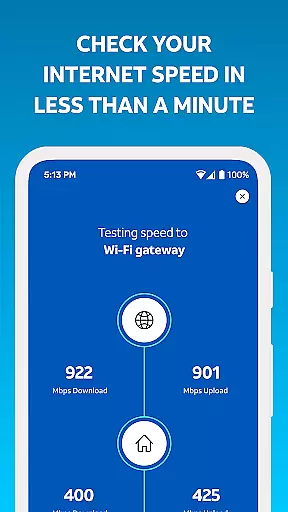
For troubleshooting, the app provides clear, step-by-step guidance to resolve common issues without requiring technical support. Advanced tools include pausing Wi-Fi access for specific devices, testing Internet speed to the gateway, and identifying weak signal areas within the home. These features collectively ensure optimal network performance and user convenience.
Furthermore, the app keeps users informed about their network's status by providing real-time health checks and outage alerts. This proactive approach helps maintain a stable connection and empowers users to restart their Wi-Fi gateway directly from the app when needed.
Task management is a cornerstone of productivity applications, and Smart Home Manager excels in this area by offering users the ability to oversee and control their home network efficiently. The app provides an intuitive dashboard where users can manage their Wi-Fi settings, connected devices, and parental controls with ease.
Smart Home Manager allows for seamless updates to your Wi-Fi network name and password, ensuring that your network remains secure while providing convenience. Additionally, the app enables you to create detailed profiles for each family member, setting specific parental controls and managing screen time through customized downtime schedules.
The true value of this core task management feature lies in its comprehensive approach to home network oversight. Users can pause Wi-Fi access for any device, run speed tests, and identify weak signal areas within their home. This holistic functionality ensures that all aspects of your home's digital environment are optimized and functioning smoothly.
Cross-device synchronization is vital for maintaining consistency across multiple platforms, and Smart Home Manager offers reliable performance in this domain. Whether you're using a smartphone, tablet, or computer, the app ensures that all changes made to your home network settings are updated in real-time across every connected device.
This reliability extends to the personalization features as well; when you update device names or adjust parental controls from one device, those modifications are immediately reflected on all others. Such synchronization empowers users with flexibility and peace of mind, knowing their home network is always under control no matter which device they use.
Ultimately, Smart Home Manager's robust cross-device synchronization enhances user experience by providing a seamless transition between devices without losing any functionality or data integrity. This ensures that whether at home or away, managing your smart home environment remains effortless and efficient.
User-friendly interface
Comprehensive network control
Technician-free troubleshooting
Advanced parental controls
Real-time network monitoring
Limited to AT&T customers
Dependent on gateway model
No offline functionality
Requires account login
Home Wi-Fi only

AI Video AI Image Private LLM AI Browser Llama Gemma Ollama Connect LLM Studio
 4.2
4.2
Unlock AutoNotification
4.00
Pwnagotchi companion app
4.20
All in One PDF Reader: Manage, Read and Edit your Documents
4.20
Make apps & sites with natural language prompts
4.10
Multilingual translator for text, voice, and image translation!
4.90
Enjoy classic gameplay with customizable features and retro-style graphics.
4.30
Great calculator for Android named one of USA TODAY's "25 Essential Apps".
4.90
Best Tool for the professionals Electrician, Electrical contractors, etc.
4.90
Scan paperwork into PDF/JPG, generate your own e-signature and send fax or email
4.70
Calendar 2023 widget for Android. Appointment scheduler, planner, and reminder
4.60
CalenGoo is a very flexible and feature-rich calendar app
4.40
When you Focus, so will your Bean in this cozy focus timer
4.30
Experience real multitasking on your Android!
4.00
Customizable calendar widget for seamless event sync, planning & scheduling.
4.00
Take control of your clipboard with Clipper!
3.90
All in one sketching tool. Technical and General drawing. Online Maps support.
3.70
Simple and reliable communication between inmates, friends and family
3.20
Easiest event planning, volunteer signups & parent teacher conference scheduling
2.20


User Reviews