
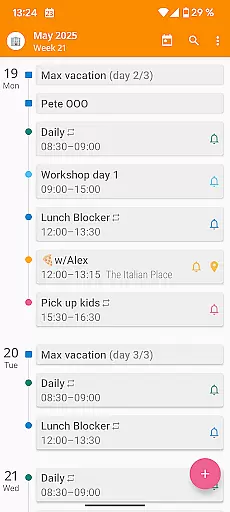

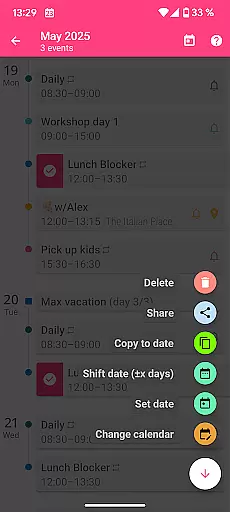
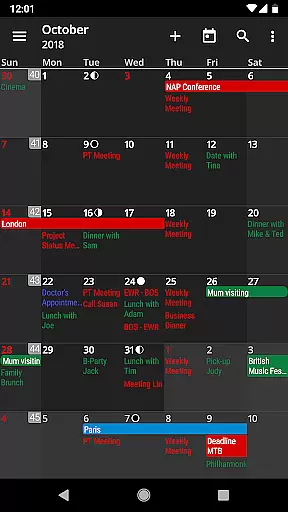
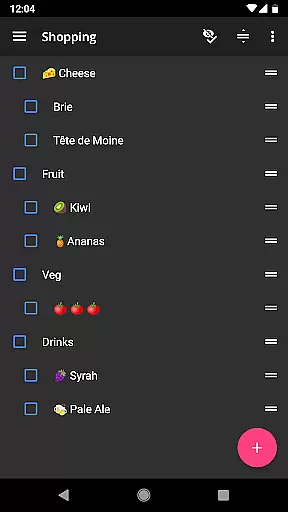
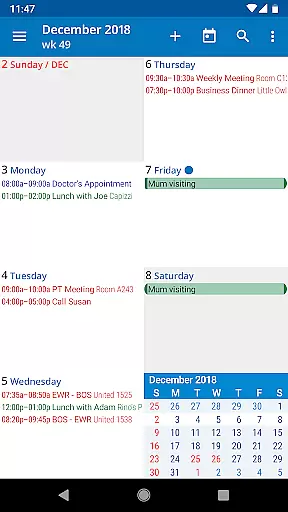
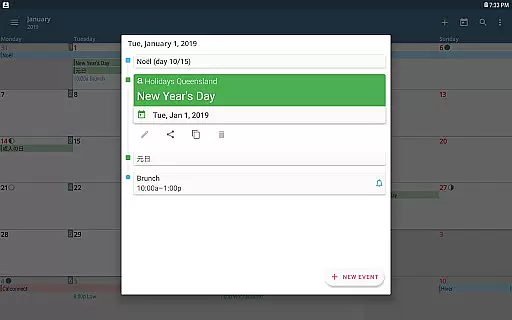
aCalendar+ is a premium productivity application that offers an advanced calendar and task management system. It provides users with extra features such as configurable public holidays, additional color options for themes and events, and business functionalities like inviting attendees and managing tasks from various sources.
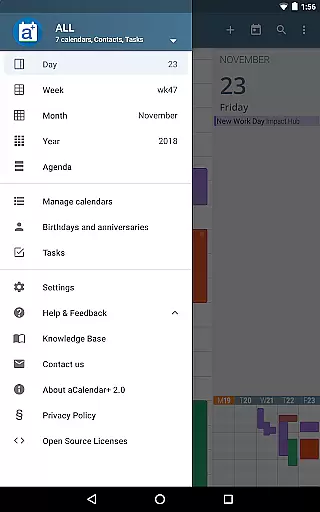
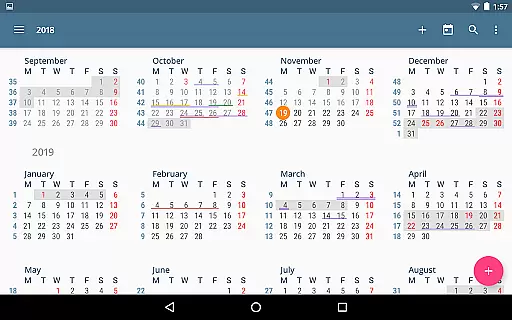
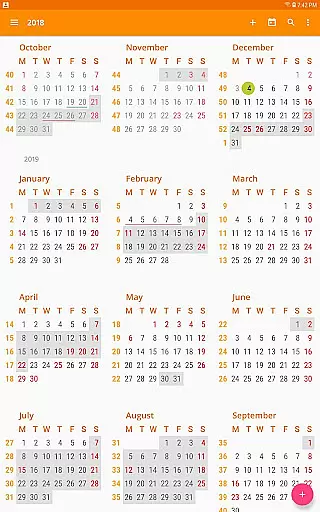
The app supports intuitive navigation and offers multiple viewing options including day, week, month, and year views. With fullscreen widgets and flexible recurrence options for events, aCalendar+ stands out in organizing and customizing the user's temporal landscape. Its seamless integration with Android's native calendar backend ensures reliable synchronization and ease of use.
Whether you need to manage complex schedules or simply keep track of birthdays and anniversaries, aCalendar+ delivers a robust platform that enhances productivity while supporting environmental conservation through donations to rainforest protection.
aCalendar+ distinguishes itself with a comprehensive suite of features designed to enhance personal and professional scheduling. The app includes smooth navigational transitions and diverse view options, catering to various planning preferences and needs.
One of the standout features is its extensive customization capabilities; users can choose from over 100 colors for their calendars and apply per-event colors. The inclusion of business features such as attendee invitations and profile management makes it suitable for workplace environments.
Additionally, aCalendar+ incorporates practical usability functions like gesture controls for navigating the calendar, configurable actions for personalized shortcuts, and privacy-conscious permissions that ensure user data remains secure. This combination of powerful tools positions aCalendar+ as a top-tier productivity application.
Task management is a cornerstone of productivity applications, and aCalendar+ excels in this area by offering users comprehensive tools to manage their schedules effectively. The app provides multiple views including day, week, month, and year, allowing users to plan and track their tasks with precision.
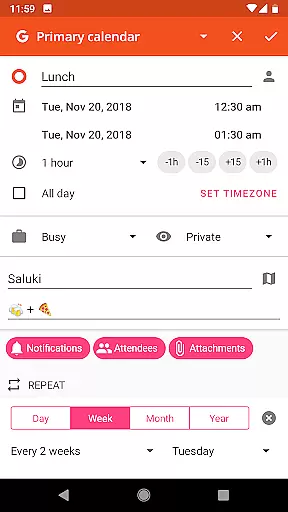
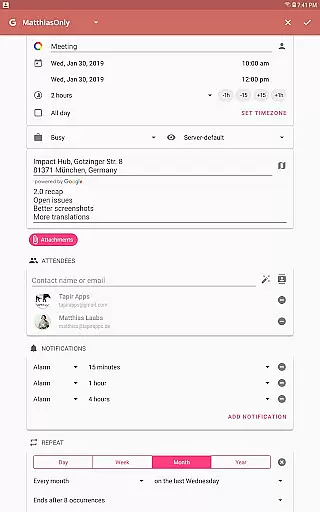
aCalendar+ goes beyond basic scheduling by incorporating flexible recurrence options for events. Whether it's an event every three weeks or every Monday, Wednesday, and Friday, the app accommodates complex scheduling needs effortlessly. This ensures that recurring tasks are managed efficiently without repetitive manual input.
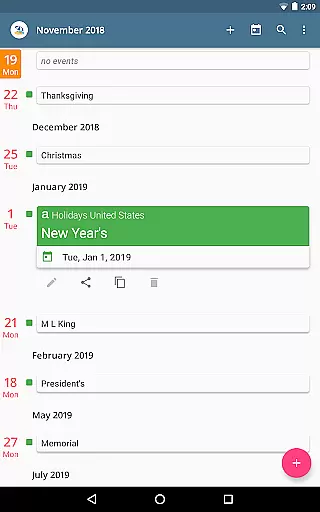
The inclusion of public holidays and school holidays in configurable calendar lists further enhances task planning. Users can anticipate non-working days and adjust their schedules accordingly, ensuring deadlines are met without unnecessary stress. Additionally, the ability to invite attendees and link contacts streamlines collaborative work processes.
With over 100 color choices for calendar events and support for per-event colors, users can visually organize their tasks. This feature not only makes the calendar aesthetically pleasing but also aids in quick identification of different types of commitments, thus improving overall time management.
Cross-device synchronization is vital for maintaining consistency across multiple platforms, and aCalendar+ leverages Android's native calendar backend to ensure reliable data syncing. By integrating seamlessly with Google Tasks and CalDAV/OpenTasks, the app provides a unified experience whether accessed from a smartphone, tablet, or computer.
The synchronization process is smooth and automatic, eliminating the need for manual updates. Users can trust that changes made on one device will reflect instantly on others, keeping all devices up-to-date. This reliability is crucial for professionals who depend on accurate and current information at all times.
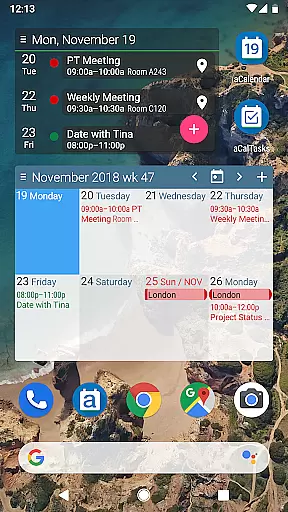
In addition to task synchronization, aCalendar+ offers fullscreen widgets that display essential calendar information at a glance. These widgets enhance accessibility and convenience, allowing users to stay informed without needing to open the app fully. Configurable actions such as 3-finger taps and volume button shortcuts further streamline navigation and interaction.
Privacy and security are prioritized, with aCalendar+ ensuring that private data remains confidential unless explicitly shared by the user. This commitment to privacy builds trust, encouraging users to rely on the app for both personal and professional task management across various devices.
User-friendly interface
Highly customizable
Business-oriented features
Robust task management
Privacy-focused design
Premium cost involved
Feature overload for casual users
Limited iOS availability
Occasional sync issues
Ads in free version

 4.20
4.20
Total remote control for your Android device, PC and cloud services (IFTTT)!
4.20
Device's storage information in a simple and clear graphical form (infographics)
4.10
Code on-the-go with VScode for Android. Edit,debug and collaborate from mobile!!
3.10
A comprehensive suite of tools designed specifically for Lactation Consultants
4.1
Intelligent AI Assistant
4.10
Lightweight PDF, Word, Excel reader.
4.60
Okta MFA
4.70
AI Chatbot and AI writing assistant powered by ChatGPT.
4.60
Simple notepad & memo. Take notes, to-do list, shopping list with reminders.
4.80
A beautiful digital clock with autostart and many other functions
4.70
App lock - lock apps with fingerprint, password, pin or pattern, protect privacy
4.70
Calendar 2023 widget for Android. Appointment scheduler, planner, and reminder
4.60
To do list widget with a notebook organizer, checklist, simple shopping list
4.60
Translate text/voice/photos in 150+ languages. Offline & fast translator app.
4.50
A Pixel Art watchface inspired by other iconic 90s designs for Wear OS devices!
4.40
Create and edit presentations with Google Slides, part of Google Workspace.
4.00
All in one sketching tool. Technical and General drawing. Online Maps support.
3.70
Remotely view listen control and record cameras.
3.70


User Reviews