
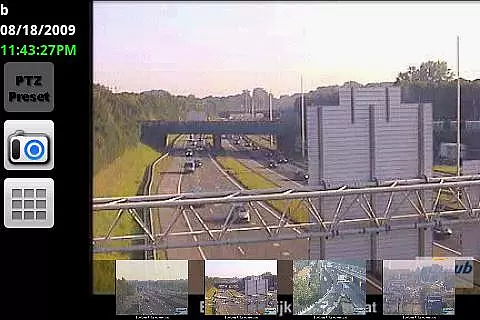

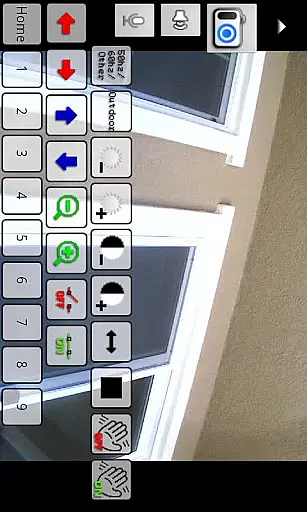
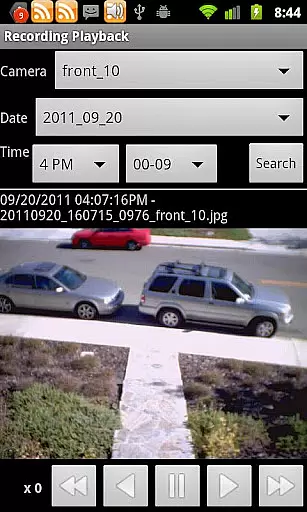
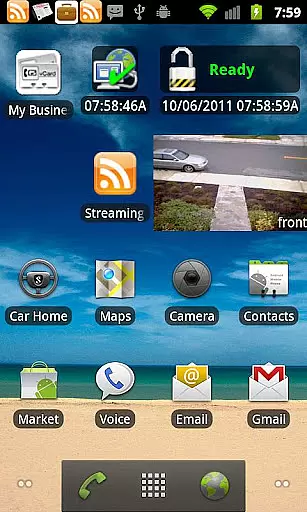
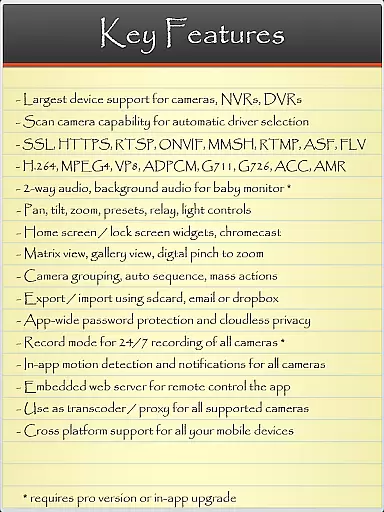
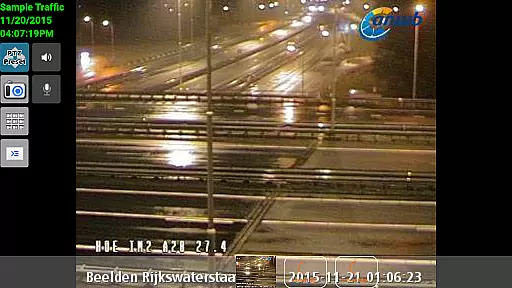
IP Cam Viewer Pro is a powerful productivity tool that allows users to remotely access and manage their video cameras, digital video recorders, network recorders, and webcams. With support for over 1,600 devices and advanced features like HTTPS, RTSP, and ONVIF protocol support, this app provides comprehensive video surveillance capabilities.
The app offers essential functionalities such as matrix view, pan-tilt-zoom control, home/lock screen widgets, device grouping, encryption, and in-app motion detection. These features make it an ideal solution for both personal and professional security needs, enabling users to monitor their properties from anywhere at any time.
Whether you need to keep an eye on your home, office, or remote sites, IP Cam Viewer Pro delivers reliable performance and ease of use. Its intuitive interface and extensive device compatibility ensure that users can quickly set up and start monitoring with minimal hassle.
One of the standout features of IP Cam Viewer Pro is its wide-ranging protocol and video format support, including HTTPS, RTSP, and ONVIF. This ensures seamless integration with a variety of devices and enhances the overall user experience by providing stable and secure connections.
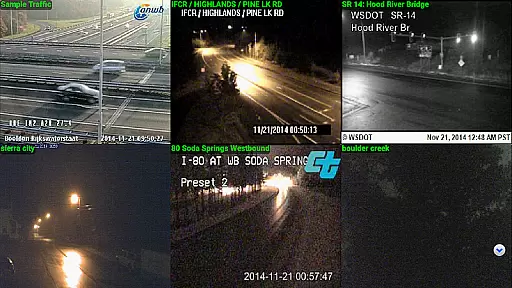
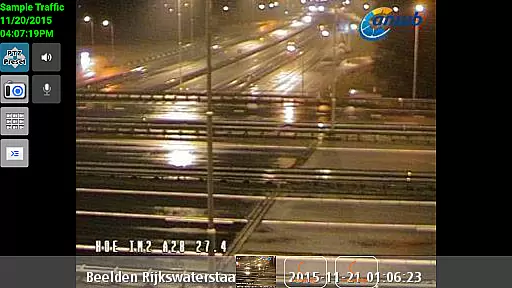
In addition to its robust protocol support, the app includes advanced functionalities such as matrix view, which allows users to monitor multiple camera feeds simultaneously. The pan-tilt-zoom feature gives users precise control over their cameras, while home/lock screen widgets offer quick access to frequently used functions.
Other notable features include device grouping for efficient management, encryption for data security, and in-app motion detection for enhanced surveillance. Support for 2-way audio, background audio, and recording modes with remote control further expand the app's capabilities, making it a versatile tool for comprehensive video monitoring.
IP Cam Viewer Pro excels in core task management by offering a comprehensive suite of tools for video surveillance. The app supports over 1600 devices, ensuring wide compatibility and seamless integration with your existing security infrastructure.
With features like matrix view and pan-tilt-zoom functionality, users can efficiently monitor multiple camera feeds and focus on specific areas of interest. This enhances situational awareness and allows for more effective task prioritization within security operations.
The inclusion of home and lock screen widgets enables quick access to frequently used functions, streamlining daily workflows. Grouping capabilities further simplify task organization by allowing users to categorize cameras based on location or function.
Encryption and in-app motion detection provide an additional layer of security and automation, ensuring that critical events are captured and protected while reducing the need for constant manual monitoring.
Cross-device synchronization is where IP Cam Viewer Pro truly shines, offering reliable performance across various platforms. The app's support for multiple protocols including HTTPS, RTSP, and ONVIF ensures stable connections between different devices and systems.
Users benefit from consistent real-time updates across all their devices, whether they're accessing their security system from a smartphone, tablet, or computer. This reliability extends to its background audio feature, which maintains a constant connection even when the app isn't actively open.
The app's record mode with remote control functionality demonstrates its commitment to synchronization excellence. Users can start, stop, and manage recordings from any connected device without experiencing delays or inconsistencies.
Furthermore, the implementation of two-way audio communication maintains clear and synchronized interaction between devices, making it ideal for both security monitoring and remote communication purposes.
User-friendly interface
Extensive device support
Advanced security features
Reliable performance
Comprehensive functionality
Requires compatible devices
Some features may be complex
Premium pricing
Limited free version
Occasional connectivity issues

A Revolutionary All-in-One Artificial Intelligence Tools
 3.80
3.80
AI Video AI Image Private LLM AI Browser Llama Gemma Ollama Connect LLM Studio
4.4
App Lock with fingerprint, password: Lock apps & hide photos with lock screens
4.60
Font maker keyboard with your own handwriting
4.10
Activate Two Factor Authentication (2FA or Multi OTP), Password manager and more
4.10
Functional QR scanner and barcode reader that requires little storage space.
4.60
Code on-the-go with VScode for Android. Edit,debug and collaborate from mobile!!
3.10
A simple Whisper AI keyboard for reliable speech transcription and rewording
4.60
Seamlessly read, manage, and organize all your PDF files solution in one place
4.40
Great calculator for Android named one of USA TODAY's "25 Essential Apps".
4.90
Multilingual translator for text, voice, and image translation!
4.90
Best Tool for the professionals Electrician, Electrical contractors, etc.
4.90
Seamlessly integrate data and reports to build your presentation to impress
4.80
Android Wallet Password Manager
4.80
Planet Free VPN - The best Fast Unlimited and Secure VPN Without Logs
4.50
Easily read and manage all your PDF files
4.10
Make your handwriting beautiful, even more than pen on paper.
3.60
Ads Free App! Editor, Hide File, Copy, Move, Delete and Rename.. all facility av
1.70
Create study competitions, track your hours, and stay consistent with friends
4.4


User Reviews