
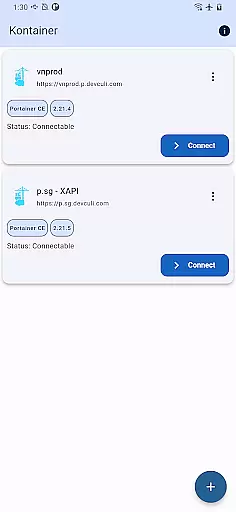
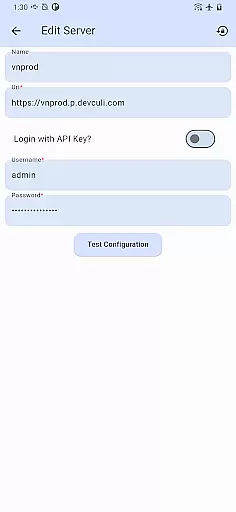
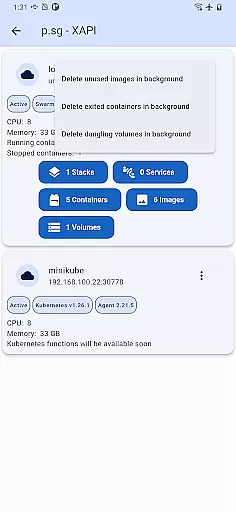
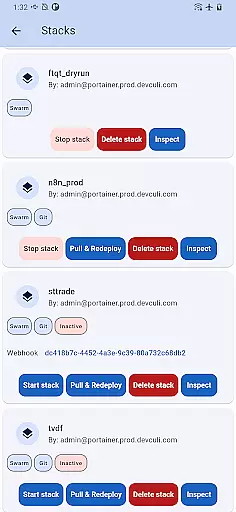
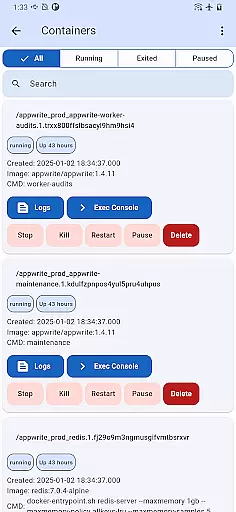
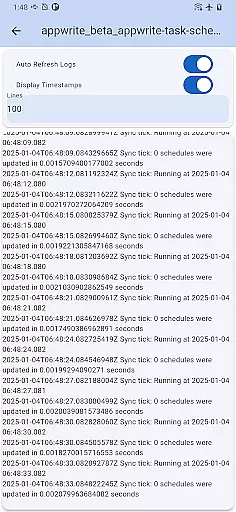
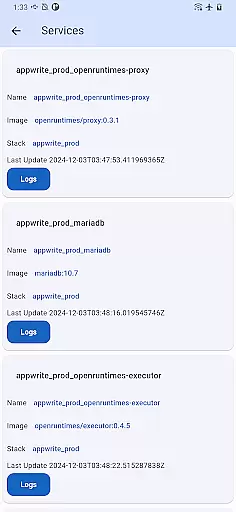
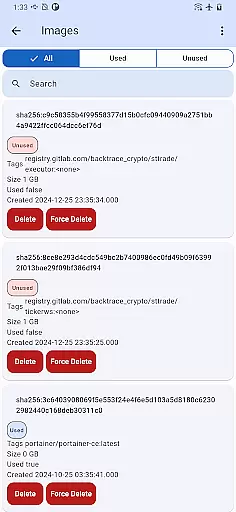
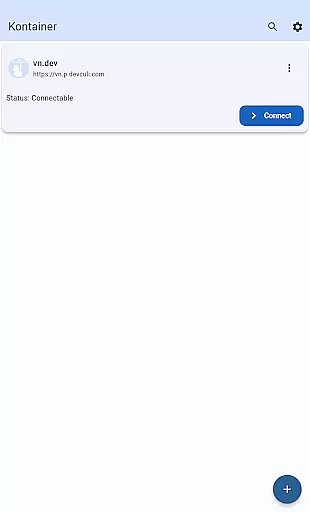
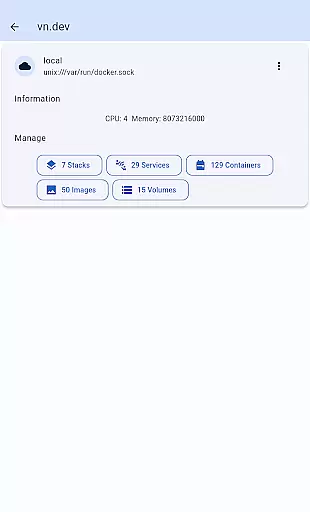
Portainer Mobile is a powerful productivity tool designed to simplify container management for both Docker and Kubernetes environments. This mobile application allows users to manage their Portainer deployments from anywhere, providing full control over containerized environments across hybrid and multi-cloud infrastructures.
The app's standout feature is its unified interface that consolidates multiple Docker and Kubernetes endpoints into a single view. This enables users to monitor, configure, and optimize their container operations with unprecedented ease. Whether you're overseeing developer laptops, data center deployments, or cloud-based infrastructure, Portainer Mobile streamlines the entire process.
With support for multi-cluster and multi-device management, this application is particularly valuable for DevOps teams and IT professionals who need to maintain operational efficiency while working remotely. The ability to manage deployments securely from a mobile device significantly enhances productivity and responsiveness.
Portainer Mobile offers an impressive array of features that cater to modern container management needs. The application's most notable capability is its comprehensive multi-environment support, allowing users to manage both Docker and Kubernetes deployments through a single intuitive interface.
One of the key innovations is the unified endpoint management system. This feature presents all your container environments in a consolidated view, eliminating the need to switch between different tools or dashboards. The app also supports secure connections to various environments, including on-premise data centers, cloud platforms, and edge computing setups.
Additional features include streamlined deployment processes, real-time monitoring capabilities, and advanced configuration options. While Kubernetes (K8S) functions are currently in development, the existing feature set already provides substantial value for container management professionals seeking to enhance their operational efficiency.
Effective task management is essential for overseeing containerized environments, and Kontainer excels in this area. The app provides a unified interface that consolidates Docker and Kubernetes endpoints into a single view. This allows users to monitor, configure, and optimize their deployments with ease.
Kontainer supports multi-cluster and multi-device management, empowering users to control hybrid and multi-cloud environments efficiently. With this feature, you can manage various tasks across different systems without switching between multiple tools or interfaces. This consolidation significantly reduces complexity and enhances productivity.
The ability to oversee both Docker and Kubernetes environments from a mobile device ensures that users can respond quickly to any issues or changes. Whether managing developer laptops, data center operations, or cloud-based systems, Kontainer streamlines deployment processes and boosts efficiency. This comprehensive task management functionality ensures secure and flexible operations right at your fingertips.
Cross-device synchronization is crucial for maintaining consistency across different platforms, and Kontainer delivers reliable performance in this domain. By supporting both Docker and Kubernetes environments, the app ensures that all your devices are synchronized and up-to-date. This reliability is vital for seamless management of containerized deployments.
Kontainer's synchronization capabilities allow users to manage their environments from anywhere, whether on a developer laptop, in a data center, on the cloud, or at the edge. This flexibility ensures that no matter where you are, your data remains consistent and accessible. Such dependability enhances the overall user experience by providing peace of mind regarding data integrity.
Moreover, Kontaineru2019s robust synchronization ensures that updates and changes made on one device reflect accurately across all others. This feature not only simplifies management but also secures operations by reducing the risk of discrepancies. With Kontainer, users enjoy reliable, real-time updates, ensuring they always have the most current information available.
User-friendly interface
Multi-cluster support
Unified endpoint view
Secure remote access
Efficient workflow management
K8S support pending
Limited advanced features
Requires Portainer setup
Cloud-only environments
Premium feature costs

AI Video AI Image Private LLM AI Browser Llama Gemma Ollama Connect LLM Studio
 4.3
4.3
All in one sketching tool. Technical and General drawing. Online Maps support.
3.70
Wake up & get tasks done! Add alarms & reminders on the Clock Launcher.
4.00
Automates browsing any website and notifies you of important changes or events
4.30
Smart PDF reader & editor to view, organize and manage PDF documents easily.
3.70
Calendar 2023 widget for Android. Appointment scheduler, planner, and reminder
4.60
Great calculator for Android named one of USA TODAY's "25 Essential Apps".
4.90
Use powerful, industry-leading AI tools to generate visual charts from any data
4.80
AI Chatbot and AI writing assistant powered by ChatGPT.
4.60
Simple notepad & memo. Take notes, to-do list, shopping list with reminders.
4.80
Secure, fast, open-source, Remote Desktop Client for Windows and Linux with SSH
4.60
All document reader, all in one file viewer read PDF, DOCX, XLS, PPT, TXT files.
4.60
Easily read and manage all your PDF files
4.10
Font maker keyboard with your own handwriting
4.10
Secure, open-source, SPICE and SSH Remote Desktop for QEMU KVM virtual machines
4.00
* block pre-roll ads, pop-up and forced redirect ads * Samsung certification app
4.00
⏰ Finally a timer app which can run multiple timers simultaneously on your watch
3.90
Experience and share your SolidWorks designs on your Android® phone and tablet.
2.50
The upgraded version of Name Wheel with AI and the power to add your own wheels.
4.5


User Reviews