
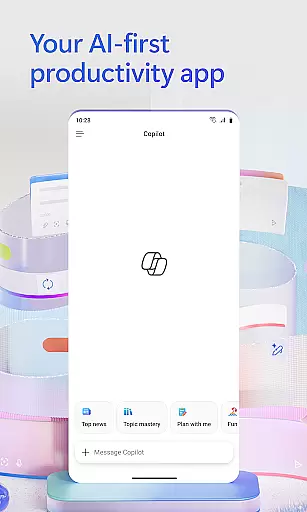
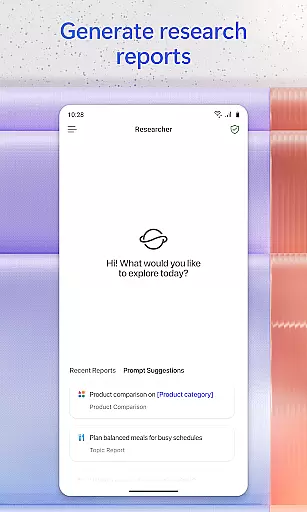
Microsoft 365 Copilot is an AI-powered productivity application designed to streamline both work and personal tasks. The app serves as a centralized platform for interacting with an AI assistant, creating and editing various types of content, scanning documents, managing projects, and swiftly locating files while on the move. With its comprehensive suite of features, Microsoft 365 Copilot aims to enhance efficiency without complicating the user experience.
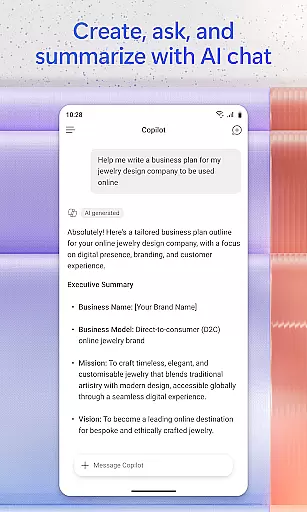
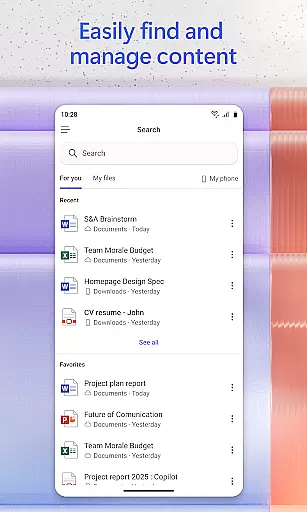
One of the core functionalities includes the ability to chat with the AI assistant, which can summarize documents stored in the cloud or locally, draft emails, and analyze spreadsheets using natural language processing. Additionally, users can interact with the app through voice commands, making it easier to prepare for the day hands-free, find important files quickly, and accelerate learning by asking the AI to explain concepts or help prepare presentations. This makes the app suitable for professionals who need quick access to information and tools to manage their daily tasks effectively.
Microsoft 365 Copilot boasts a rich set of features that cater to diverse productivity needs. One standout feature is the AI assistant, which allows users to perform complex tasks such as document summarization, email drafting, and spreadsheet analysis simply by conversing in natural language. This functionality not only saves time but also reduces the complexity typically associated with these tasks.
In addition to text-based interactions, the app supports voice commands, enabling users to operate hands-free. Whether preparing for meetings, brainstorming ideas, or finding specific files like a strategy deck or family photos, the voice interaction feature adds a layer of convenience. Moreover, the app facilitates project management through Copilot Notebooks, allowing users to consolidate ideas, documents, and links, and even request summaries and connections between different pieces of information.
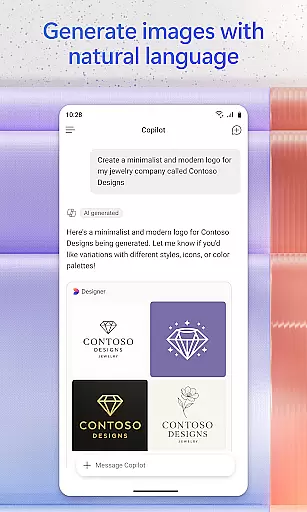
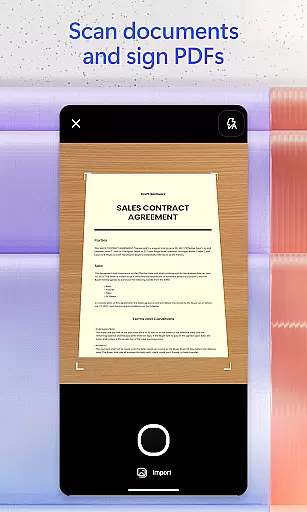
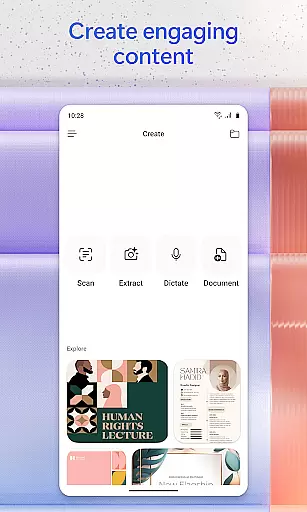
Content creation is another strong suit of Microsoft 365 Copilot. Users can create and edit images, posters, banners, videos, and surveys using intuitive templates. The document scanning feature further enhances productivity by allowing users to digitize physical documents, notes, and photos directly through the mobile app. These capabilities collectively ensure that users have all necessary tools at their fingertips, whether they are working from home or on the go.
Task management is a cornerstone of productivity, and Microsoft 365 Copilot excels in this area by integrating various tools into one cohesive platform. The app allows users to manage projects easily through Copilot Notebooks, which brings together ideas, documents, and links.
With the ability to summarize and connect the dots between different pieces of information, Copilot streamlines project workflows. Users can upload Word, Excel, or PDF files from their phone's storage and get answers from Copilot, ensuring that all necessary documentation is accessible and actionable.
This seamless integration helps users keep track of their tasks without switching between multiple applications, thus maintaining focus and improving efficiency. Additionally, saving Copilot-created files directly to your phone ensures that work done on-the-go is preserved and ready for future use.
Cross-device synchronization is vital for users who operate across multiple platforms and devices. Microsoft 365 Copilot ensures reliable synchronization, providing access to Word, Excel, PowerPoint, and PDFs all within a single app.
Whether you're using a work computer, personal tablet, or mobile phone, signing in with your Microsoft account syncs your data effortlessly. This means you can start a document at home, make edits during your commute, and finalize it at the office without missing a beat.
The reliability of this synchronization ensures that no matter where you are or what device you're using, your files remain up-to-date and consistent. By centralizing these functions, Microsoft 365 Copilot enhances user productivity and provides peace of mind knowing that your work is always current and accessible.
AI-Powered Assistance
Voice Command Support
Comprehensive File Management
Integrated Content Creation Tools
Cross-Platform Accessibility
Limited Free Features
Subscription Required
Occasional Sync Issues
Complex Setup for Some Users
Dependent on Cloud Storage

Mind Map and brainstorm, note taking and idea collection
 4.80
4.80
We're working to become the best machining app on the market! www.cncdirt.com
4.80
Make your handwriting beautiful, even more than pen on paper.
3.60
All in One PDF Reader: Manage, Read and Edit your Documents
4.20
App Lock with fingerprint, password: Lock apps & hide photos with lock screens
4.60
Make apps & sites with natural language prompts
4.10
Translate text/voice/photos in 150+ languages. Offline & fast translator app.
4.50
Access your phone's notifications, calls, apps, photos & texts on your PC
3.90
AI Chatbot and AI writing assistant powered by ChatGPT.
4.60
Best Tool for the professionals Electrician, Electrical contractors, etc.
4.90
Seamlessly integrate data and reports to build your presentation to impress
4.80
A beautiful digital clock with autostart and many other functions
4.70
Stay on top of your to-dos with Google Tasks, part of Google Workspace.
4.60
A Pixel Art watchface inspired by other iconic 90s designs for Wear OS devices!
4.40 4.20
4.20
Device's storage information in a simple and clear graphical form (infographics)
4.10
Intelligent AI Assistant
4.10
Unlock AutoNotification
4.00
Customizable calendar widget for seamless event sync, planning & scheduling.
4.00


User Reviews