

Microsoft Excel is the leading spreadsheet application that empowers users to create, edit, and share professional-grade documents directly from their mobile devices. This powerful productivity tool offers advanced data analytics, chart creation, and budget tracking capabilities, making it an essential app for both personal and business use. With its intuitive interface, users can easily build complex spreadsheets, manage financial data, and generate insightful charts.
The app provides seamless integration across devices, allowing users to access their files anytime, anywhere. Its robust feature set includes built-in templates for budgets, task lists, and financial analysis, along with familiar formulas and calculation tools. Whether you're analyzing business metrics or managing personal expenses, Excel's comprehensive toolkit ensures accuracy and efficiency in all your data management tasks.
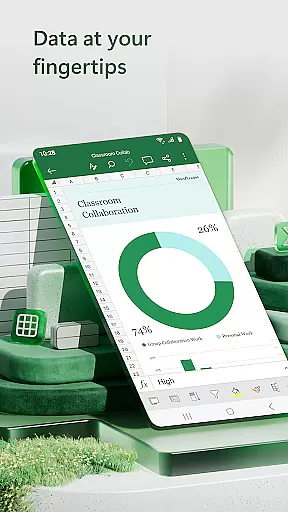
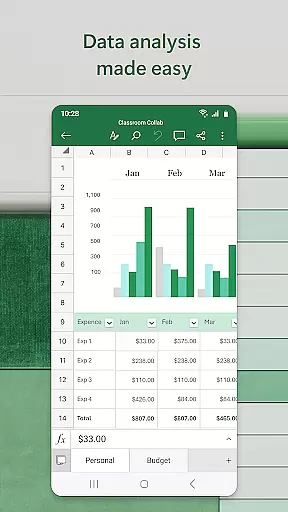
Excel stands out with its versatile feature set designed for maximum productivity. The app offers modern spreadsheet templates that cater to various needs, from basic calculations to advanced financial modeling. Users can leverage built-in accounting calculators, data analysis tools, and pivot tables to gain deeper insights into their information. The chart maker functionality allows for dynamic data visualization, helping users present complex data in easily digestible formats.
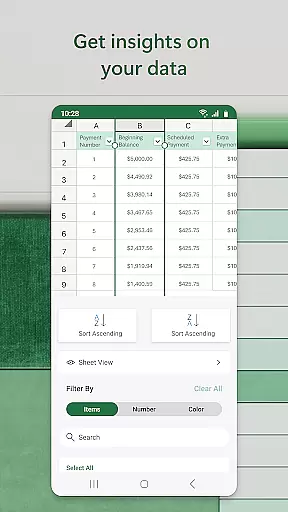
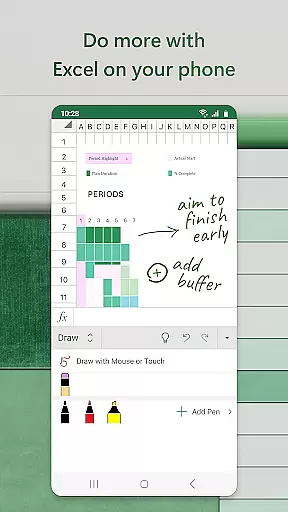
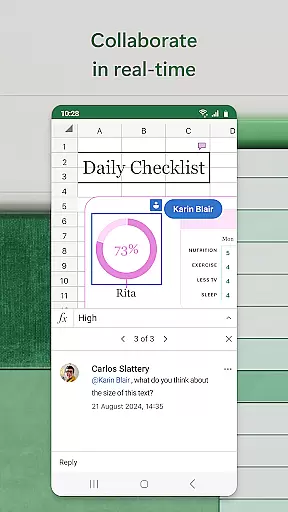
Collaboration features make teamwork seamless, enabling multiple users to edit and comment on shared documents in real-time. Advanced review tools include sorting, filtering, and annotation capabilities, while touch-enabled devices benefit from drawing and equation-writing functionalities. With consistent performance across all platforms and device sizes, Excel ensures a uniform experience whether you're working on a phone, tablet, or desktop computer.
Microsoft Excel revolutionizes core task management by offering a comprehensive suite of tools designed to streamline productivity and enhance workflow efficiency. At its core, Excel provides users with the ability to create, edit, and manage spreadsheets that serve as dynamic platforms for organizing tasks, budgets, and data analytics.
The app's modern templates allow users to quickly initiate projects ranging from simple task lists to complex financial analyses. With familiar formulas and calculation tools, users can execute precise accounting operations and run essential data computations without any hassle. The consistent functionality across devices ensures that whether on a phone or tablet, managing tasks remains intuitive and efficient.
Excel goes beyond basic task tracking by integrating advanced features such as pivot tables and chart makers. These tools enable users to visualize their data in digestible formats, making it easier to track expenses, analyze trends, and make informed decisions. This level of insight supports both personal finance management and professional project oversight.
Ultimately, Microsoft Excel empowers users to take control of their task management needs with confidence. Its robust feature set not only simplifies daily operations but also enhances the user's ability to perform complex analyses, ensuring that productivity is maximized regardless of the task at hand.
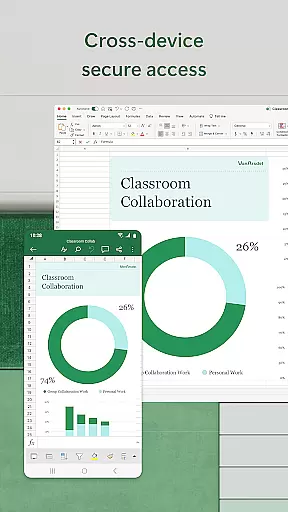
Cross-device synchronization is a pivotal feature of Microsoft Excel, ensuring that users have reliable access to their spreadsheets, charts, and data analytics across all their devices. This seamless integration allows individuals to start a budget or task list on their desktop and continue editing it on their mobile device without missing a beat.
Excel's cloud-based architecture underpins its synchronization capabilities, providing real-time updates and ensuring that the latest version of a file is always available. Whether working on accounting calculations, creating dynamic charts, or analyzing data, users can trust that their work is continuously saved and synced, reducing the risk of data loss and inconsistencies.
Moreover, the app facilitates collaboration by allowing multiple users to view and edit documents simultaneously. This feature is particularly beneficial for team projects where members rely on up-to-date information to make decisions. By attaching a link to a workbook or embedding sheets directly into emails, Excel makes sharing and updating files effortless.
In essence, Microsoft Excel's cross-device synchronization reliability transforms how users interact with their data, enabling them to be productive anytime, anywhere. This dependable connectivity ensures that no matter where you are or what device you use, your spreadsheets and data are always within reach and primed for immediate action.
Industry-leading spreadsheet software
Powerful data analysis tools
Seamless cross-device functionality
Extensive template library
Real-time collaboration features
Complex interface for beginners
Advanced features require subscription
Limited offline functionality
High learning curve
Resource-intensive app

Secure, fast, open-source, VNC and SSH Remote Desktop for Windows, Linux and Mac
 4.70
4.70
Client for Nextcloud Deck
4.60
The long-awaited modern gallery app for your Nextcloud server
4.70
Device's storage information in a simple and clear graphical form (infographics)
4.10
We're working to become the best machining app on the market! www.cncdirt.com
4.80
Todo reminder
4.10
Activate Two Factor Authentication (2FA or Multi OTP), Password manager and more
4.10
Lightweight PDF, Word, Excel reader.
4.60
Scan paperwork into PDF/JPG, generate your own e-signature and send fax or email
4.70
Great calculator for Android named one of USA TODAY's "25 Essential Apps".
4.90
Mind Map and brainstorm, note taking and idea collection
4.80
Functional QR scanner and barcode reader that requires little storage space.
4.60
Subscribe to Webcal & .ics calendars and keep them up-to-date!
4.50
All in One PDF Reader: Manage, Read and Edit your Documents
4.20
Cloud storage, automatic phone backup, and more.
4.10
Intelligent AI Assistant
4.10
* block pre-roll ads, pop-up and forced redirect ads * Samsung certification app
4.00
Take control of your clipboard with Clipper!
3.90
Simple and reliable communication between inmates, friends and family
3.20


User Reviews