
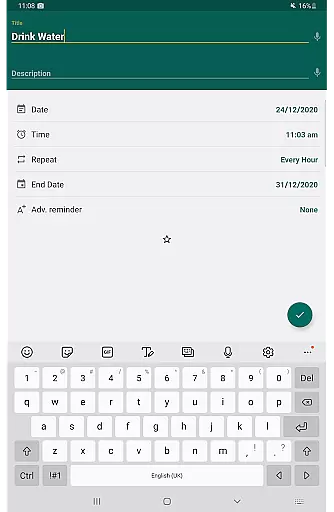
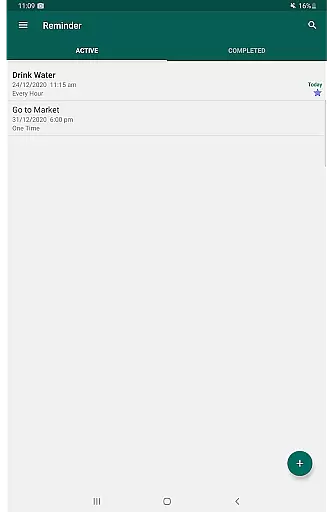
Reminder Pro is a versatile productivity application designed to help users manage their daily tasks and important deadlines effectively. This app allows you to create both one-time and recurring reminders for various activities, from work meetings to personal errands. With its simple interface and powerful features, Reminder Pro ensures that you never miss an important task or event again.
The app stands out with its customizable notification options, quiet hours settings, and multiple viewing modes for reminders. Whether you need a pill reminder, meeting alert, or deadline tracker, this app provides a comprehensive solution for organizing your life. Its practicality extends to both professional and personal use cases, making it an essential tool for anyone seeking better time management.
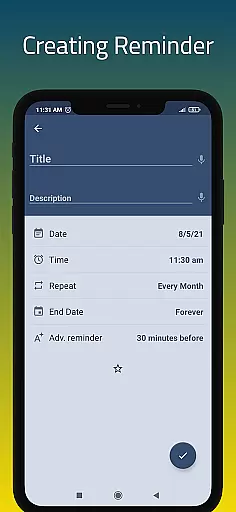
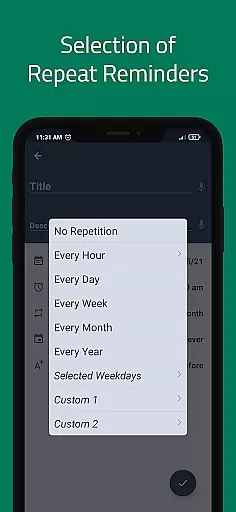
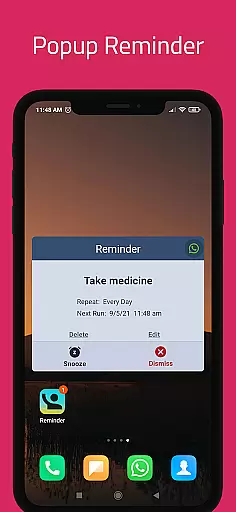
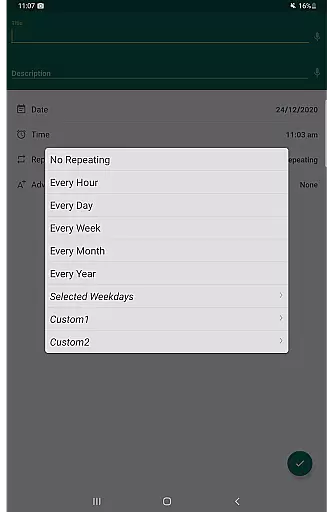
Reminder Pro offers an impressive array of features that cater to diverse user needs. The app supports custom recurring reminders, allowing users to set hourly, daily, weekly, or monthly alerts based on their specific requirements. The popup notifications ensure timely alerts, while the snooze option provides flexibility when needed.
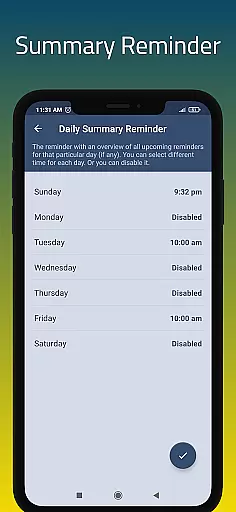
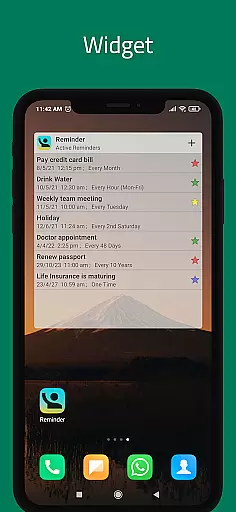
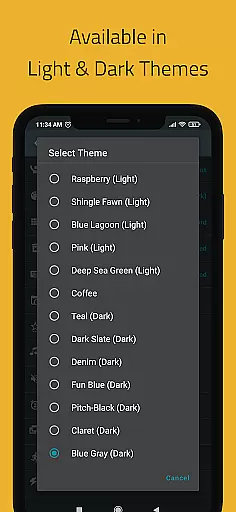
Additional functionalities include a convenient widget for quick access, daily summary reminders to start your day organized, and advance reminders for better planning. The app also features multiple themes, search functionality, auto backup options, and categorized reminders with distinct colors and settings. These robust features make Reminder Pro a reliable companion for managing all aspects of your busy schedule.
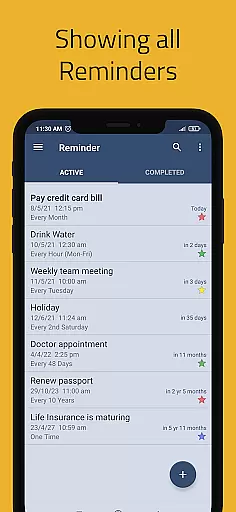
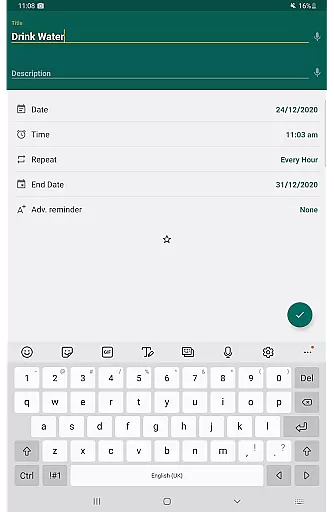
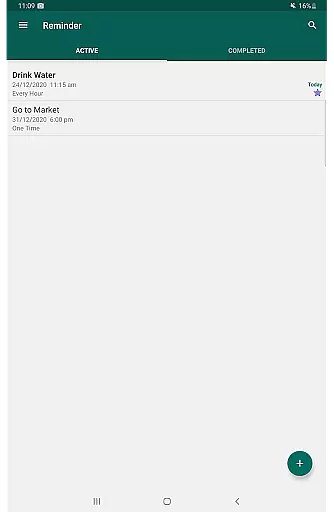
Task management is at the heart of any productivity app, and Reminder Pro excels in this area. The app allows users to create both one-time and recurring reminders for a variety of tasks, ensuring that nothing important slips through the cracks. Whether it's deadlines for work or school, meetings, daily chores, or special occasions like birthdays and anniversaries, Reminder Pro has got you covered.
The app's interface is designed for simplicity and speed, letting users set reminders in seconds. With features such as custom recurring reminders, snooze options, and advance notifications, staying on top of your responsibilities has never been easier. Additionally, the ability to add detailed notes to each reminder means you can include all necessary information, from phone numbers to gift ideas.
Users benefit from a structured approach to their day-to-day activities, with functionalities like categories, different colors, and settings that help prioritize and organize tasks efficiently. This ensures that users not only remember to complete their tasks but also enjoy the process of managing them. By integrating these comprehensive task management features, Reminder Pro significantly boosts user productivity and peace of mind.
In today's interconnected world, reliable cross-device synchronization is crucial for any productivity tool. Reminder Pro offers seamless integration across multiple devices, ensuring that your reminders are always up-to-date, no matter where you are. This feature is particularly beneficial for individuals who use a combination of smartphones, tablets, and computers throughout their day.
The synchronization process is automatic and real-time, meaning any changes made on one device will instantly reflect on all others linked to the same account. This includes updates to reminders, notes, and even settings like quiet hours and themes. Such consistency provides users with a unified experience, eliminating the risk of missing important notifications due to outdated information.
Moreover, Reminder Pro supports auto and manual backup options, safeguarding your data against loss. This reliability ensures that users can depend on the app for consistent performance, enhancing their overall productivity. With robust cross-device synchronization, Reminder Pro empowers users to manage their tasks efficiently, regardless of the device they choose to use at any given moment.
User-friendly interface
Customizable reminders
Quiet hours option
Multiple viewing modes
Auto backup feature
Limited free version
No cross-platform sync
Premium subscription required
Occasional bugs reported
Ads in basic version

The long-awaited modern gallery app for your Nextcloud server
 4.70
4.70
Ads Free App! Editor, Hide File, Copy, Move, Delete and Rename.. all facility av
1.70
Mega cloud explorer plugin for Solid Explorer
3.80
Professional calendar app for Google Calendar, MS Outlook & Exchange
4.20
A simple, portable logger for POTA, SOTA, Field Day, and more
4.4
CalenGoo is a very flexible and feature-rich calendar app
4.40
All document reader, all in one file viewer read PDF, DOCX, XLS, PPT, TXT files.
4.60
Create and edit presentations with Google Slides, part of Google Workspace.
4.00
To do list widget with a notebook organizer, checklist, simple shopping list
4.60
Multilingual translator for text, voice, and image translation!
4.90
Simple notepad & memo. Take notes, to-do list, shopping list with reminders.
4.80
App lock - lock apps with fingerprint, password, pin or pattern, protect privacy
4.70
Quickly and easily keep track of your work shifts
4.70
Stay on top of your to-dos with Google Tasks, part of Google Workspace.
4.60
PDF scanner & converter for files, photos, lottery, QR codes. One swipe away!
4.50
Pwnagotchi companion app
4.20
Cloud storage, automatic phone backup, and more.
4.10
⏰ Finally a timer app which can run multiple timers simultaneously on your watch
3.90
AI Video AI Image Private LLM AI Browser Llama Gemma Ollama Connect LLM Studio
4.3


User Reviews