
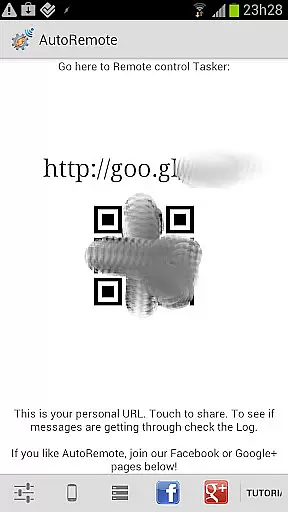
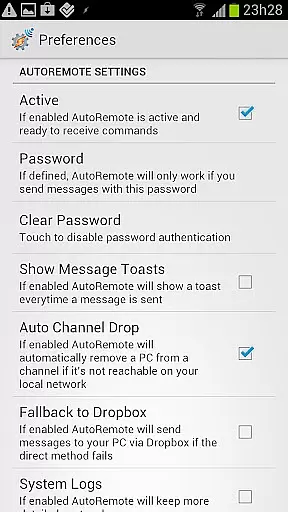
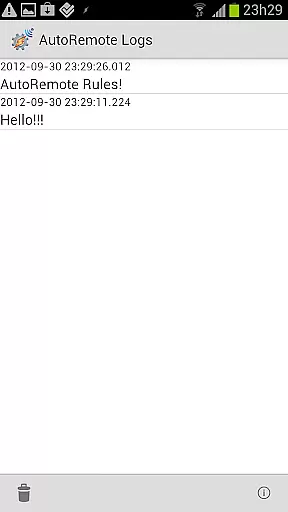
AutoRemote is a powerful productivity tool that allows users to remotely control their devices, including phones, PCs, and web services. With its seamless integration with Tasker and standalone apps, it enables users to send push notifications and react to them effectively. The app offers an unprecedented level of control, allowing users to manage their Android devices from anywhere, control PCs or browsers, and even interact with hundreds of web services like Facebook or Twitter.
The true power of AutoRemote lies in its flexibility and advanced matching options. Users can set up bi-directional messaging between devices, share links or text via the Android Share menu, and create custom commands for various use cases. Whether it's locating a lost phone, receiving spoken reminders, or fetching device locations, AutoRemote empowers users to customize their remote control experience according to their needs.
AutoRemote stands out with its extensive feature set tailored for productivity enthusiasts. One of its core capabilities is sending and receiving AutoRemote messages from multiple platforms such as web browsers, desktops, or Chrome. These messages can trigger specific actions through Tasker profiles, enabling complex automation workflows.
Another remarkable feature is the ability to establish device-to-device or PC-to-device messaging. This functionality allows users to control one device from another, request real-time information like phone locations, and display it on other devices such as tablets or PCs. Additionally, the app supports advanced command systems and flexible matching options, making it highly customizable for individual requirements.
With AutoRemote, users can also directly share content like links or videos from one Android device to another using the native Share menu. This makes it easy to transfer media or web content between devices seamlessly. The app's versatility extends to creative use cases like setting up voice alerts, managing shopping lists, or even finding misplaced devices, all through customizable commands.
At the heart of AutoRemote lies its robust core task management system, which allows users to remotely control their devices and applications with precision. This feature is pivotal for anyone looking to automate tasks across their phone, PC, or web services.
The app achieves this through seamless integration with Tasker or as a standalone solution, enabling users to send push notifications that trigger specific actions. Whether it's controlling your PC from your Android device or managing your Android from various web services, the possibilities are vast.
For users, this means unparalleled flexibility and control over how and when tasks are executed. The ability to set up profiles in Tasker to react to messages ensures that each command can be tailored to individual needs, enhancing productivity and efficiency.
Ultimately, AutoRemote's task management capabilities empower users to customize their remote control experiences fully. From locating a lost phone to automating daily routines, the practical applications are limited only by one's imagination, making it an indispensable tool for power users.
Cross-device synchronization is a critical component of AutoRemote, ensuring that commands and data are reliably transmitted across different platforms. This reliability is essential for maintaining seamless communication between devices, regardless of their location.
AutoRemote excels in providing stable and consistent synchronization, allowing users to control one device from another or even from a PC. Whether it's sharing links or text via the Android Share menu or requesting a phone's location to be displayed on a tablet or PC, the app ensures that these interactions are smooth and error-free.
Users benefit from the peace of mind that comes with knowing their commands will be executed as intended. This reliability fosters trust in the system, encouraging users to explore more complex automation scenarios without worrying about connectivity issues.
In summary, AutoRemote's cross-device synchronization reliability is a cornerstone of its functionality, enabling users to create intricate and dependable automation workflows. This feature not only enhances convenience but also opens up new avenues for creative and practical applications, solidifying AutoRemote's position as a leader in productivity tools.
Highly versatile
Customizable commands
Device-to-device messaging
IFTTT integration
Advanced automation
Complex for beginners
Requires Tasker
Limited standalone use
No iOS support
Premium features locked

Take control of your clipboard with Clipper!
 3.90
3.90
All in one sketching tool. Technical and General drawing. Online Maps support.
3.70
Send files, sync SMS, notifications & clipboard across devices via local network
4.40
aCalendar+ makes your day, week and month
4.70
All in One PDF Reader: Manage, Read and Edit your Documents
4.20
Create and edit presentations with Google Slides, part of Google Workspace.
4.00
Secure, open-source, SPICE and SSH Remote Desktop for QEMU KVM virtual machines
4.00
Ultimate Virtual AI Character for immersive Roleplay Chat. Perfect Companion
3.90
Okta MFA
4.70
Native client for Forgejo and Gitea
5.00
Multilingual translator for text, voice, and image translation!
4.90
Protect and view your important info on your phone and tablet with eWallet®
4.80
Understand anything with a personalized AI research assistant
4.80
The Pro Version of Android's tiniest Notepad app. Just 0.3MB but feature-packed!
4.60
Share files & memories safely. Keep your photos and videos secure.
4.40
Experience real multitasking on your Android!
4.00
Access your phone's notifications, calls, apps, photos & texts on your PC
3.90
IP Camera Viewer - Android TV : RTSP Surveillance camera viewer for Android TV
4.3
A comprehensive suite of tools designed specifically for Lactation Consultants
4.2


User Reviews