
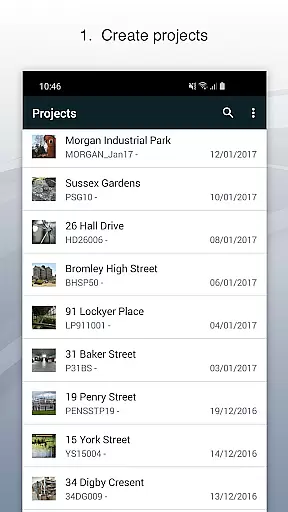
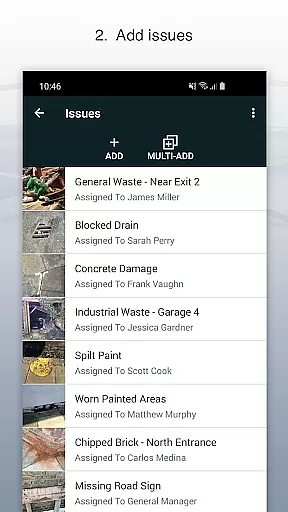
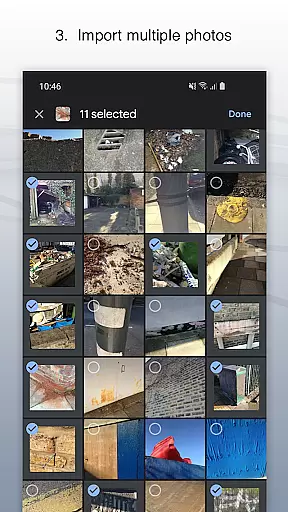
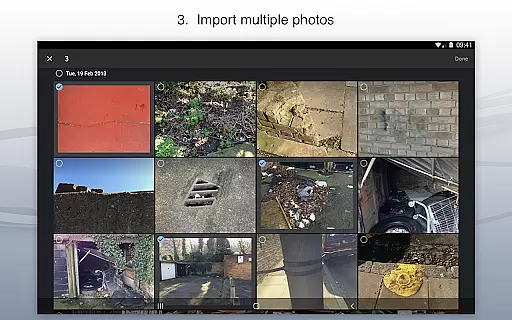
Site Audit Pro is a powerful productivity tool designed to simplify the auditing process for businesses across various industries. This mobile application allows users to efficiently record issues by capturing photos, adding relevant titles, assignees, and comments directly within the app. With its intuitive interface, users can annotate images to emphasize critical details, organize findings into specific projects, and input site and client information seamlessly.
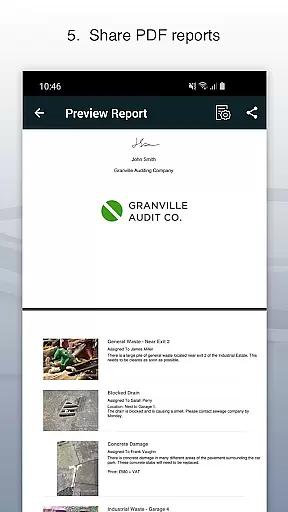
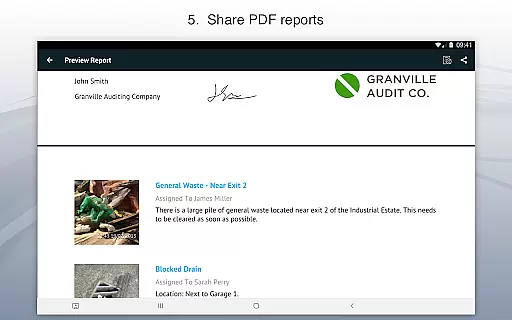
The app's standout feature is its ability to generate professional audit reports instantly, eliminating the need to return to the office for report creation. These customizable reports can be shared as PDFs via email or cloud services like Dropbox. Site Audit Pro caters to multiple use cases including safety inspections, snagging lists, punch lists, and quotation preparations, making it an indispensable tool for on-the-go professionals who require efficient data capture and reporting capabilities.
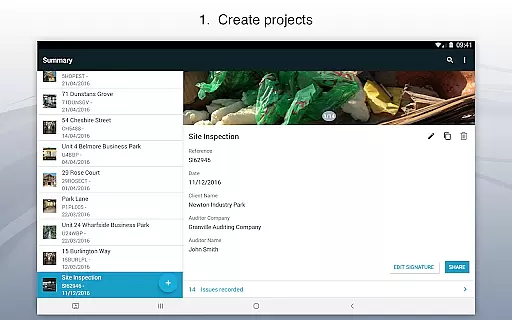
Site Audit Pro offers a comprehensive suite of features that enhance the auditing experience. The app enables users to document issues using photos with added annotations, ensuring all critical information is highlighted effectively. Each recorded issue can be categorized under specific projects, allowing for systematic organization and easy reference to corresponding site and client details.
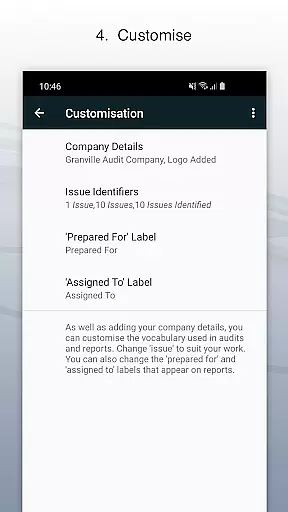
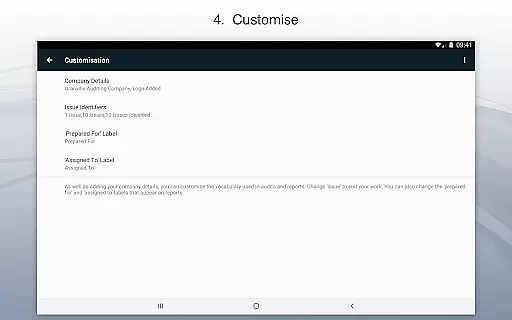
One of the key strengths of Site Audit Pro is its robust customization options. Users can personalize reports by incorporating company logos, auditor names, and signatures, giving each document a professional touch. Additionally, the app provides flexibility in terminology used within reports, adapting to different industry-specific languages. With eight professional report designs to choose from, users can select and modify templates that best suit their business needs, ensuring that every report aligns with their brand identity and communication style.
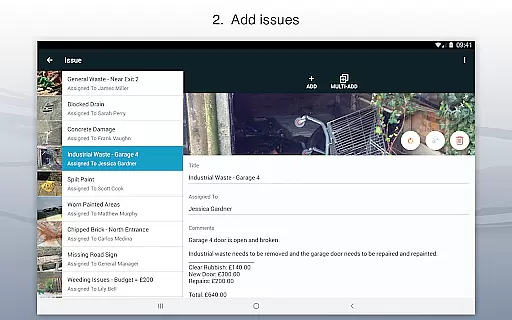
Task management is a critical component of productivity applications, and Site Audit Pro excels in this area. The app allows users to record issues with ease, attaching photos, titles, assignees, and comments to each entry. This comprehensive approach ensures that every task is well-documented and assigned to the appropriate team member.
The application's strength lies in its ability to organize these tasks into projects, providing context such as site and client details specific to each project. This feature not only streamlines task management but also enhances communication within teams, ensuring everyone is on the same page regarding project specifics.
For users, this means improved efficiency and clarity in their workflow. By having all necessary information at their fingertips, they can focus on resolving issues rather than managing paperwork. The result is a more productive work environment where audits and inspections are carried out swiftly and managed effortlessly.
Cross-device synchronization is essential for professionals who need access to their data across multiple devices. Site Audit Pro offers reliable synchronization, allowing users to seamlessly transition between their mobile devices and desktop computers without losing any data or functionality.
This reliability is further enhanced by the app's capability to instantly share professional audit reports. Users can send detailed reports as PDFs via email or cloud services like Dropbox directly from their mobile device, eliminating the need to return to the office for report generation.
The benefit to users is significant; they gain flexibility in how and where they work, knowing their data is always up-to-date and accessible. This feature supports a modern, mobile workforce, enabling them to be more responsive and efficient in their duties, ultimately leading to better service delivery and customer satisfaction.
User-friendly interface
Customizable reports
Instant report sharing
Photo annotation tools
Cross-industry adaptability
Limited free version
Occasional bugs
Subscription costs
Learning curve
Offline limitations

When you Focus, so will your Bean in this cozy focus timer
 4.30
4.30
Send files, sync SMS, notifications & clipboard across devices via local network
4.40
A simple, portable logger for POTA, SOTA, Field Day, and more
4.0
Absolutely the best CNC machinist speed and feed calculator around. fswizard.com
4.60
Customizable calendar widget for seamless event sync, planning & scheduling.
4.00
Multilingual translator for text, voice, and image translation!
4.90
Subscribe to Webcal & .ics calendars and keep them up-to-date!
4.50
Set up, print, and get support—in one place
4.20
Browse and view your photos and videos from the phone with photo & video hide.
4.10
A beautiful digital clock with autostart and many other functions
4.70
App Lock with fingerprint, password: Lock apps & hide photos with lock screens
4.60
CalenGoo is a very flexible and feature-rich calendar app
4.40
Device's storage information in a simple and clear graphical form (infographics)
4.10
The ultimate file manager for rooted devices. The original and still the best.
4.00
ID.me Authenticator is a simple and free Two Factor Authentication solution
3.50
Simple and reliable communication between inmates, friends and family
3.20
Code on-the-go with VScode for Android. Edit,debug and collaborate from mobile!!
3.10
Easiest event planning, volunteer signups & parent teacher conference scheduling
2.20
IP Camera Viewer - Android TV : RTSP Surveillance camera viewer for Android TV
4.2


User Reviews