
Web Alert (Pro) is a powerful productivity tool designed for professionals in web development and automation. This premium version offers advanced monitoring capabilities, allowing users to track webpage changes with precision. With features like parallel checks, custom frequency settings, and text filtering, it provides detailed change notifications tailored to specific needs.
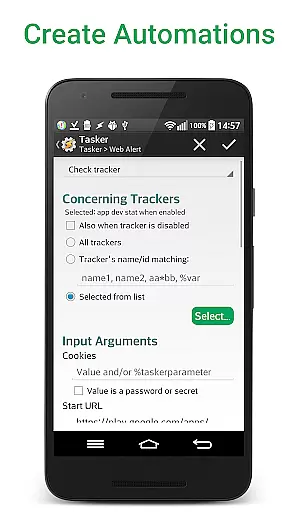
The app excels in monitoring critical web elements such as price changes or keyword appearances. Its sophisticated filtering options using RegEx, CSS selectors, and jQuery make it an indispensable tool for developers. Additionally, the Tasker plugin integration enables programmable automation without requiring programming knowledge, making it suitable for both technical and non-technical users.
Whether you're tracking product prices, monitoring website uptime, or automating complex web scraping tasks, Web Alert (Pro) delivers reliable performance. The ability to export alerts and website versions ensures your data remains portable and secure, while its comprehensive notification system keeps you informed about important changes in real-time.
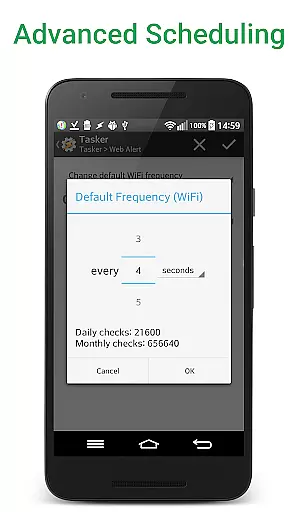
Web Alert (Pro) stands out with its extensive feature set tailored for professional use. The app allows setting custom check frequencies as low as every 5 seconds, enabling real-time monitoring of critical web elements. Its parallel checking capability ensures multiple alerts can be processed simultaneously without delays, making it ideal for power users who need to track numerous webpages.
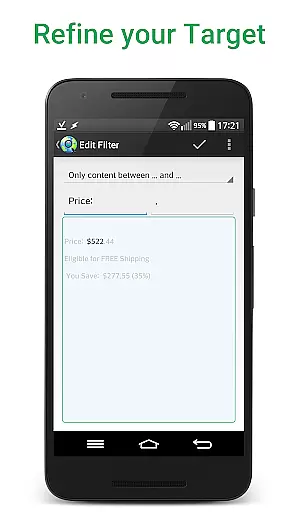
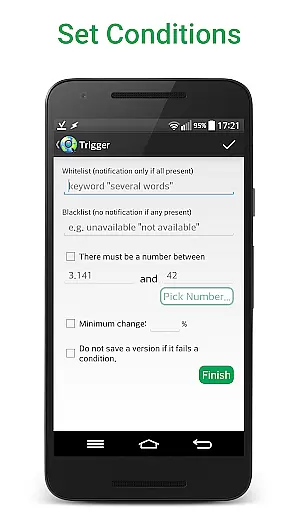
Advanced filtering options include text-based filters, number monitoring, and percentage-based change thresholds. Users can define specific time ranges for monitoring and notifications, ensuring they receive alerts only during relevant periods. The app's ability to monitor HTML source code changes using RegEx, CSS selectors, and jQuery makes it particularly valuable for web developers and automation specialists.
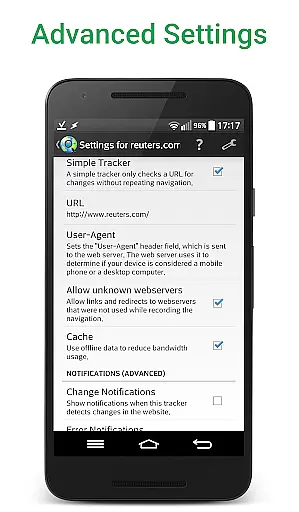
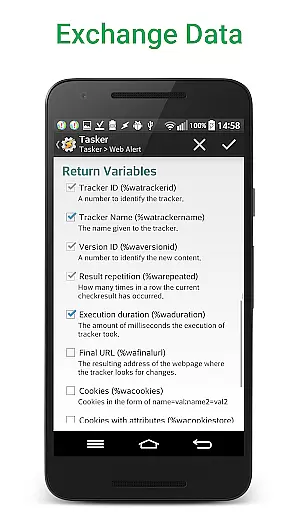
Additional professional-grade features include SSL certificate problem handling, alert duplication, and URL modification. The comprehensive Tasker plugin integration enables seamless automation workflows, while export/import functionality and offline website version archiving provide robust data management capabilities. These features collectively make Web Alert (Pro) an essential tool for serious web monitoring tasks.
Web Alert (Pro) excels in core task management by offering users the ability to monitor web pages for changes with precision and flexibility. This feature is crucial for professionals who need to stay updated with specific web content, such as price drops in online stores.
The app allows setting custom frequencies for checks, filtering text, and monitoring numbers for changes. Users can define time ranges without checks or notifications, ensuring they are only alerted when necessary. These capabilities provide a tailored experience that fits various monitoring needs.
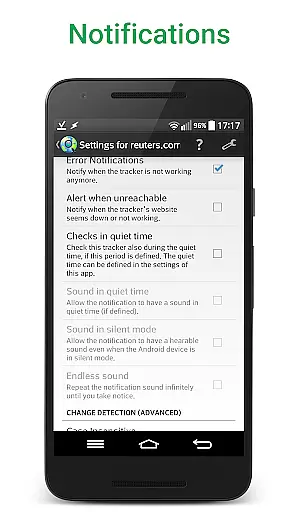
With options like change notifications based on keyword presence, access to websites with SSL issues, and limiting alerts to a minimum change percentage, Web Alert (Pro) ensures users receive relevant and timely updates. This level of customization enhances productivity by focusing only on significant changes.
Cross-device synchronization is vital for users who operate across multiple devices. Web Alert (Pro) ensures reliable synchronization, allowing seamless integration and data consistency between devices.
Features such as exporting and importing alerts, restoring accidentally deleted alerts, and modifying alert URLs contribute to this reliability. These functionalities ensure that users can maintain their monitoring tasks without disruption, regardless of the device they are using.
Additionally, the app's extensive Tasker plugin makes many parts programmable without needing programming knowledge. This enhances the synchronization experience by enabling automation and integration with other apps, thus boosting overall productivity and user satisfaction.
Highly customizable
Real-time monitoring
Advanced filtering
Tasker integration
Professional features
Paid version only
Requires free app
Complex for beginners
No iOS support
Technical setup needed

 4.20
4.20
Auto-shutoff Alarm with Sunrise, Sunset & Fixed Options.
3.50
The Pro Version of Android's tiniest Notepad app. Just 0.3MB but feature-packed!
4.60
Absolutely the best CNC machinist speed and feed calculator around. fswizard.com
4.60
Cloud storage, automatic phone backup, and more.
4.10
To do list widget with a notebook organizer, checklist, simple shopping list
4.60
Access your phone's notifications, calls, apps, photos & texts on your PC
3.90
Ultimate Virtual AI Character for immersive Roleplay Chat. Perfect Companion
3.90
Lightweight PDF, Word, Excel reader.
4.60
Mind Map and brainstorm, note taking and idea collection
4.80
Simple notepad & memo. Take notes, to-do list, shopping list with reminders.
4.80
A beautiful digital clock with autostart and many other functions
4.70
Tally and goal counter for Wear OS & mobile
4.50
Docker, Kubernetes management over Portainer Mobile
4.40
Secure your apps with lock screens, use custom themes and different features.
4.40
Easily read and manage all your PDF files
4.10
Customizable calendar widget for seamless event sync, planning & scheduling.
4.00
Mega cloud explorer plugin for Solid Explorer
3.80
Make your handwriting beautiful, even more than pen on paper.
3.60


User Reviews