
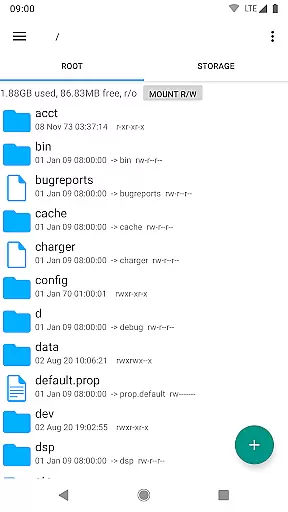
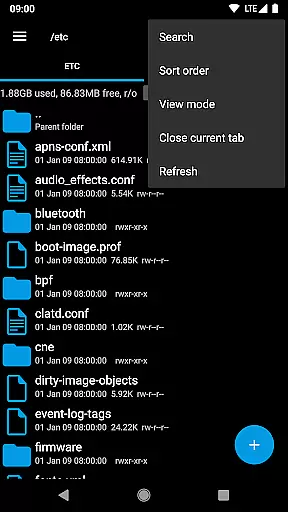
Root Explorer stands as the premier file manager tailored for root users, providing unrestricted access to Android's entire file system. This includes the typically inaccessible data folder, empowering advanced users with unprecedented control over their devices.
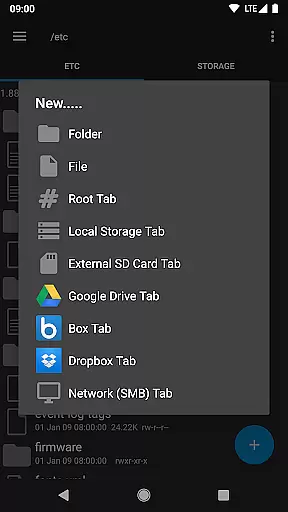
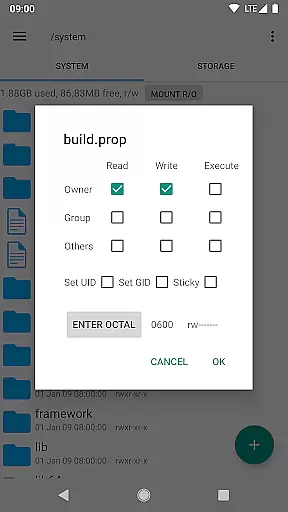
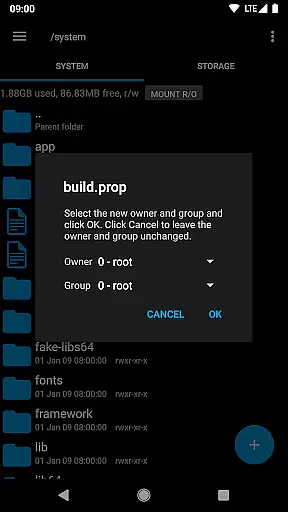
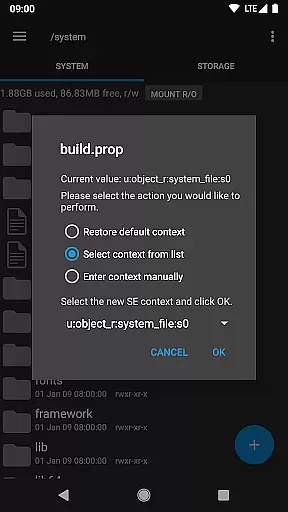
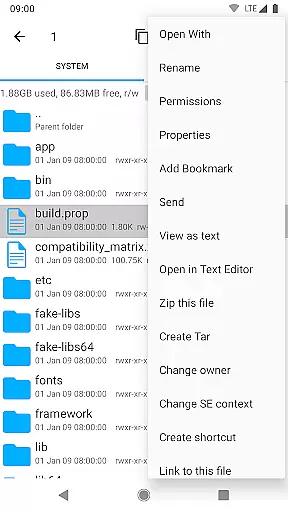
The app offers a comprehensive suite of features such as multiple tabs, cloud storage support (Google Drive, Box, Dropbox), network (SMB) capabilities, SQLite database viewer, and a built-in Text Editor. Users can create and extract zip or tar/gzip files, unpack rar archives, execute scripts, search files, remount partitions, manage permissions, and more.
Ideal for power users who need deep system access, Root Explorer is particularly useful for modifying system files, managing apps, and performing advanced device management tasks. Its robust feature set ensures maximum productivity for tech-savvy individuals.
Root Explorer boasts an impressive array of features that cater to power users. The app supports multiple tabs, streamlining navigation across different directories and making file management more efficient.
One standout feature is its extensive cloud and network integration, supporting Google Drive, Box, Dropbox, and SMB. This allows seamless file transfers between local storage and cloud services. Additionally, the SQLite database viewer and Text Editor provide tools for developers and advanced users to edit databases and text files directly on their devices.
Other notable features include the ability to create and extract various archive formats (zip, tar/gzip, rar), multi-select functionality for batch operations, APK binary XML viewer, and MD5 checksum generation. These features collectively enhance user productivity and system control.
Root Explorer offers a comprehensive suite of tools for managing tasks on your Android device. With its robust functionality, users can seamlessly handle file operations, including copying, moving, and deleting files across multiple tabs.
The app's ability to execute scripts and remount partitions adds an extra layer of control over system-level tasks. This feature is particularly beneficial for advanced users who require granular management capabilities.
Moreover, the inclusion of SQLite database viewer and Text Editor enhances productivity by allowing direct interaction with databases and text-based files. These tools streamline workflows and eliminate the need for additional applications.
By providing these core task management features, Root Explorer empowers users to efficiently organize and manipulate their files, making it an indispensable tool for productivity-oriented individuals.
Cross-device synchronization is a critical aspect of modern productivity tools, and Root Explorer excels in this area. The app supports integration with cloud services like Google Drive, Box, and Dropbox, ensuring that your files are always up-to-date across all devices.
With reliable real-time syncing, users can access their files from any location, knowing that changes made on one device will be reflected on others. This seamless connectivity enhances collaboration and mobility, allowing for flexible work environments.
Furthermore, the app's support for network (SMB) ensures that files stored on remote servers are also synchronized effectively. This feature is particularly useful for teams working in distributed settings, as it maintains consistency across different systems.
Root Explorer's commitment to reliable cross-device synchronization makes it a top choice for users seeking a dependable solution for managing their digital assets across multiple platforms.
Comprehensive file access
Multiple cloud integrations
Advanced system tools
User-friendly interface
Reliable customer support
Paid application
Complex for beginners
Requires root access
Occasional stability issues
Limited appeal to casual users

Auto-shutoff Alarm with Sunrise, Sunset & Fixed Options.
 3.50
3.50
Professional calendar app for Google Calendar, MS Outlook & Exchange
4.20
Smart PDF reader & editor to view, organize and manage PDF documents easily.
3.70
A lightweight JSON & XML files creator, editor and viewer (Premium Version)
4.40
Remotely view listen control and record cameras.
3.70
App lock - lock apps with fingerprint, password, pin or pattern, protect privacy
4.70
ID.me Authenticator is a simple and free Two Factor Authentication solution
3.50
Subscribe to Webcal & .ics calendars and keep them up-to-date!
4.50
To do list widget with a notebook organizer, checklist, simple shopping list
4.60
8 custom complications. Custom Time Fonts. Beautiful color schemes. A++ Design.
5.00
Great calculator for Android named one of USA TODAY's "25 Essential Apps".
4.90
We're working to become the best machining app on the market! www.cncdirt.com
4.80
Direct Chat without saving contacts & Dual WA Account on Single Device
4.70
CalenGoo is a very flexible and feature-rich calendar app
4.40
Share files & memories safely. Keep your photos and videos secure.
4.40
All in One PDF Reader: Manage, Read and Edit your Documents
4.20
Activate Two Factor Authentication (2FA or Multi OTP), Password manager and more
4.10
Ultimate Virtual AI Character for immersive Roleplay Chat. Perfect Companion
3.90
IP Camera Viewer - Android TV : RTSP Surveillance camera viewer for Android TV
4.4


User Reviews