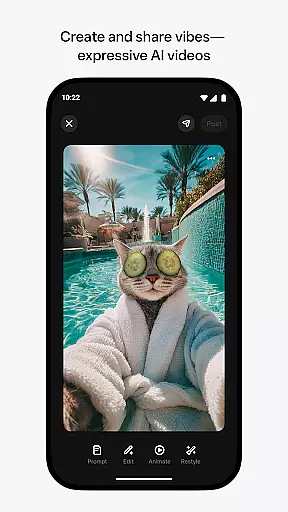
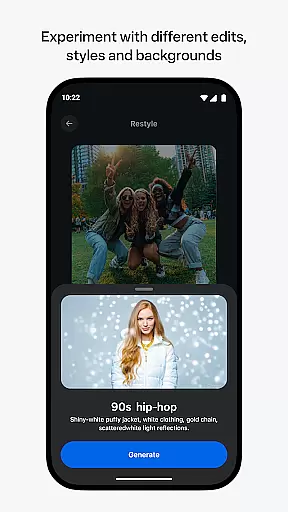
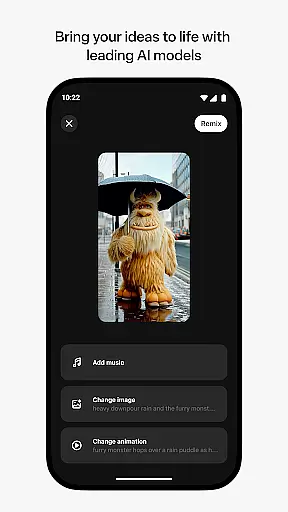
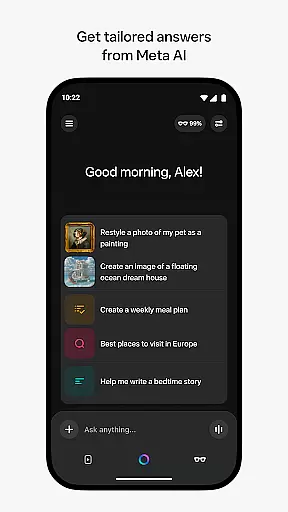
Meta AI is a productivity app that allows users to create and share AI-generated videos with custom animations and music. The app serves as a creative platform where users can describe their ideas and experiment with different styles to produce unique video content. It also provides tailored answers and inspiration through conversational AI, making it a versatile tool for both creativity and productivity on-the-go.
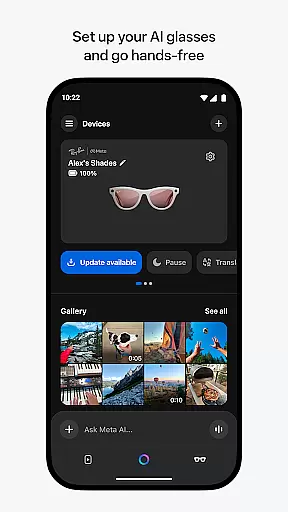
In addition to its creative capabilities, Meta AI pairs with AI glasses, enabling hands-free operation and media management. This makes the app particularly useful for professionals who need quick access to information or those looking to streamline their creative workflows. With industry-leading AI models, Meta AI empowers users to generate high-quality content efficiently.
Meta AI offers a robust set of features designed to enhance productivity and creativity. One of its standout capabilities is generating AI-driven videos with custom animations and music based on user input. This feature allows users to quickly create professional-grade content by simply describing what they envision, then tweaking the results to match their style.
Beyond video creation, Meta AI includes conversational AI assistance accessible via voice or text. This helps users get personalized recommendations and quick answers throughout their day. Additionally, the app acts as a companion for Meta AI glasses, providing essential management tools for importing and sharing media captured hands-free, thus streamlining digital interactions in a fast-paced world.
Meta AI offers a robust platform for creating and managing AI-generated videos, making it an essential tool for productivity. The app allows users to describe their vision and instantly generate custom animations, music, and more, streamlining the creative process.
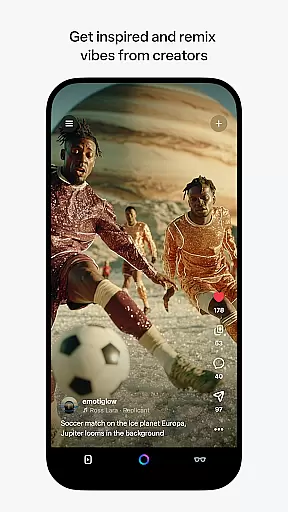
With features like remixing and editing, users can efficiently iterate on their ideas, ensuring that each project meets their exact specifications. This flexibility enhances task management by allowing creators to quickly adapt and refine their work without starting from scratch.
The app also supports voice and text interactions with Meta AI, providing personalized assistance throughout the day. This ensures that users can manage their tasks effectively, whether they are crafting videos or handling other daily activities.
Cross-device synchronization is a key feature of Meta AI, enabling seamless integration between the app and AI glasses. Users can pair their glasses to manage media, import files, and share content effortlessly, ensuring a reliable connection across devices.
This synchronization extends to the app's ability to provide tailored answers and recommendations on-the-go. By maintaining consistent data flow, users can expect uninterrupted service, whether they are using their phone or going hands-free with their glasses.
Although certain features roll out slowly and are limited to specific countries and languages, Meta AI remains committed to expanding its capabilities. This dedication ensures that users worldwide can rely on cross-device functionality as the platform evolves.
User-friendly interface
Customizable video options
AI-powered assistance
Hands-free functionality
Creative community feed
Limited language support
Feature rollout delays
Glasses required for full use
Premium pricing model
Country-specific restrictions

Mega cloud explorer plugin for Solid Explorer
 3.80
3.80
Wake up & get tasks done! Add alarms & reminders on the Clock Launcher.
4.00
Automates browsing any website and notifies you of important changes or events
4.30
Secure, fast, open-source, Remote Desktop Client for Windows and Linux with SSH
4.60
⏰ Finally a timer app which can run multiple timers simultaneously on your watch
3.90
Functional QR scanner and barcode reader that requires little storage space.
4.60
Experience and share your SolidWorks designs on your Android® phone and tablet.
2.50
Ultimate Virtual AI Character for immersive Roleplay Chat. Perfect Companion
3.90
Intelligent AI Assistant
4.10
Scientific calculator for Android - looks and operates like the real thing!
4.90
All document reader, all in one file viewer read PDF, DOCX, XLS, PPT, TXT files.
4.60
Access, manage and transfer files on Android, PC, Mac, NAS and cloud storages.
4.30
A customizable calendar for your Wear OS watch
4.20
Pwnagotchi companion app
4.20
Device's storage information in a simple and clear graphical form (infographics)
4.10
A Revolutionary All-in-One Artificial Intelligence Tools
3.80
All in one sketching tool. Technical and General drawing. Online Maps support.
3.70
Find and delete junk files & block unwanted notifications & manage files
3.70
Auto-shutoff Alarm with Sunrise, Sunset & Fixed Options.
3.50


User Reviews