
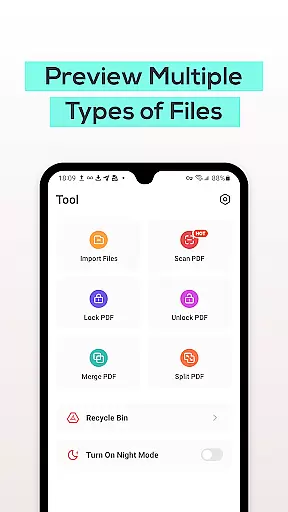
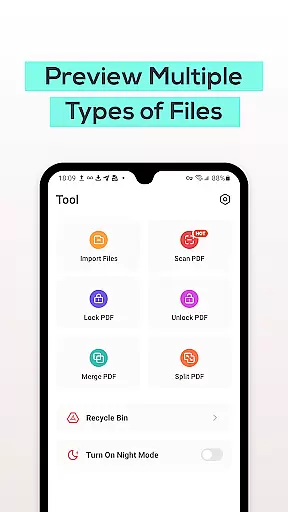
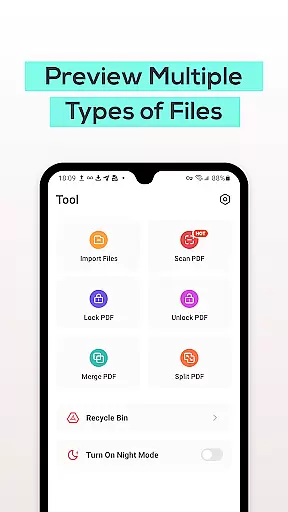
PDF File Reader is a comprehensive productivity tool designed to streamline document management on mobile devices. This application allows users to efficiently handle PDF files by providing essential features for viewing and basic editing. With capabilities such as text highlighting, underlining, and quick search functionality, it ensures that users can easily interact with their documents. Additionally, the integrated Recycle Bin feature offers a safety net when managing files, automatically clearing contents after seven days. Whether for professional or personal use, this app simplifies PDF management while enhancing productivity.
The app's intuitive design makes it accessible for all user levels, from students to business professionals. By supporting various document formats including Word, PowerPoint, and Excel, it becomes an all-in-one solution for mobile document handling. The ability to perform these tasks on-the-go adds significant value, making PDF File Reader an indispensable tool for anyone needing to manage digital documents efficiently.
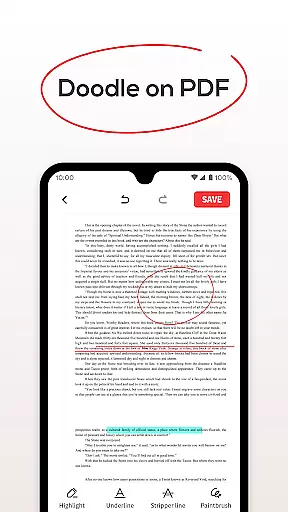
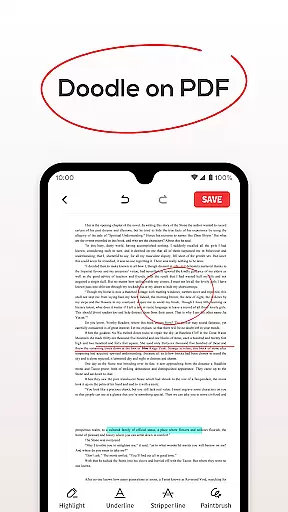
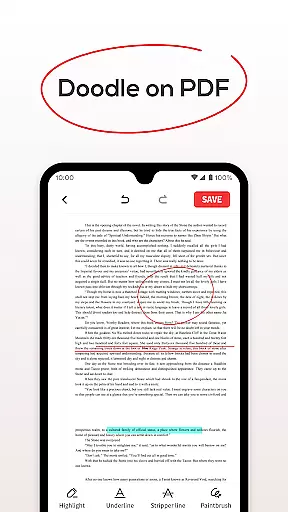
PDF File Reader stands out with its robust set of features tailored for efficient document handling. The core functionality revolves around seamless PDF viewing, allowing users to open files quickly and perform essential operations like adding highlights and underlines. This capability ensures that important information can be visually emphasized without altering the original document structure.
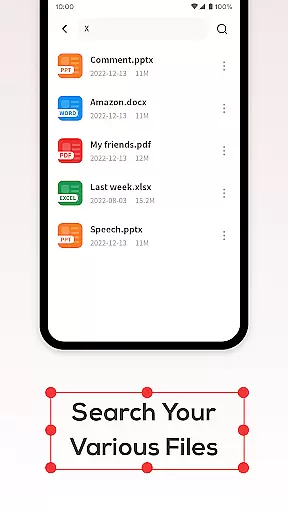
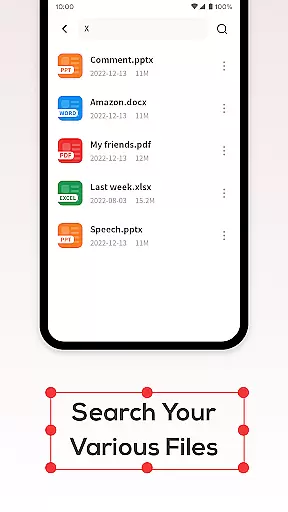
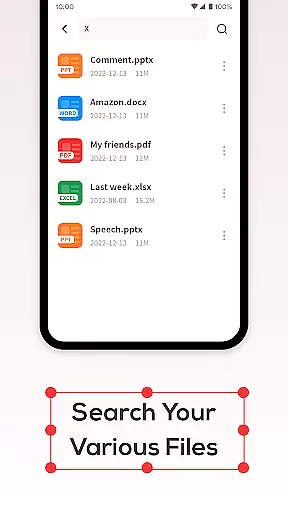
Beyond basic viewing, the app incorporates a powerful search function that dramatically reduces the time needed to locate specific PDFs. The implementation of a Recycle Bin system provides users with peace of mind when deleting files, as it allows for recovery within a seven-day period. These features collectively create a comprehensive document management solution that addresses both immediate processing needs and long-term file organization requirements.
The application's versatility extends to its support for multiple document formats, enabling users to view Word, PowerPoint, and Excel files alongside PDFs. This cross-format compatibility, combined with its mobile optimization, makes PDF File Reader particularly valuable for professionals who need to access and manage various document types while working remotely or traveling.
In the realm of productivity, managing tasks efficiently is paramount. PDF File Reader excels in this area by offering a suite of features designed to streamline document handling. This app allows users to open and manipulate PDF files with ease, providing tools for highlighting and underlining text, which are essential for effective task management.
Moreover, the application supports viewing various file formats including Word, PowerPoint, and Excel documents, making it a versatile tool for organizing different types of work-related content. The ability to perform these operations swiftly ensures that users can focus more on the substance of their work rather than getting bogged down by the process.
The inclusion of a recycle bin feature further enhances its task management capabilities. By allowing users to recover deleted files within a seven-day period, it prevents accidental data loss and provides peace of mind when managing important documents. This thoughtful design aspect underscores the app's commitment to facilitating a seamless workflow experience.
For professionals who operate across multiple devices, reliable cross-device synchronization is crucial. PDF File Reader addresses this need by ensuring that your documents are accessible and consistent wherever you go. While specific details about cloud integration or real-time syncing aren't provided in the description, the app's robust feature set implies a dedication to maintaining document integrity across platforms.
The quick search functionality enables users to locate their PDF documents rapidly, regardless of where they left off. This efficiency is vital when transitioning between devices, as it minimizes downtime and maximizes productivity. Knowing that you can find and continue working on your documents without delay is a significant advantage in today's fast-paced work environment.
Additionally, the appu2019s support for various file types suggests that it could potentially synchronize not just PDFs but also other document formats. This versatility would be invaluable for users who require access to a wide range of file types on different devices, ensuring that all necessary materials are at hand when needed most.
User-friendly interface
Fast document processing
Multi-format support
Reliable Recycle Bin
Efficient search function
Limited advanced editing
No cloud integration
Basic annotation tools
Seven-day recycle limit
Occasional performance lag

A Revolutionary All-in-One Artificial Intelligence Tools
 3.80
3.80
Client for Nextcloud Deck
4.60
The long-awaited modern gallery app for your Nextcloud server
4.70
Smart PDF reader & editor to view, organize and manage PDF documents easily.
3.70
All in One PDF Reader: Manage, Read and Edit your Documents
4.20
Share files & memories safely. Keep your photos and videos secure.
4.40
Intelligent AI Assistant
4.10
Okta MFA
4.70
Put a lock on your cloud: Take the security of your data into your own hands
3.70
Android Wallet Password Manager
4.80
Protect and view your important info on your phone and tablet with eWallet®
4.80
Use powerful, industry-leading AI tools to generate visual charts from any data
4.80
To do list widget with a notebook organizer, checklist, simple shopping list
4.60
Planet Free VPN - The best Fast Unlimited and Secure VPN Without Logs
4.50
Tally and goal counter for Wear OS & mobile
4.50
A customizable calendar for your Wear OS watch
4.20
Todo reminder
4.10
Create and edit presentations with Google Slides, part of Google Workspace.
4.00
ID.me Authenticator is a simple and free Two Factor Authentication solution
3.50


User Reviews